

This post was originally published on this site.
June 19 – July 2, 2026
Welcome back to the WordPress.com changelog! During the last two weeks, we focused on giving you more control: a subscription signup you can tailor to your readers, a support assistant that can now sort out your domain settings right in the chat, and more.
Create and publish
Customize your newsletter signup
Your subscription form no longer has to be one-size-fits-all. You can now add a welcome message to the signup box to tell readers why they should join, write descriptions for your free and paid tiers so people know what they’re getting, and optionally hide the free tier to point readers straight to your paid plans.

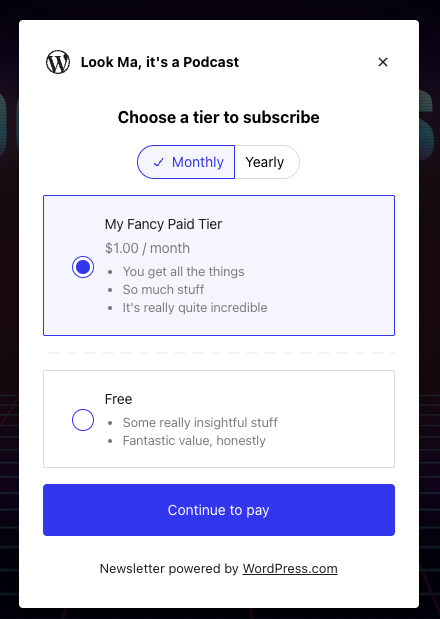
Available now for any newsletter, on any plan — including free. Look under Newsletter Settings to set it up.
For stores
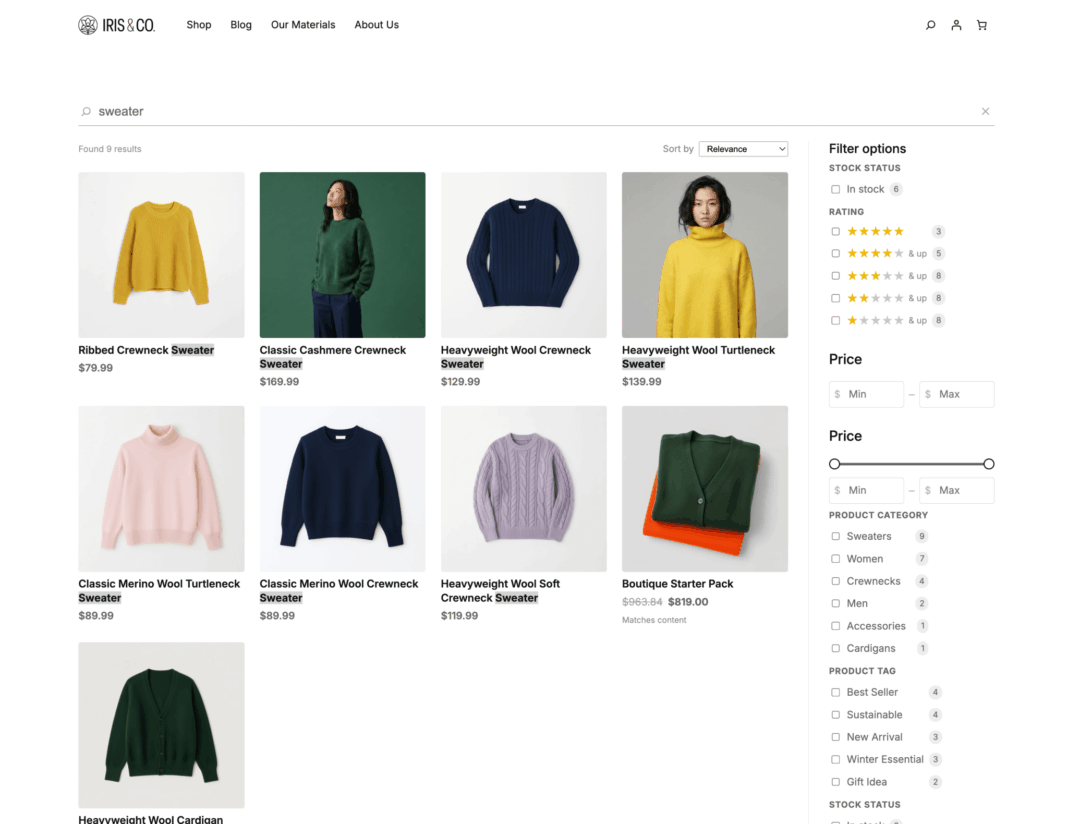
Faster product discovery in your WooCommerce store
Search on WordPress.com Commerce stores got a big upgrade.
Shoppers can now filter products by size, color or other product options, plus price range, rating, availability, category, tag, and brand — and see rich product cards with images, prices, ratings, and review counts right in the results. They can sort by price or rating and see active filter chips as they refine.
It’s all included on our Commerce plan, with nothing extra to install or connect.
Support
The support assistant can now handle domain tasks for you
Reach out to WordPress.com support, and the assistant can now take care of common domain jobs right in the chat — no back-and-forth, no handoff.
Ask it to set up email for your domain (through services like Google Workspace or iCloud), update your domain records, check whether a domain is available, or set your primary domain, and it makes the change on the spot. The assistant confirms the changes with you before executing, so nothing happens without your approval.
When logged in, click the question mark icon in the top navigation bar, click “Get help,” and ask away.
Fixes and improvements
We also shipped a handful of smaller improvements and fixes to smooth out your day-to-day:
- Fixed missing images on the Reader feed, so the posts you follow show up with their pictures again.
- Added a Write button to the top of your Reader, so when a post sparks an idea, you’re one click from writing in the full editor.
- Added a settings tab to your Reader profile, so you can control whether or not your achievements are public.
- Fixed the password reset flow to show a clear message when it fails, instead of a dead end.
- Fixed the Help Center so it loads right away, even if you’re still partway through setting up your account.
- Updated plan-change confirmations, so downgrading to another annual plan shows you exactly what changed.