

When you’re looking to boost client engagement with customizable enterprise presentations, choosing the right demo platform is vital. Start by evaluating your needs, like integration with your CRM and the ability to track viewer engagement. Consider platforms like Walnut or Consensus, which offer strong personalization features and automation tools. Each option has unique strengths, so it’s important to compare their capabilities. Understanding these differences can help you make an informed choice that drives results for your team.
Key Takeaways
- Customization Flexibility: Platforms like Walnut and Navattic offer high-level customization for tailored enterprise presentations that resonate with specific client needs.
- Interactive Features: Tools such as Demoboost and Storylane provide engaging, interactive elements that enhance user experience during demonstrations.
- Advanced Analytics: Consensus and Reprise deliver robust analytics to track viewer engagement, helping refine strategies and improve conversion rates.
- Seamless Integrations: Leading platforms support integration with popular CRMs like Salesforce and HubSpot, ensuring smooth workflows and data flow.
- AI Automation Tools: Solutions like TestBox utilize AI to automate demo creation, saving time while enhancing personalization for enterprise presentations.
Why Customizable Demos Matter for Enterprises
Customizable demos matter for enterprises because they allow you to connect with clients in a way that feels personal and relevant. By using the best enterprise demo platforms for global sales teams, you can tailor presentations to specific client needs, enhancing engagement and increasing conversion rates by over 30%.
Incorporate client branding and relevant case studies to boost trust and credibility during your sales process.
Utilizing interactive elements in your demos helps showcase complex product functionalities, giving clients a hands-on experience that improves satisfaction and retention.
Additionally, advanced analytics from top demo platforms for customizable enterprise product presentations enable you to track viewer engagement, allowing you to refine your strategies based on solid data.
Implement these customizable demos to streamline your sales cycle, as personalized interactions can lead to quicker decision-making and reduce the average time to close deals by 20%.
Focus on personalizing your approach for better results.
What to Look For in Demo Software

When choosing demo software, you should focus on key features that matter most to your sales process.
Look for tools that integrate well with your existing systems, like Salesforce, and prioritize user-friendly interfaces for smoother navigation.
Also, consider platforms that offer interactive elements and analytics to track viewer engagement—these will help you create more effective presentations tailored to your prospects’ needs.
Key Features Required
To create effective demos, it’s essential to identify key features that meet your specific needs. First, look for personalization capabilities that allow you to customize demo content, including logos and user-specific data, which enhances engagement for different stakeholders.
Next, make sure the software includes robust analytics features to track viewer engagement, like time spent on demos and interaction rates, helping you optimize future presentations. Choose platforms that offer multi-channel sharing options, making it easy to distribute demos via email, chat, or embedded links.
Additionally, evaluate AI automation tools that can streamline demo creation and customization processes, generating insights based on buyer interactions. These features will help elevate your demo presentations and improve overall effectiveness.
Integration Capabilities Needed
Choosing the right demo software means understanding its integration capabilities, as they can greatly enhance your workflow. Look for platforms that seamlessly integrate with popular CRMs like Salesforce and HubSpot. This allows efficient tracking and management of customer interactions throughout the sales process.
Verify the software supports API integrations for connecting with other sales tools, improving data flow and collaboration. Evaluate its ability to provide real-time engagement analytics, which can be shared across integrated platforms to help your sales team assess demo effectiveness.
Check compatibility with communication tools like Slack and Zoom for easy sharing of demo links. Finally, consider customizable embedding options to maintain branding consistency on your existing websites or marketing materials.
User Experience Focus
Focusing on user experience is essential for selecting effective demo software, as it directly impacts how well your audience engages with your presentations.
Look for platforms that offer customization options, like tailored templates and the ability to inject specific data, making your demos more relevant.
Ascertain the software supports multi-channel sharing, so you can distribute demos via email, chat, or embedded links easily.
Prioritize tools with robust analytics to track engagement metrics, helping you refine future presentations.
Seek interactive elements that allow users to explore features at their own pace, enhancing understanding.
Finally, evaluate integration capabilities with existing CRMs and sales tools, as seamless connectivity can streamline workflows and improve the overall experience.
Comparing Top Demo Platforms for Your Needs
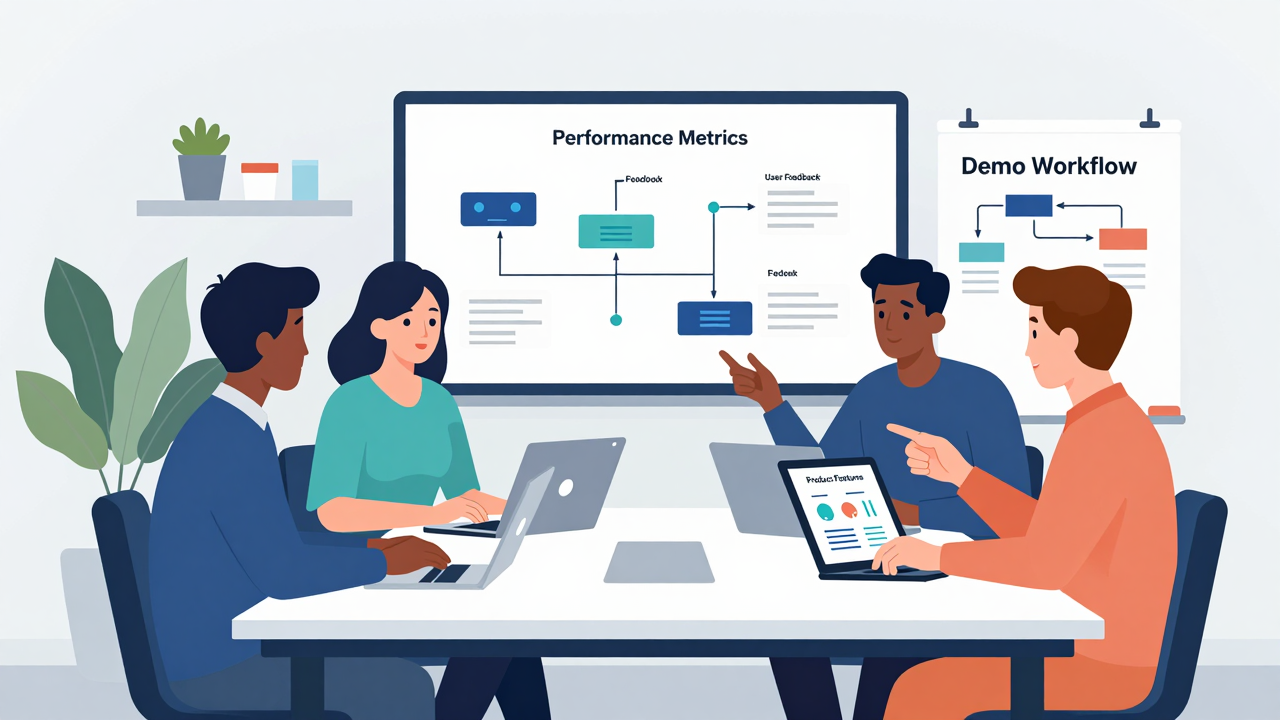
How can you determine which demo platform best meets your needs? Start by evaluating the customization flexibility. Platforms like Walnut and Navattic let you personalize demos to align with your brand and specific buyer requirements.
Next, consider interactive features; tools such as Demoboost and Storylane offer clickable elements that enhance user engagement, making your presentations more compelling.
Don’t overlook analytics capabilities. Consensus and Reprise provide insights into viewer engagement, helping you identify which parts of your demo resonate with prospects.
Also, think about integration options. Many platforms, including Loom and Demostack, connect seamlessly with CRMs and communication tools, streamlining your workflow.
Finally, if efficiency’s a priority, automated solutions like TestBox allow prospects to explore demos on demand, speeding up your sales cycle.
Loom: Personalization and Integration Capabilities

If you’re looking to enhance your presentations, Loom stands out with its strong personalization and integration capabilities. You can create engaging video demos with personalized touches, thanks to Loom AI, which automatically generates captions and transcripts. This feature boosts viewer comprehension and keeps your audience focused.
Use Loom’s drawing tools for real-time annotation, letting you highlight key product areas during recordings. This interactivity keeps viewers engaged and helps them understand your message better.
Plus, its integration with tools like Salesforce and Slack streamlines your workflow, making communication easier. You can also embed call-to-action options within your videos, which can considerably increase viewer engagement and lead conversion rates.
With multi-device support, your demos can be recorded and viewed across various platforms, ensuring accessibility for everyone. Embrace Loom’s features to create compelling presentations that resonate with your audience and drive results.
Navattic: Interactive Demos With Strong Analytics

Navattic simplifies creating interactive demos, letting your sales team build engaging presentations without needing engineering support.
With its modular flows and AI tools, you can personalize demos for different sales stages and streamline the setup process.
Plus, the strong analytics track engagement and buyer activity, giving you the insights you need to refine your sales strategies effectively.
Key Features Overview
When you’re looking to create engaging interactive demos, Navattic stands out with its modular and reusable demo flows. This feature lets your sales team tailor demos for different stages of the sales process, all without needing any coding skills.
You’ll also appreciate the AI capabilities, like automated demo copy and voiceovers, which personalize the experience for prospects. Navattic’s strong analytics provide valuable insights into how potential customers engage with your demos, helping you refine your approach.
[embedded content]
Plus, the platform integrates seamlessly with CRMs like Salesforce, HubSpot, and Marketo, simplifying data management throughout the sales journey.
With pricing options from a free plan to custom enterprise solutions, you can find a fit for your budget and needs.
[embedded content]
Engagement Tracking Capabilities
Understanding how prospects engage with your demos can greatly enhance your sales strategy.
With Navattic’s robust analytics tools, you can track user interaction effectively. Here are some key features to take into account:
- Engagement alerts notify your sales team in real-time via Slack or email when potential customers interact with demos.
- User activity logging allows you to see which demo features resonate most, helping tailor future presentations.
- Account tracking capabilities enable monitoring of engagement at the account level, which facilitates targeted follow-ups.
Easy Setup and Integration
Setting up interactive demos shouldn’t feel overwhelming, especially when you can create modular, reusable demo flows without any coding skills.
With Navattic, you can easily build tailored presentations for various sales stages. Start by leveraging the intuitive interface to build assets quickly.
Use the built-in AI to generate demo copy and voiceovers, saving you time on customization. Integrate seamlessly with major CRM platforms like Salesforce and HubSpot for smooth data flow, enhancing visibility into your sales pipeline.
Plus, with strong analytics features, track user engagement and stakeholder activity, allowing you to refine your demos based on real insights.
This practical approach guarantees your sales team can deliver impactful presentations efficiently.
Consensus: Automating Personalized Customer Journeys

Consensus revolutionizes the way you engage with potential customers by automating personalized journeys that enhance their experience. By providing dynamic, customized demos through a single link, you can streamline your sales process effectively.
Here’s how you can make the most of it:
- Use AI to tailor demo paths based on user behavior and interests, ensuring relevance.
- Explore Demolytics for insights on buyer intent and stakeholder engagement, which helps you follow up strategically.
- Plan your initial setup thoughtfully; while it takes time, the automation reduces reliance on live sessions considerably.
With pricing starting at $600 per month, Consensus is a scalable solution that can elevate your sales presentations.
Embrace this technology to engage customers meaningfully, optimize your resources, and enhance your sales outcomes. It’s a practical step toward improving how you connect with your audience.
Walnut: High-Level Customization for Engagement

If you’re looking to enhance your engagement strategies, Walnut offers impressive customization options that cater specifically to account-based marketing (ABM) campaigns. You can create personalized demo templates that resonate with your unique prospects, making your presentations more relevant and impactful.
With advanced AI tools like StoryCaptureAI, you can easily generate natural language edits to enhance the narrative of your demos, keeping your audience engaged.
Additionally, Walnut provides robust analytics that track engagement metrics, helping you assess how prospects interact with your demos. This data allows you to refine your strategies based on real-time insights, improving your overall effectiveness.
Plus, Walnut integrates seamlessly with CRM systems like Salesforce, enhancing deal transparency and providing contextual insights.
Starting at $766.67 per month, Walnut is accessible for startups and offers customized plans for larger enterprises, ensuring you can find a solution that fits your budget and needs.
Demoboost: Customizable Demos for Diverse Needs

When you need to tailor product demonstrations to meet diverse client needs, Demoboost stands out as a flexible solution. This platform allows you to create interactive demos with guided tours and sandbox environments that cater to specific requirements.
Here’s what you can expect:
- Multiple Demo Types: Choose from video overviews or interactive walk-throughs to showcase your product effectively.
- Robust Analytics: Track viewer engagement and user journeys to refine your sales strategy and enhance follow-ups.
- Customizable Environments: Offer realistic simulations that let prospects explore features without affecting backend systems.
Choosing the Right Demo Platform for Your Team?

How can you effectively choose the right demo platform for your team? Start by evaluating integration capabilities with your existing CRMs and sales tools. A seamless workflow helps guarantee efficient data tracking, making your process smoother.
Next, assess personalization features—look for customizable demo content and AI-driven enhancements that can engage your specific audience better.
Consider the types of demos available, whether interactive, live, or pre-recorded, to align with your sales strategy and product complexity.
Review pricing structures carefully; find a solution that fits your budget while still offering essential functionalities.
Finally, prioritize platforms that provide strong analytics capabilities. Monitoring viewer engagement and effectiveness is vital for refining your demo strategies and boosting conversion rates.
Frequently Asked Questions

How Do Demo Platforms Improve Sales Team Efficiency?
Demo platforms improve your sales team’s efficiency by streamlining presentations and reducing prep time. You can create tailored demos quickly, showcasing relevant features for specific clients.
Use analytics to track engagement, allowing you to refine your approach based on feedback. Schedule training sessions to guarantee your team’s comfortable with the platform, and encourage regular practice.
[embedded content]
Finally, integrate the platform with your CRM to keep notes and follow-ups organized, enhancing your overall sales process.
Can Demo Platforms Integrate With Existing CRM Systems?
Yes, demo platforms can integrate with existing CRM systems.
To start, check if your demo platform supports API connections or built-in integrations.
Next, gather your CRM’s documentation to understand any requirements.
Then, follow the setup instructions on your demo platform to link the two systems.
Once connected, you can share data seamlessly, track leads more effectively, and streamline your sales process.
Regularly test the integration to verify everything works smoothly.
What Is the Typical Pricing Structure for These Demo Platforms?
The typical pricing structure for demo platforms varies, but you’ll often find subscription models, which can range from $20 to $200 per user per month.
Some platforms offer tiered pricing based on features, like advanced analytics or integrations.
You should also check for one-time setup fees.
To choose wisely, compare these costs against your budget and the specific features you need, ensuring you get the best value for your investment.
How Secure Is the Data Shared Through These Platforms?
The data shared through these platforms can be secure, but it’s key to check their encryption standards and compliance with regulations like GDPR or HIPAA.
Always look for platforms that offer multi-factor authentication and regular security audits.
Make certain they provide clear privacy policies and data handling procedures.
Before sharing sensitive information, test the platform’s security features and read user reviews to confirm it meets your organization’s security requirements effectively.
Are There Training Resources Available for Using These Demo Tools?
Yes, there are training resources available for using these demo tools.
Start by visiting the platform’s official website, where you can usually find tutorials, webinars, and user guides. Many platforms also offer community forums for peer support.
Consider enrolling in any available online courses or workshops to deepen your understanding.
Additionally, check for video tutorials on platforms like YouTube, as they often provide practical demonstrations to help you learn effectively.
Conclusion

Choosing the right demo platform is essential for enhancing your enterprise presentations. Start by evaluating your team’s specific needs, like integration capabilities and customization options. Test out platforms like Walnut or Consensus to see which aligns best with your goals. Focus on user experience and analytics features to track engagement effectively. Finally, prioritize tools that automate personalized journeys, ensuring your presentations resonate with your audience, ultimately driving conversions and improving your sales strategy.
Image via Google Gemini and Small Business Trends