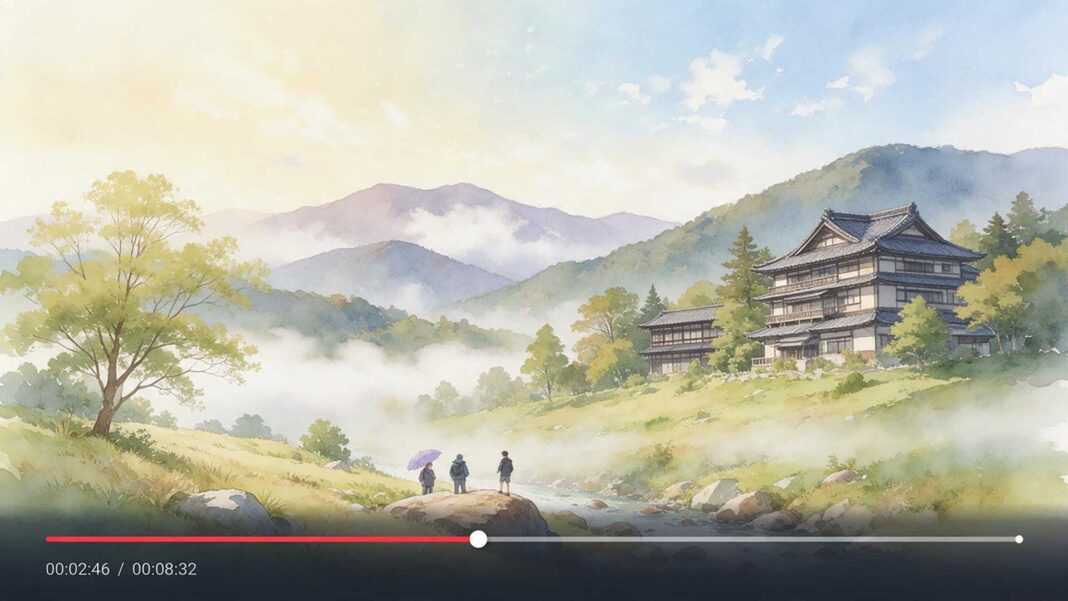

Taking that existing fluidity and actually setting it in motion creates something genuinely mesmerizing to watch.
Dreamina, powered by its advanced Seedance 2.5 video generation model, is particularly well suited to this delicate, painterly kind of motion. Here’s how to bring a watercolor piece gently to life.
Why watercolor suits animation so naturally
Unlike a sharp-edged illustration, watercolor’s inherent softness, its blurred boundaries, and its organic color bleeding give a video generator something genuinely fluid to work with.
The medium’s own visual language already resembles motion frozen mid-flow, which makes the eventual animation feel like a natural extension rather than an artificial addition.
Choosing a painting with movement already built in
Certain watercolor subjects lend themselves particularly well to this technique:
-
Clouds, mist, or fog with soft, undefined edges
-
Water, rivers, waves, or rain with inherent flow
-
Loose floral or botanical pieces with organic, swaying shapes
-
Abstract color-field pieces where paint itself can bloom and shift
Describing motion that respects the medium’s softness
The strongest results come from describing gentle, fluid movement, colors slowly blooming, mist drifting, water rippling, rather than sharp, mechanical motion that would clash with watercolor’s inherently soft, organic character.
Your 3-step watercolor reveal with Dreamina
Step 1: Upload reference image and write corresponding prompt
Visit Dreamina, sign in, and head to the AI Video section. Click “Add reference image” to upload your watercolor painting, then write a prompt describing how the piece should move.
A strong 30-second sample prompt might read: Reference the mountain shapes, soft blue washes, and cloud forms from the uploaded watercolor painting. 0-10 seconds: mist drifts slowly across the mountain peaks, colors softly shifting and blending. 11-22 seconds: pale clouds bloom and expand gently across the sky, lavender tones deepening subtly. 23-30 seconds: the mist settles, landscape resting in quiet stillness.
Describing the paint’s movement as organic blooming and drifting, rather than literal physical action, keeps the animation true to the medium.
Step 2: Generate your video
After adding your image and prompt, choose the Seedance 2.5 model for generation. Next, choose your video length, then a suitable aspect ratio; 16:9 suits a YouTube art showcase, while 9:16 works well for Instagram Reels and TikTok art content. Finally, click Dreamina’s icon and wait a few seconds for processing.
Step 3: Enhance & export the video
Polish your clip before saving it using Dreamina’s AI editing tools. Use advanced tools like Upscale for crisp, high-resolution detail that preserves fine brushwork texture, or Generate soundtrack to add a soft ambient or instrumental track suited to the piece’s quiet mood. Finally, export and share it across your art portfolio and social platforms.
Letting paper texture remain visible throughout the motion
Since watercolor’s charm depends heavily on visible paper grain and texture beneath the pigment, describing this texture explicitly in your prompt helps the animated version stay true to the original painting’s tactile, handmade quality rather than looking like a flat digital gradient.
How Seedance 2.5 handles this painterly motion well
Seedance 2.5’s reduced “AI look,” paired with its more realistic texture rendering and creativity transfer capability, proves especially valuable for art-based animation specifically, since it focuses on replicating a piece’s actual style and emotional quality rather than defaulting to generic, overly smooth motion that would clash with watercolor’s organic imperfection.
Its enhanced reference handling also helps keep the original composition’s color relationships and brushwork recognizable throughout the animated sequence.
Building a gallery of several animated pieces
Once one painting animates well, applying the same gentle motion treatment across a small series of related watercolor works, a full landscape collection, or a floral series- creates a genuinely cohesive animated gallery worth presenting together as one connected body of work.
Pairing the animation with the original static piece
Presenting the finished animated video alongside the original still painting gives viewers a genuine appreciation for the transformation, letting them compare the artist’s original brushwork against its newly animated life.
Where animated watercolor content finds real appreciation
This kind of delicate, art-driven motion content has genuine appeal across several contexts:
-
Artist portfolio and gallery website showcases
-
Social media content for fine art and illustration creators
-
Meditative, ambient content for relaxation and focus
-
Greeting card and digital art product offerings
Final thoughts
A watercolor painting’s natural softness already suggests motion waiting to happen, and image to video online makes that gentle transformation genuinely achievable for any artist.
With Dreamina and its advanced Seedance 2.5 video generation model, pigment that once bled quietly across paper can flow and bloom in real, mesmerizing motion.
Choose a piece with organic movement already built in, describe that motion with real softness, and let Dreamina bring your watercolor fully, gently to life.