
This post was originally published on this site.
How much traffic do AI Overviews drive? How much awareness do they create for your brand? And how can you track that over time?
These questions aren’t easy to answer—especially since Google keeps AI Overview data under lock and key.
But, if you keep reading, you might just find out…
When people talk about “tracking AI Overviews”, they could be referring to a few different things.
- Brand mentions: “How often does my company get mentioned in an AIO?”
- Citations: “How often do my pages get linked to in an AIO?”
- Traffic: “How many impressions and clicks do my pages get from AIOs?”
Some of these are harder to track than others.
Measuring AI Overview clicks is a minefield
Accurately measuring clicks from AI Overviews is nearly impossible. Google blends AI Overview data into standard organic search, and doesn’t give you tools in Search Console or GA4 to identify AI Overview impressions, citations, or clicks.
Any click in an AI Overview will either show up as google / organic or appear with no referrer.
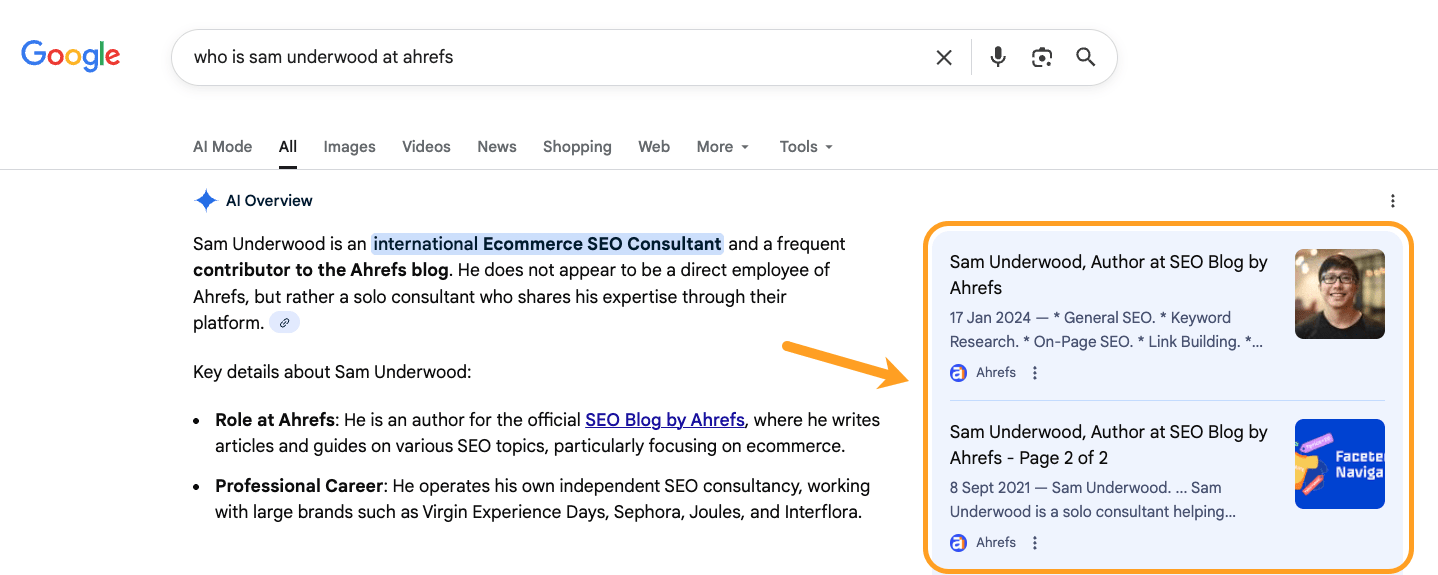
Here’s what I mean. I clicked on an obscure Ahrefs page from an AI Overview.
Then, I tracked that click live in Ahrefs Web Analytics, our GA4 alternative. The source simply showed: Google, and the channel: Search.
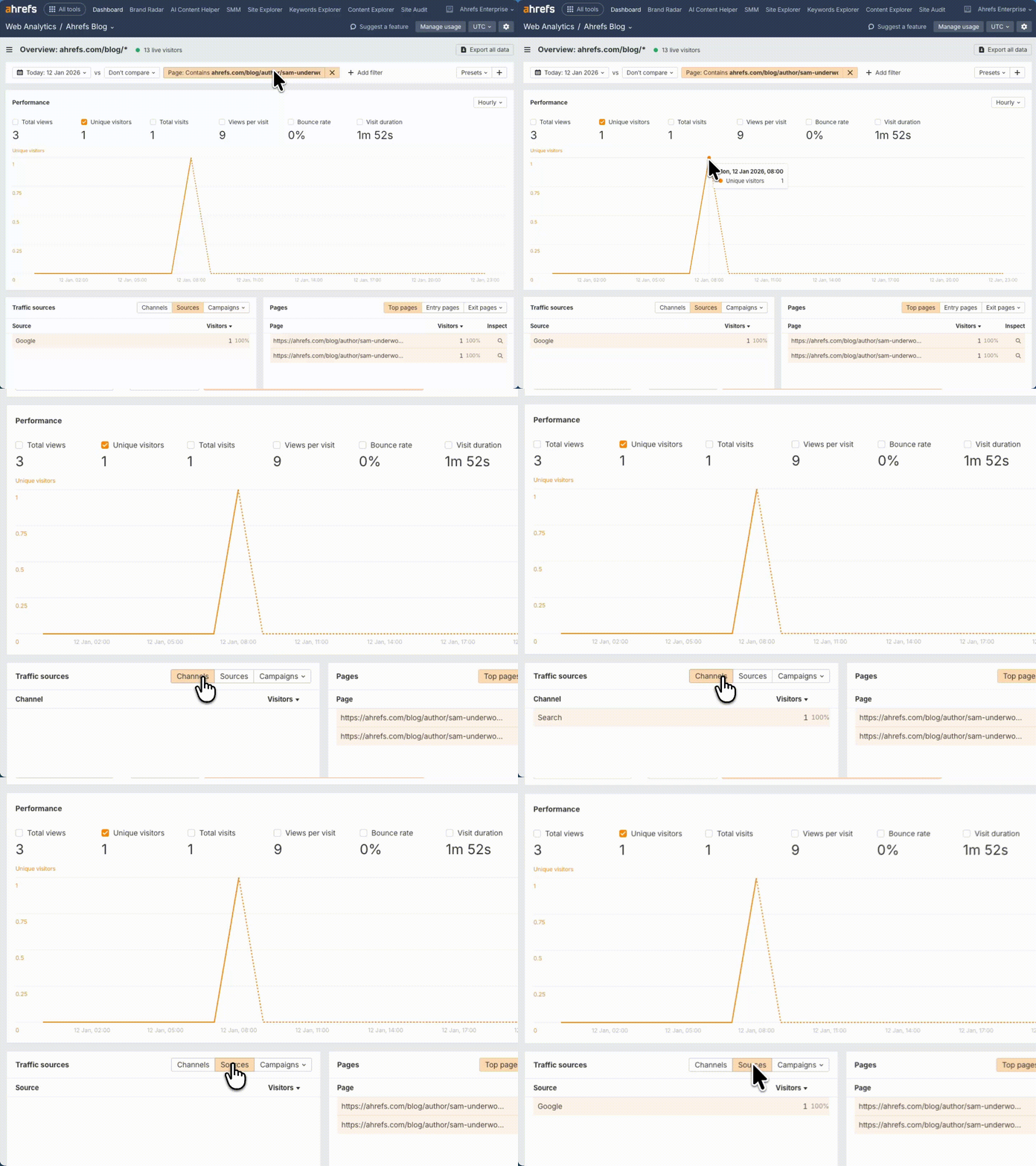
The only way to track AI Overviews in Google properties is through indirect signals and workarounds—which we’ll get to later.
Further reading
AI Overviews are always changing
Tracking AI Overviews is not a perfect science because AIOs are dynamic and constantly changing.
Want to track brand mentions in AIOs? Be aware that AI Overview content changes 70% of the time.
Thinking of tracking citations? They change 46% of the time, too.
And that’s before we even get to personalization—Google personalizes results based on location, search history, and other factors.
So you might see an AI Overview, while someone else searching the same thing doesn’t.
Consistency is very much not part of an AI Overview’s DNA.
That said, we found that the underlying meaning, opinion, and intent of AI Overviews is incredibly stable.
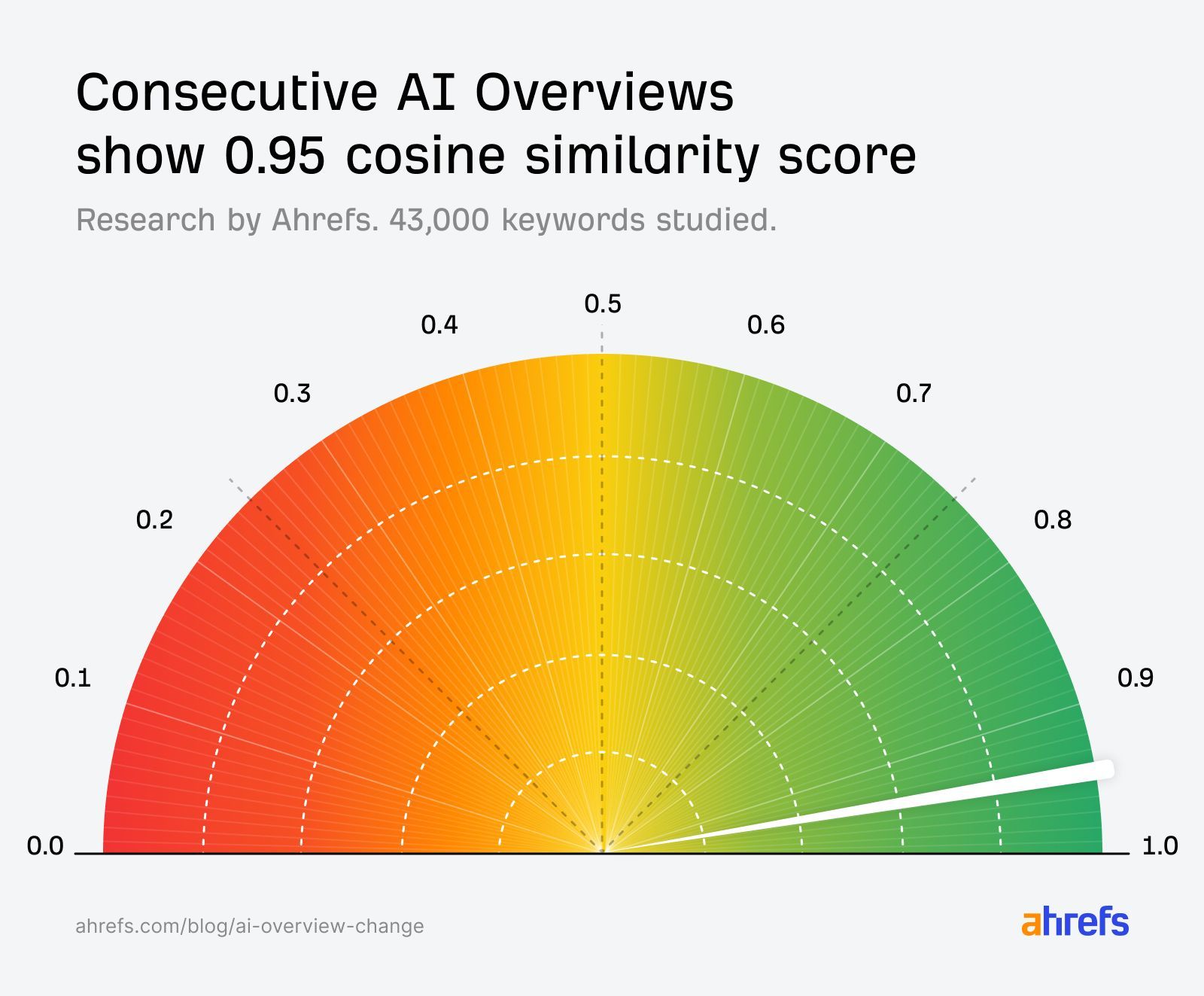
Tracking them at scale, over time, will give you a directional understanding of your performance, and a better grasp of what content you need to be creating to claim them consistently.
To properly track AI Overviews, you need visibility into three things: when they’re appearing for your target keywords, what they’re saying, and which URLs they’re citing.
A good AI Overview tracking tool will monitor these things automatically, helping you spot patterns and shifts in visibility, and understand the downstream impact on your search and AI performance.
Here are some ways you can track AI Overviews; from workarounds, to vibe coding, to one-stop tools.
First, work out which of your pages are already visible in AI Overviews.
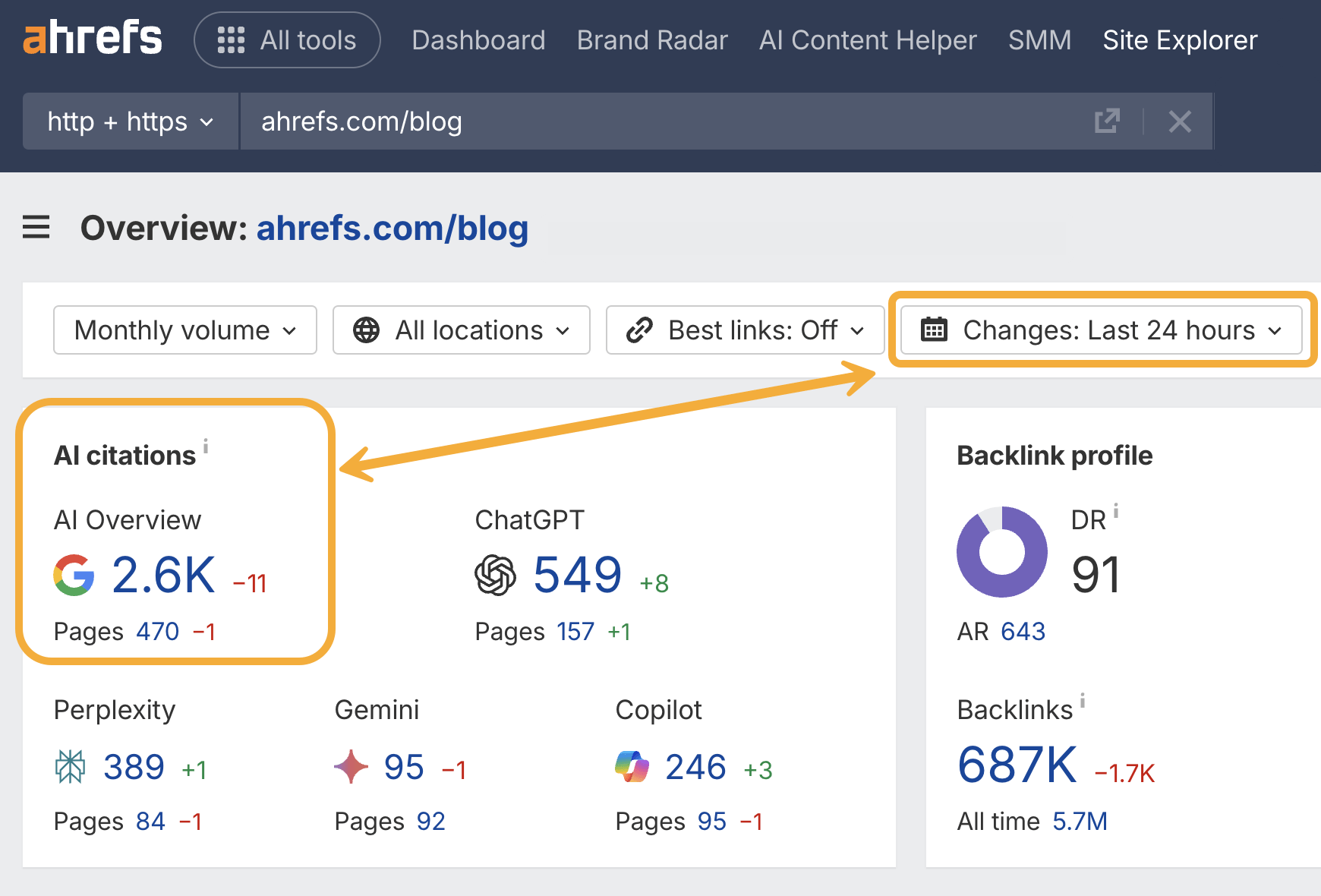
Just head to Ahrefs Site Explorer and drop in your domain, subdomain, or subfolder.
This will give you a quick snapshot of your total AI Overview citations, including historical positive and negative performance—great for regular reporting and benchmarking.
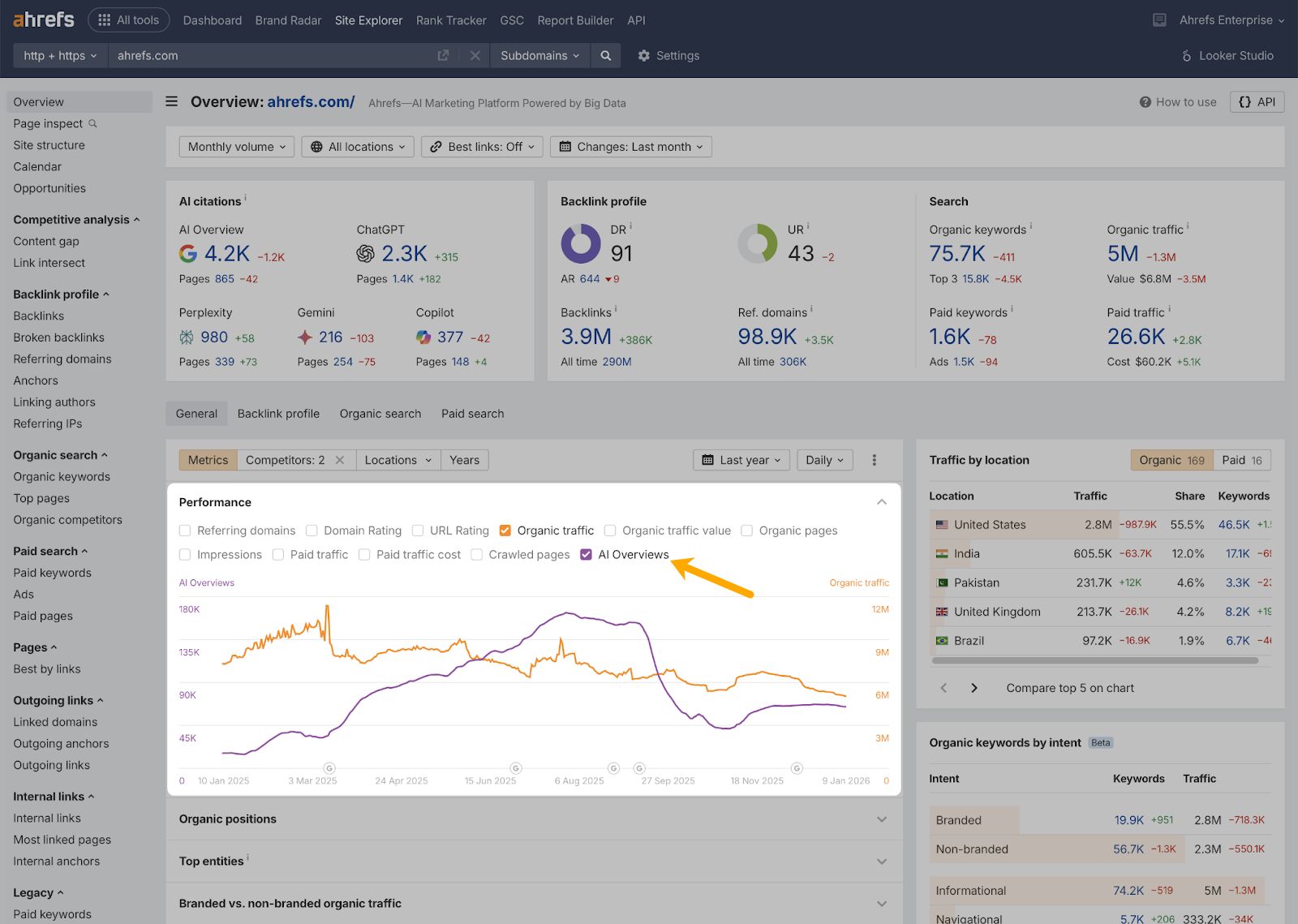
From there, you can track how your AI Overview performance is trending over time, with history data in Site Explorer Overview—just make sure to select the purple “AI Overview” checkbox.
And, if you want, you can get even more granular.
Just click into Ahrefs Brand Radar from the AI citations module…
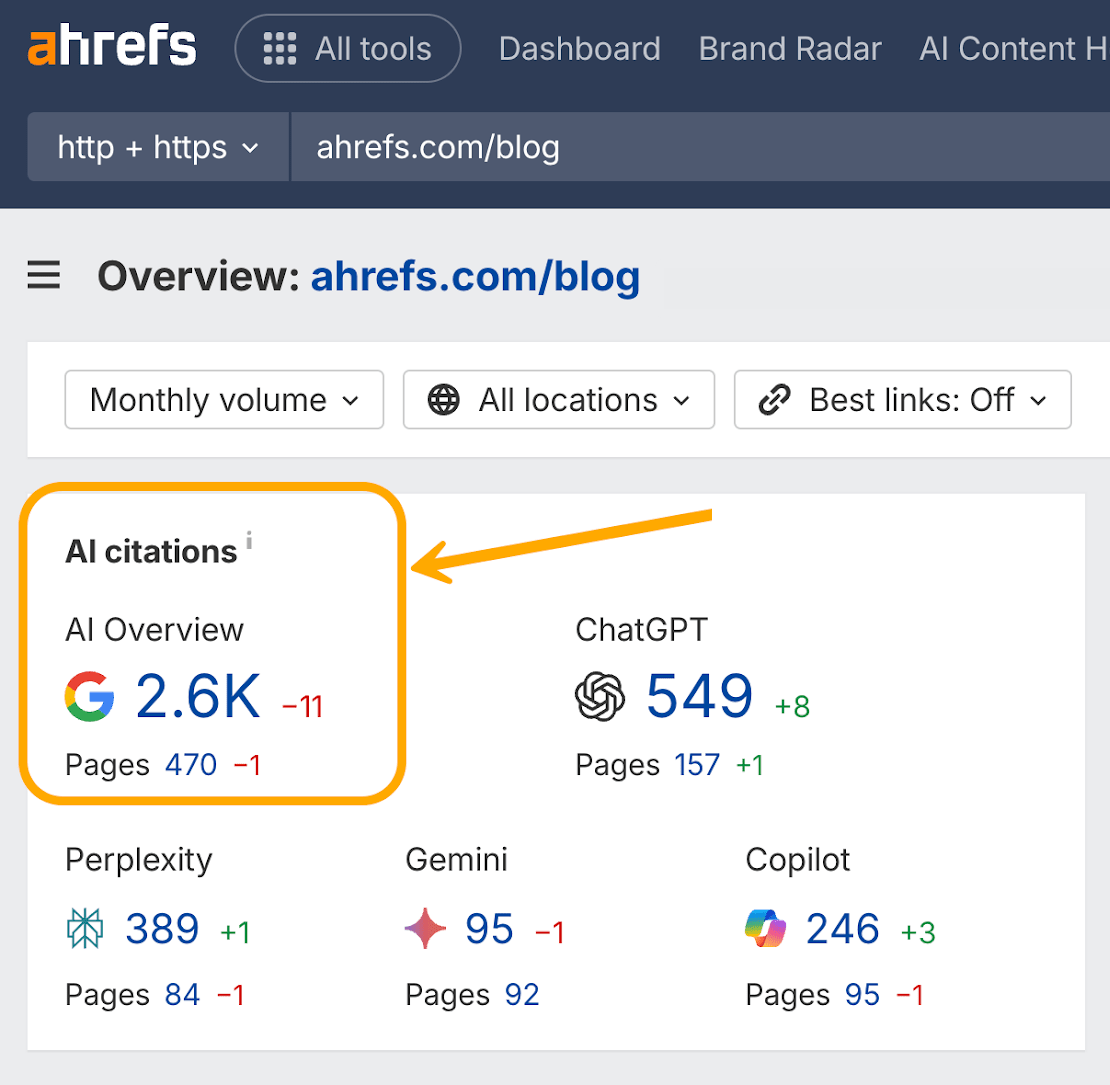
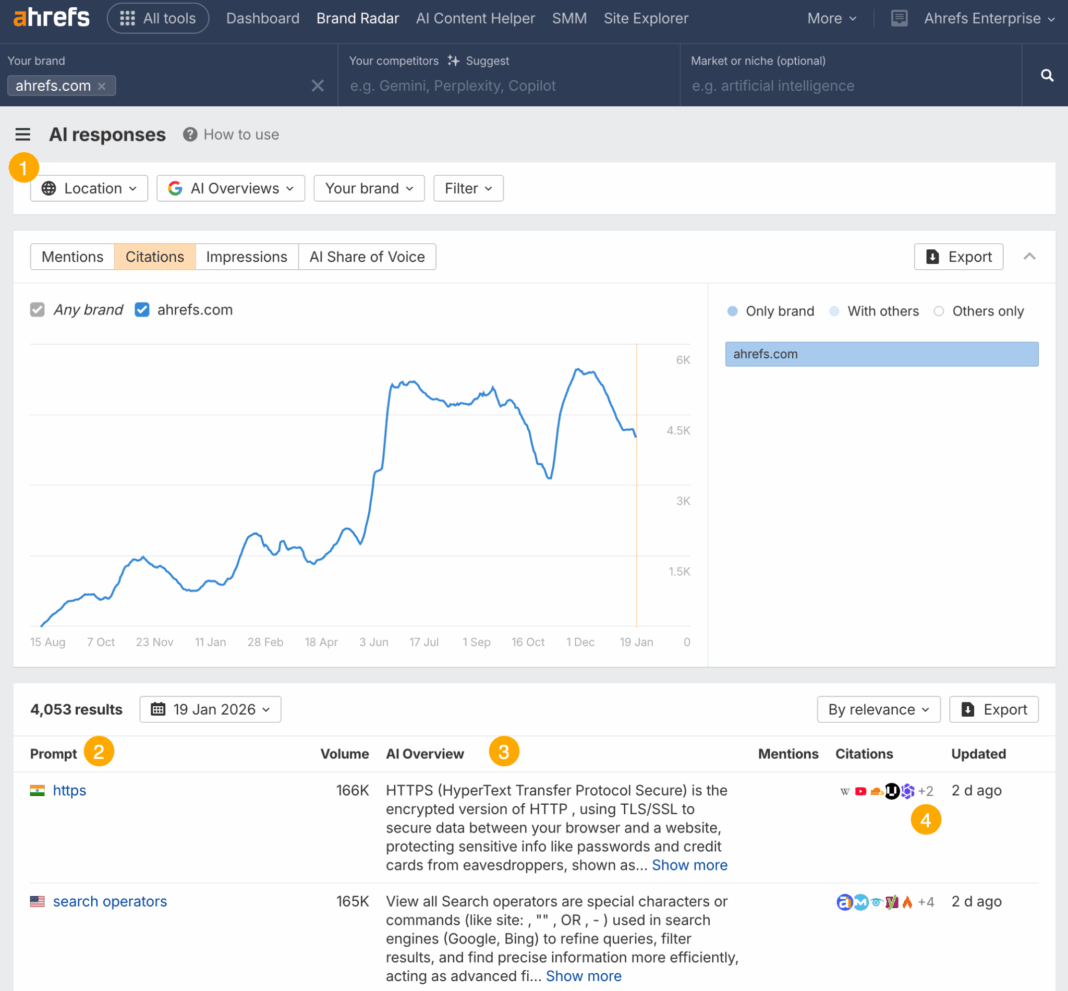
This will pull up a full report of the citations you’ve won over time—including global ownership ¹, individual prompts ², AI Overview responses ³, and citation competitors ⁴.
Once there, you can track how citations grow over time, and see how your AIO visibility is impacted by your content, PR, and brand strategy.
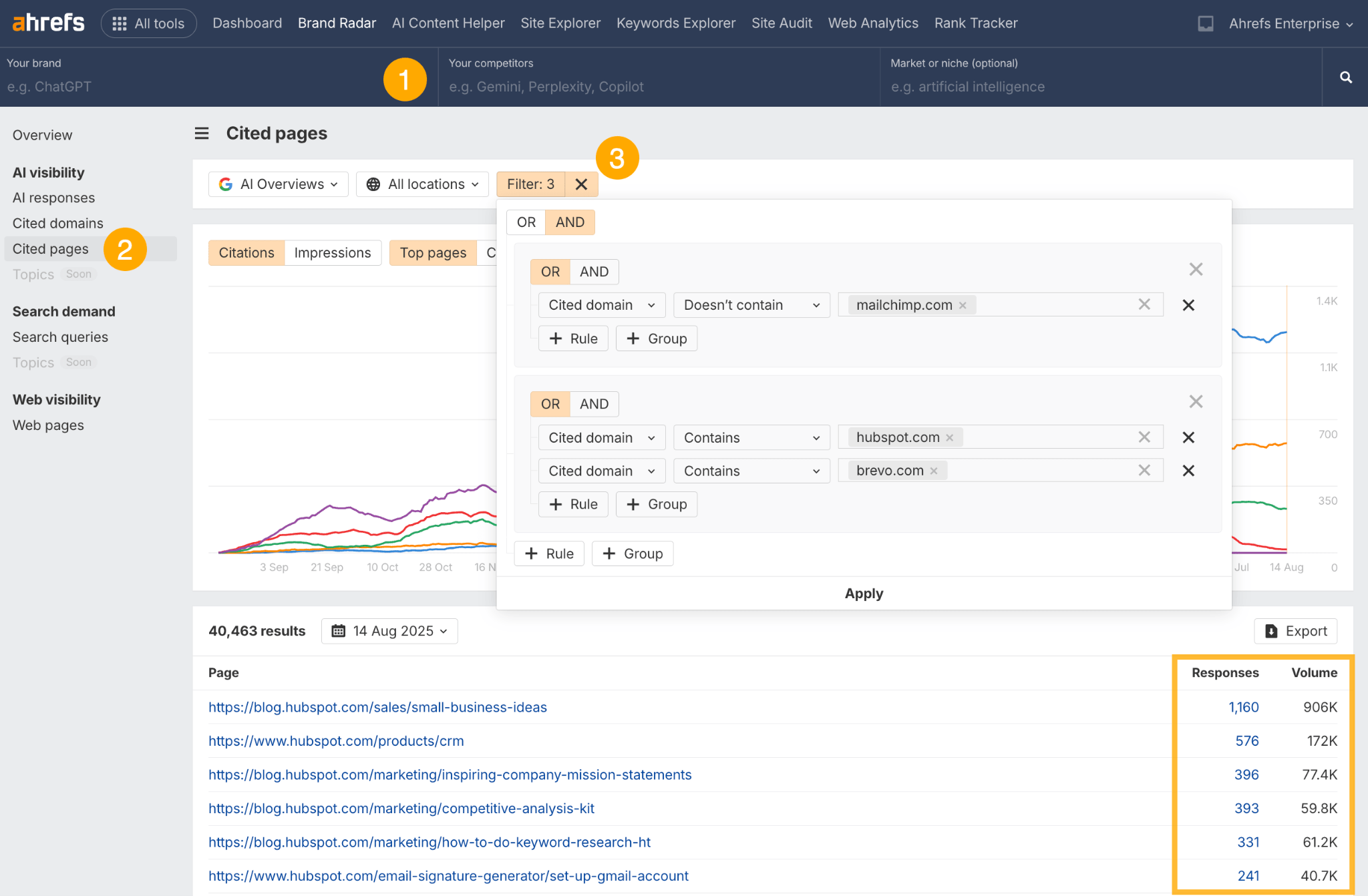
Here’s a tactical move for boosting your AI Overview performance: spot the citation gaps where competitors are getting cited and you’re not, then create content to claim those citations for yourself.
- Start by clearing all the top-level filters in Brand Radar.
- Go to the “Cited pages” report.
- Apply the competitor filters shown in the screenshot—i.e.
Cited domain>Doesn’t contain>“your brand”ANDCited domain>Contains>“your competitor”
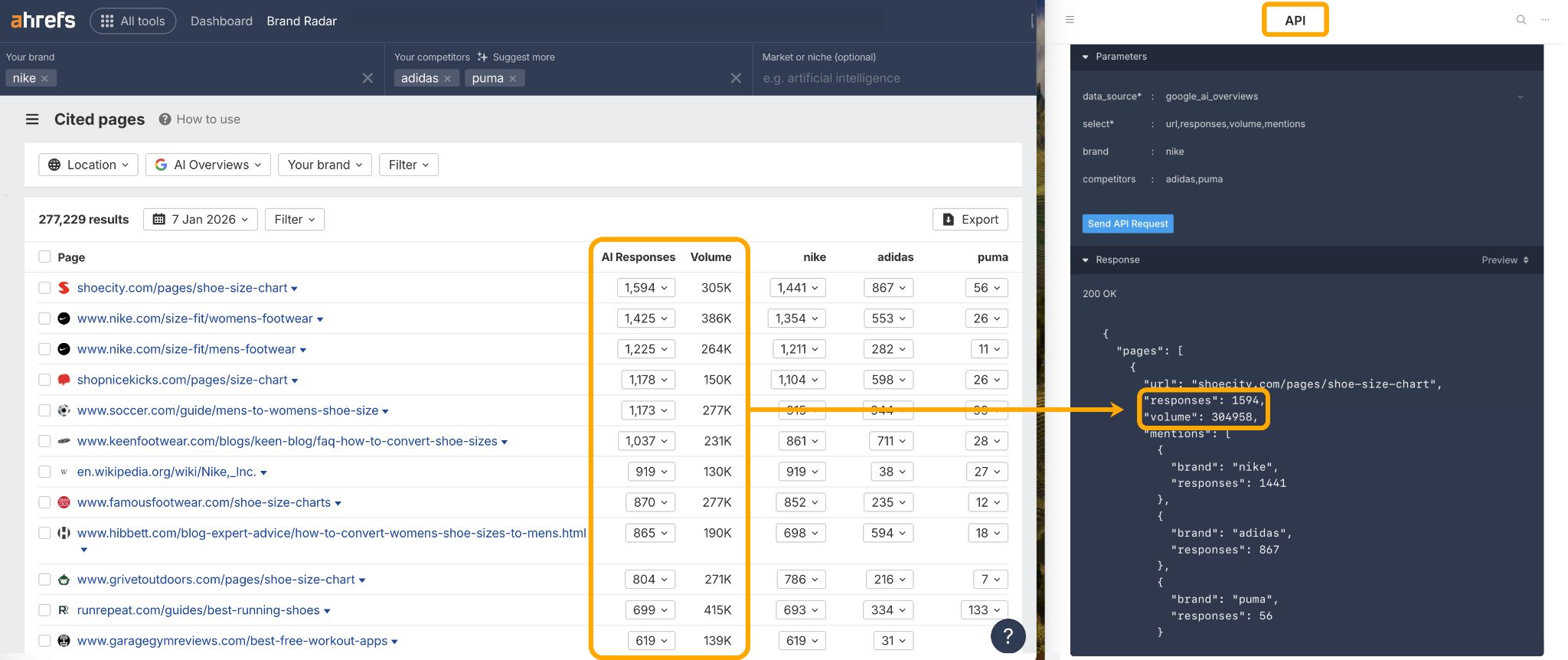
If you want to track AI Overviews in your own reporting environment, you can also grab citation data out of Brand Radar via the API.
There are three ways you can track AI Overview keywords:
- Monitor where you already show up
- Catch new wins as they roll in
- Spot fresh, unclaimed AIO opportunities to track
Monitor where you already show up
If you need to audit your current keyword ownership, there are a couple of practical ways you can do this in Ahrefs.
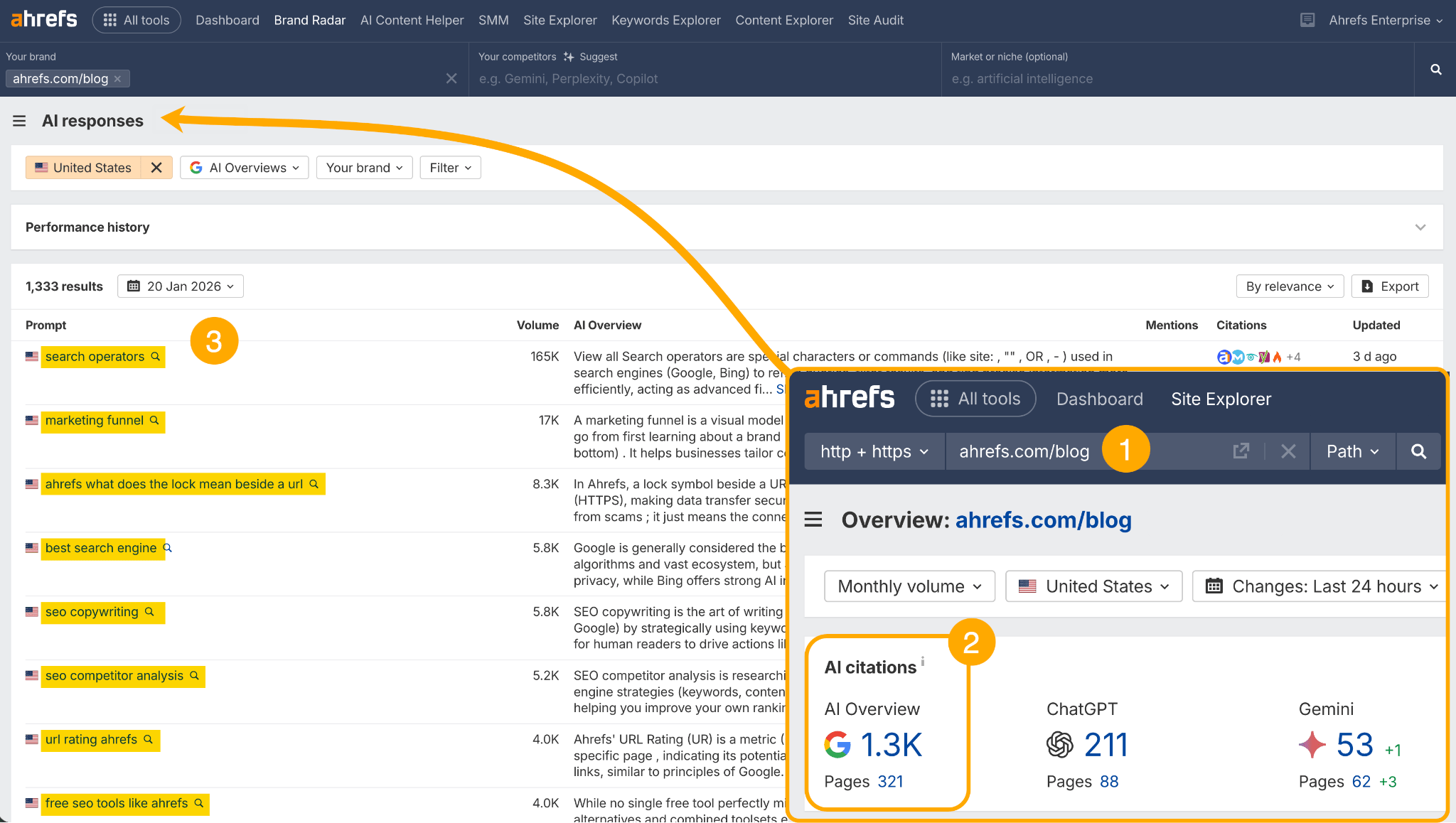
First, there‘s the “AI responses” report in Brand Radar which you saw earlier. Just enter your domain in Site Explorer, click into the “AI citations” module, and you’ll see every AI Overview keyword you’ve claimed so far.
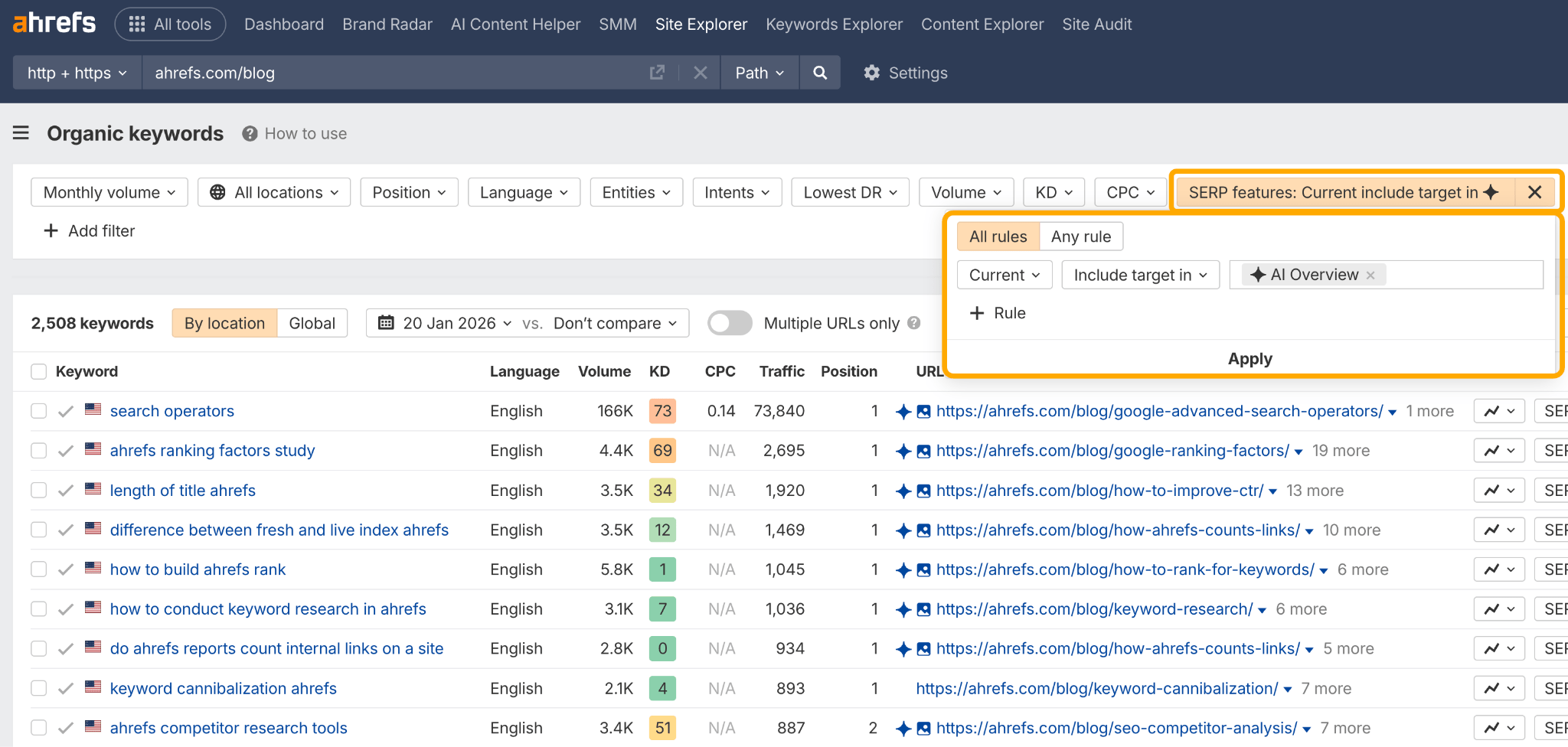
Then you have the Organic Keywords report in Site Explorer. You just enter your site or path, configure a “SERP features > Current > Include target in > AI Overview” filter, and you’ll see your AI Overview keywords and citations in one view.
Catch new wins as they roll in
To dig into your newly won AI Overview keywords, you can set up an Ahrefs Alert.
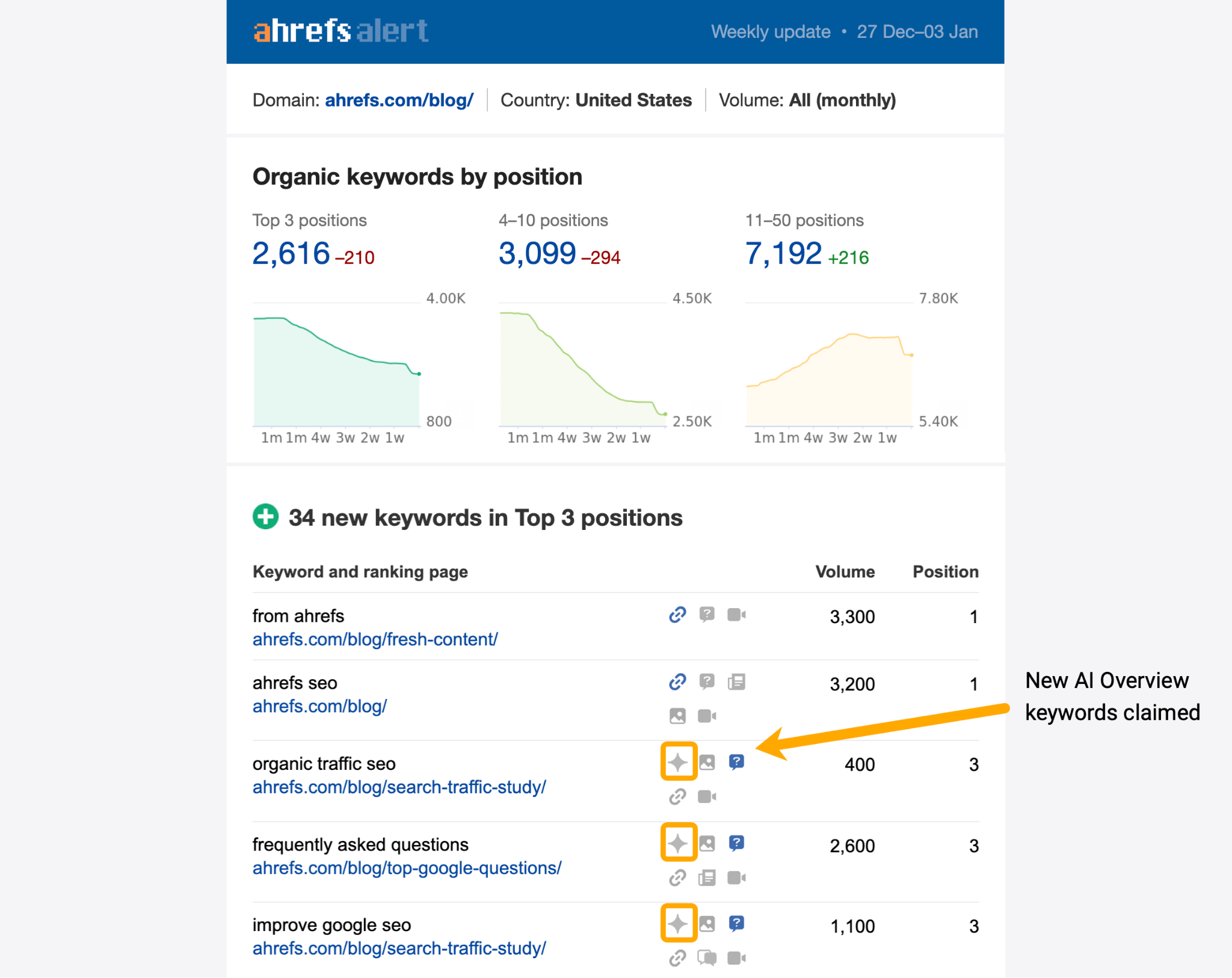
Every time you see a sparkle symbol, it means you’ve won a new AI Overview keyword since your last alert (FYI: you can select alert frequency during setup—i.e. daily, weekly, monthly).
Another way to spot new AI Overview keywords is back in the Organic Keywords report. This time you want to set a date range comparison (e.g. a month), then apply the filters you see below.
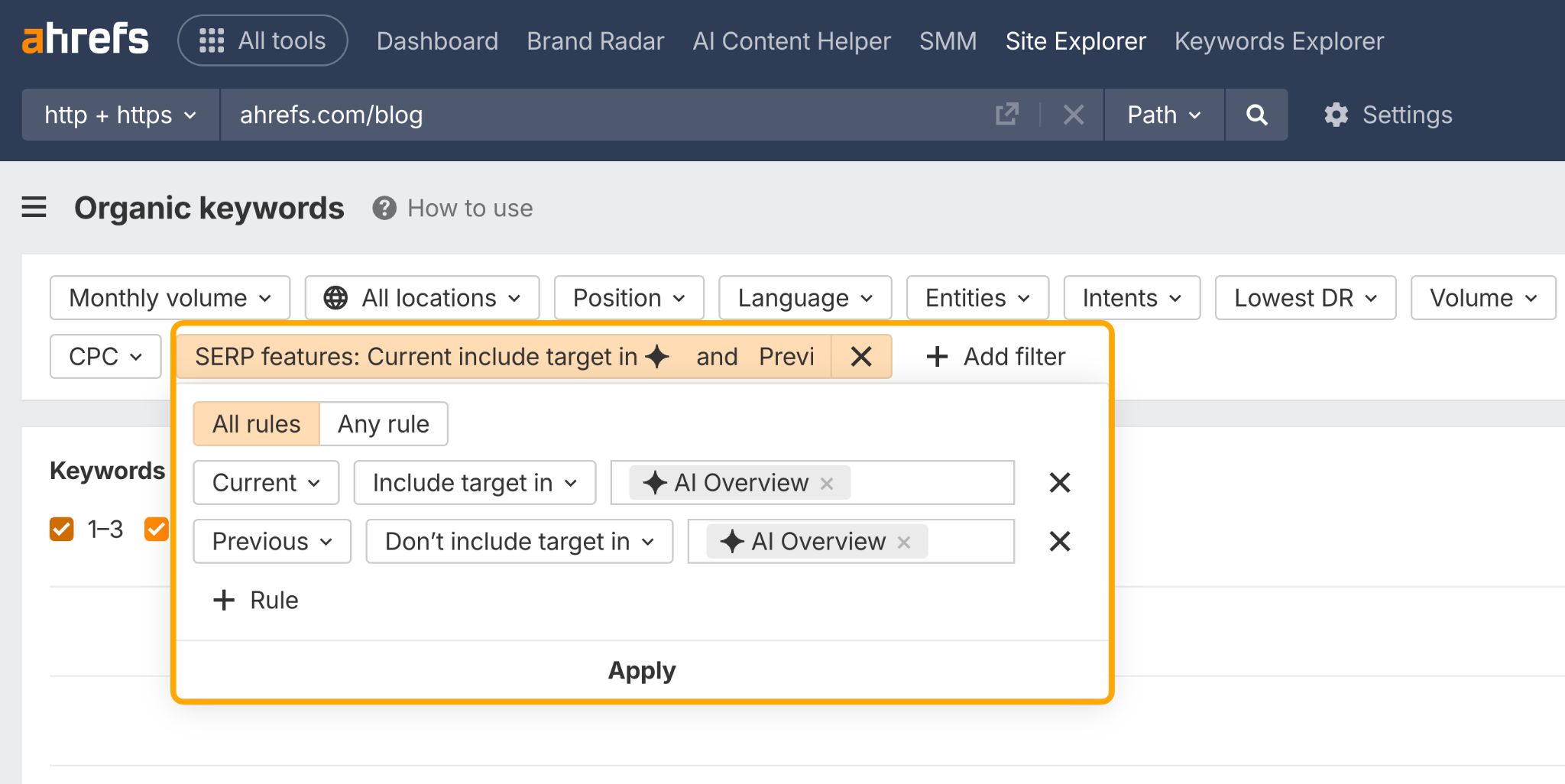 This will show you every AI Overview keyword you’ve won since the “previous” period—i.e. last week.
For instance, over the last month, we’ve won 699 new AI Overview keywords on our blog…
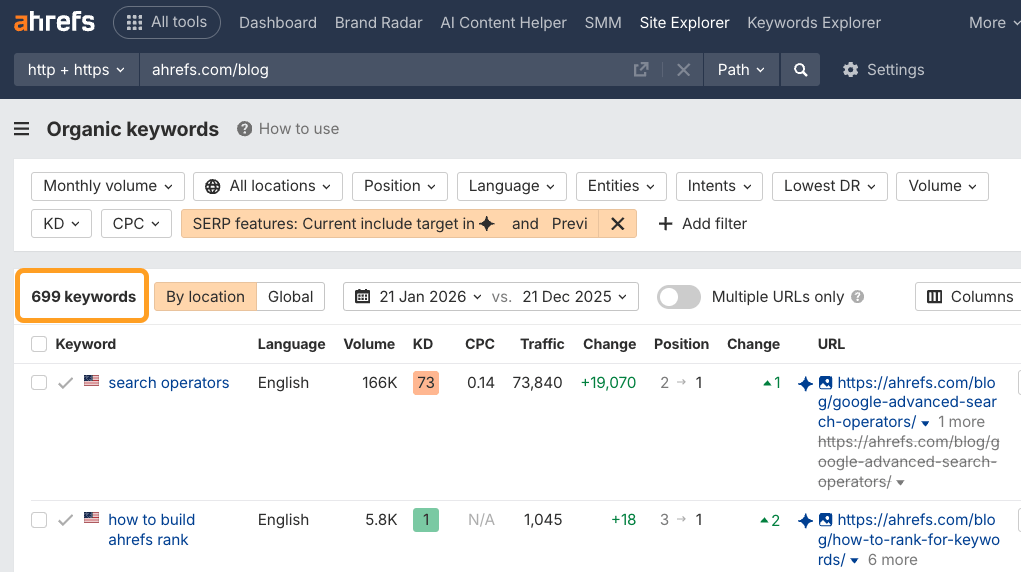
This is the kind of data you can include in reports for clients or leadership, to prove the impact of your work.
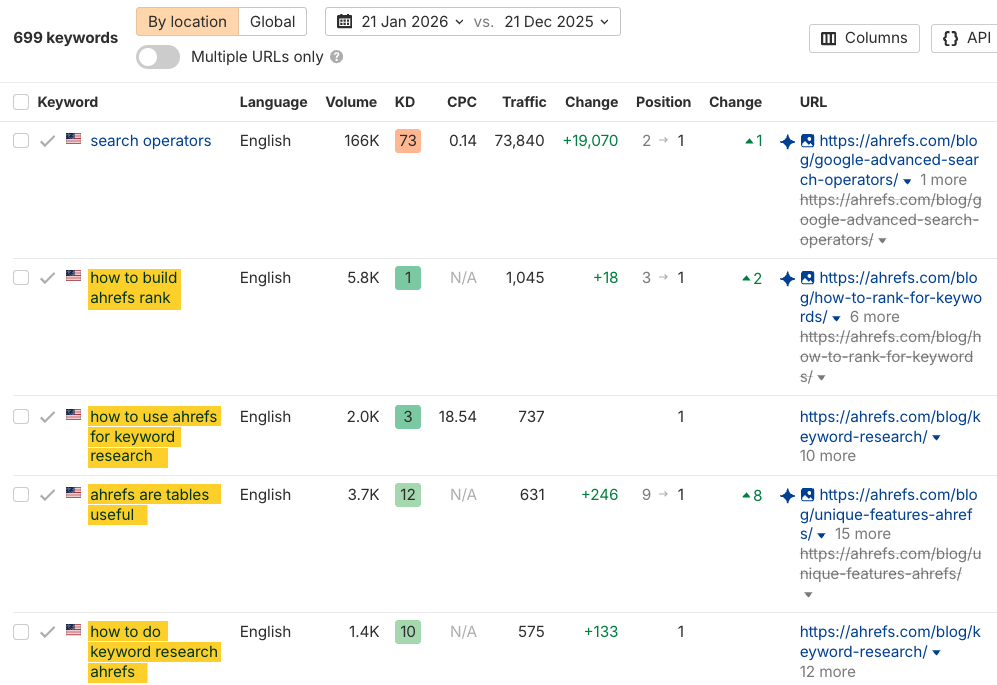
From there, you can do even deeper analysis—for example, find out which AIO keywords still drive traffic to your site.
For example, I can see that our traffic for branded AIO keywords has increased over the past month, despite the fact that AI Overviews tend to reduce clicks.
Spot fresh, unclaimed AIO opportunities to track
You’ve found the AI Overviews you’ve already claimed, the AI Overviews you’re in the process of claiming—now, here’s how to track brand new AI Overview opportunities.
Head to Keywords Explorer, our database of 2.4B queries, then open any one of the “Keyword ideas” reports (e.g. “Matching terms”).
Once there:
- Drop in some focus topics—the broader the better
- Set a filter for:
SERP Features>Include>AI Overview - Set a filter for:
Target>[enter your domain]>Doesn’t rank for in top 10/top 100 - Then sort the growth column from top to bottom
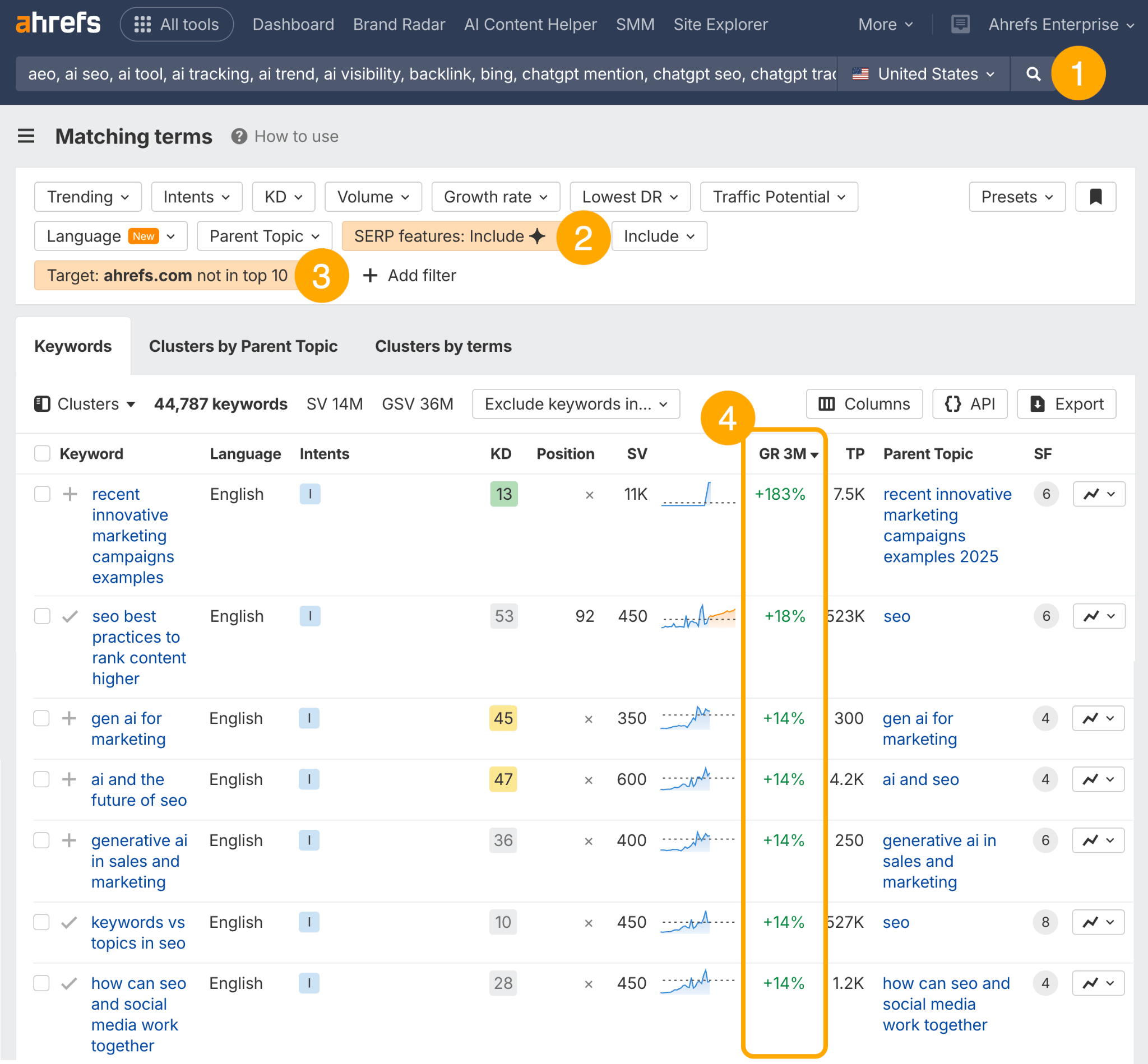
This will give you a long list of trending, unclaimed AI Overview keyword ideas which you can begin targeting, and subsequently monitoring in a keyword tracking tool like Rank Tracker—so that you’ll know as soon as you win them.
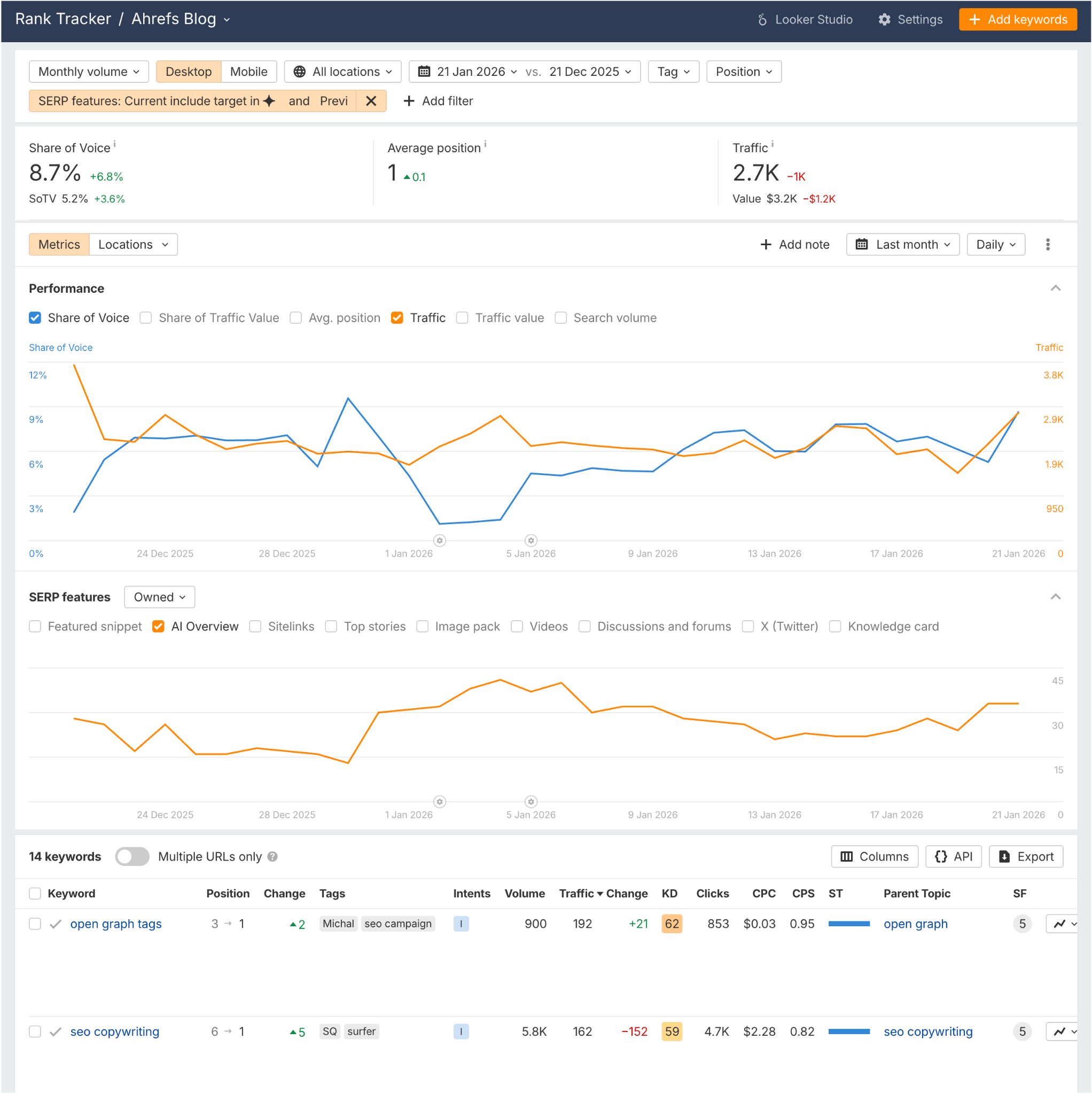
For more untapped AI Overview keyword ideas, enter your brand and competitors into Brand Radar, then click the “Your brand > Not mentioned > Not cited” filter.
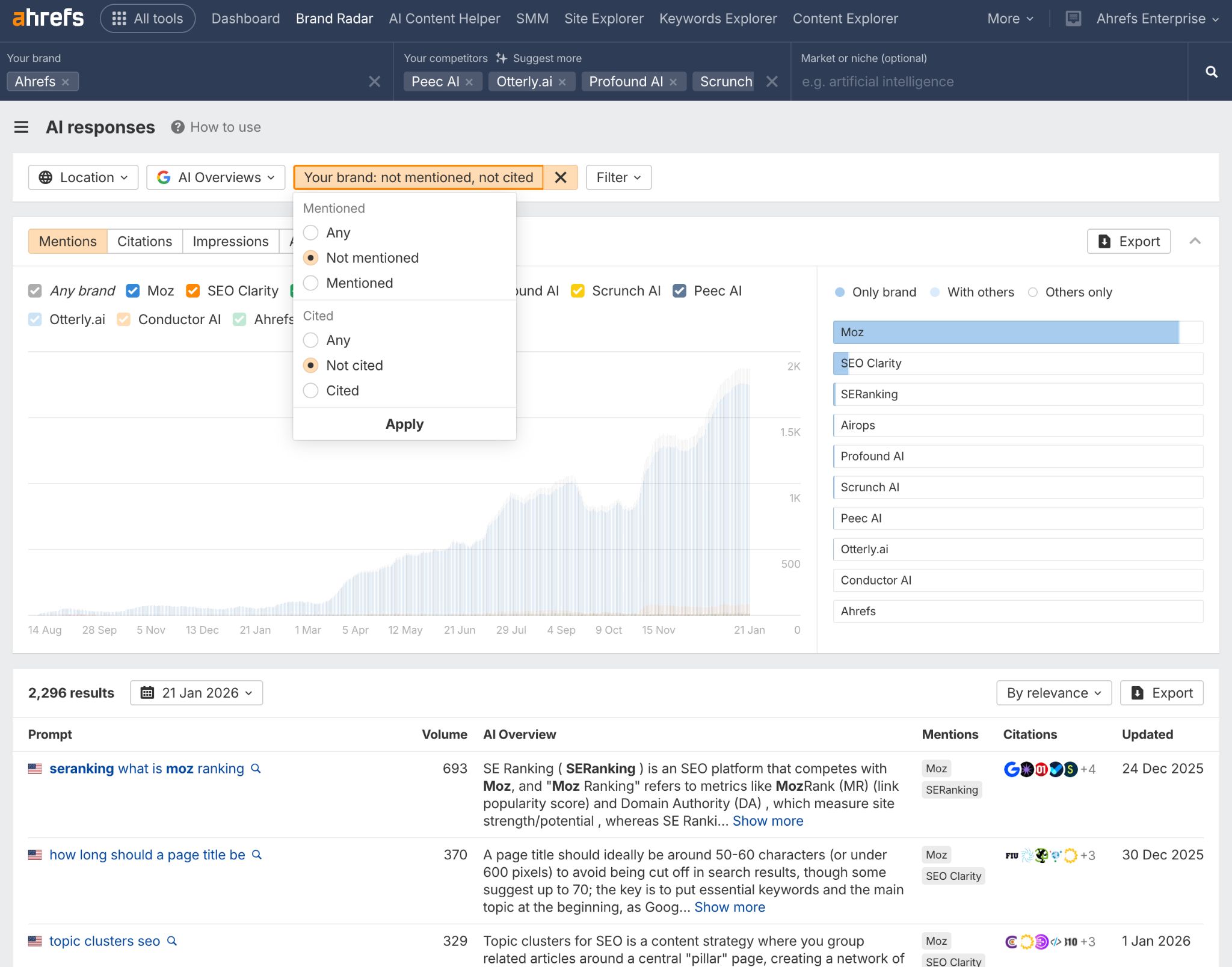
This will pull up a full report of the AI Overview keywords your competitors have claimed, but you’ve missed.
Again, you can add any AIO queries from this report to Rank Tracker or Ahrefs Alerts, to track when you start claiming them.
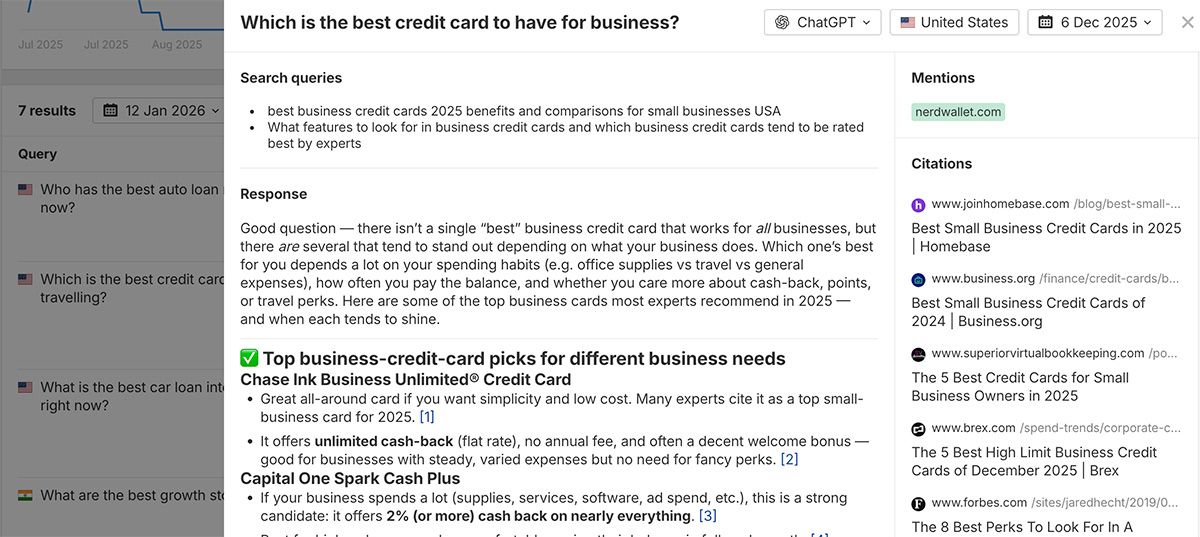
AI Overviews reduce clicks by design, so tracking citations or estimating traffic isn’t enough.
AI search is a visibility game, and mentions are how you measure it.
The simplest way to track mentions in AI Overviews is using an AI monitoring tool like Brand Radar.
What you can track
Mentions: Monitor how often your brand appears in AI Overviews and how that trends over time.
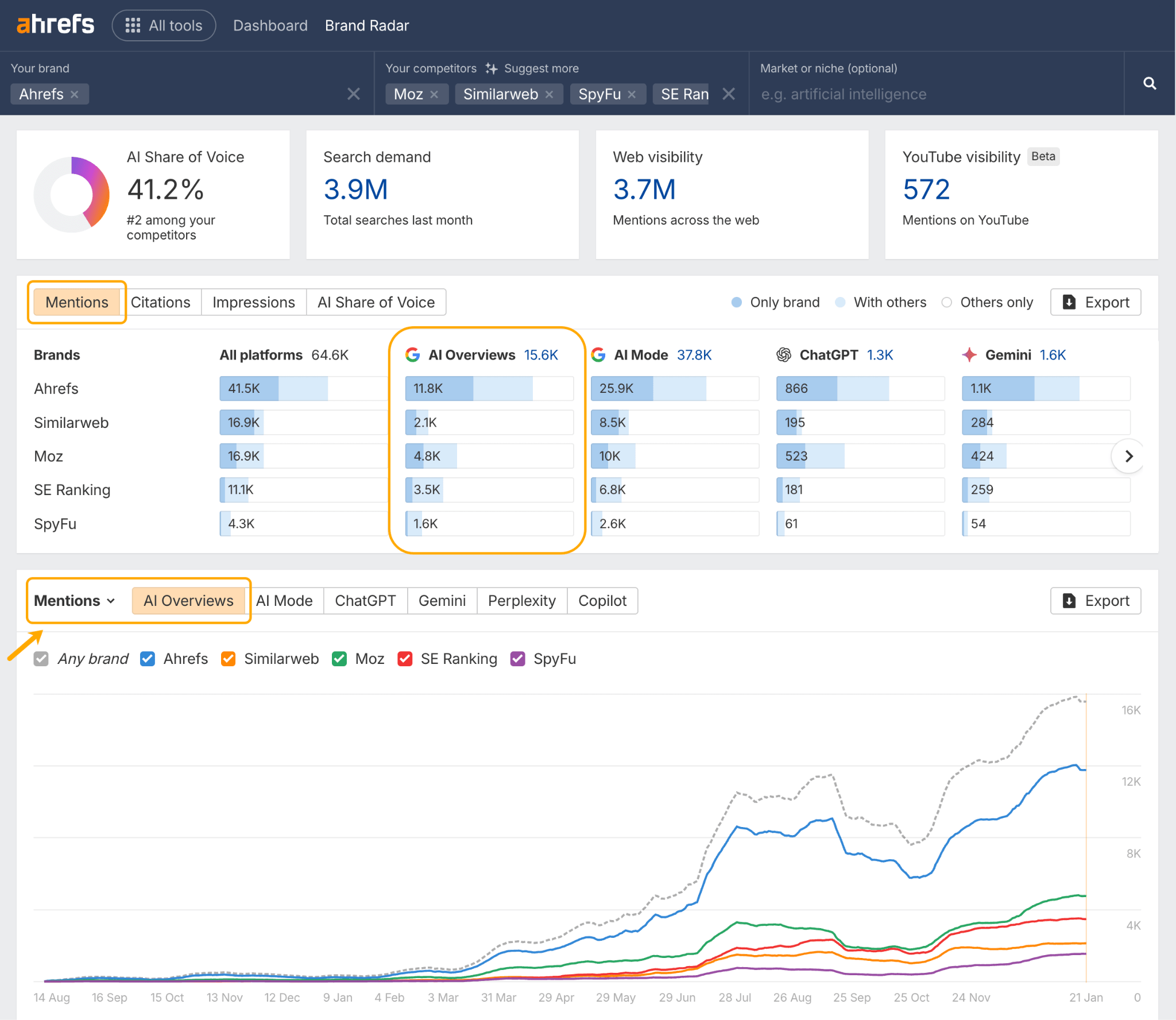
Responses: Analyze the context and sentiment around your brand. Are you being framed positively, negatively, or neutrally?
AI Share of Voice: Compare your AI Overview visibility against competitors to see who owns the conversation.
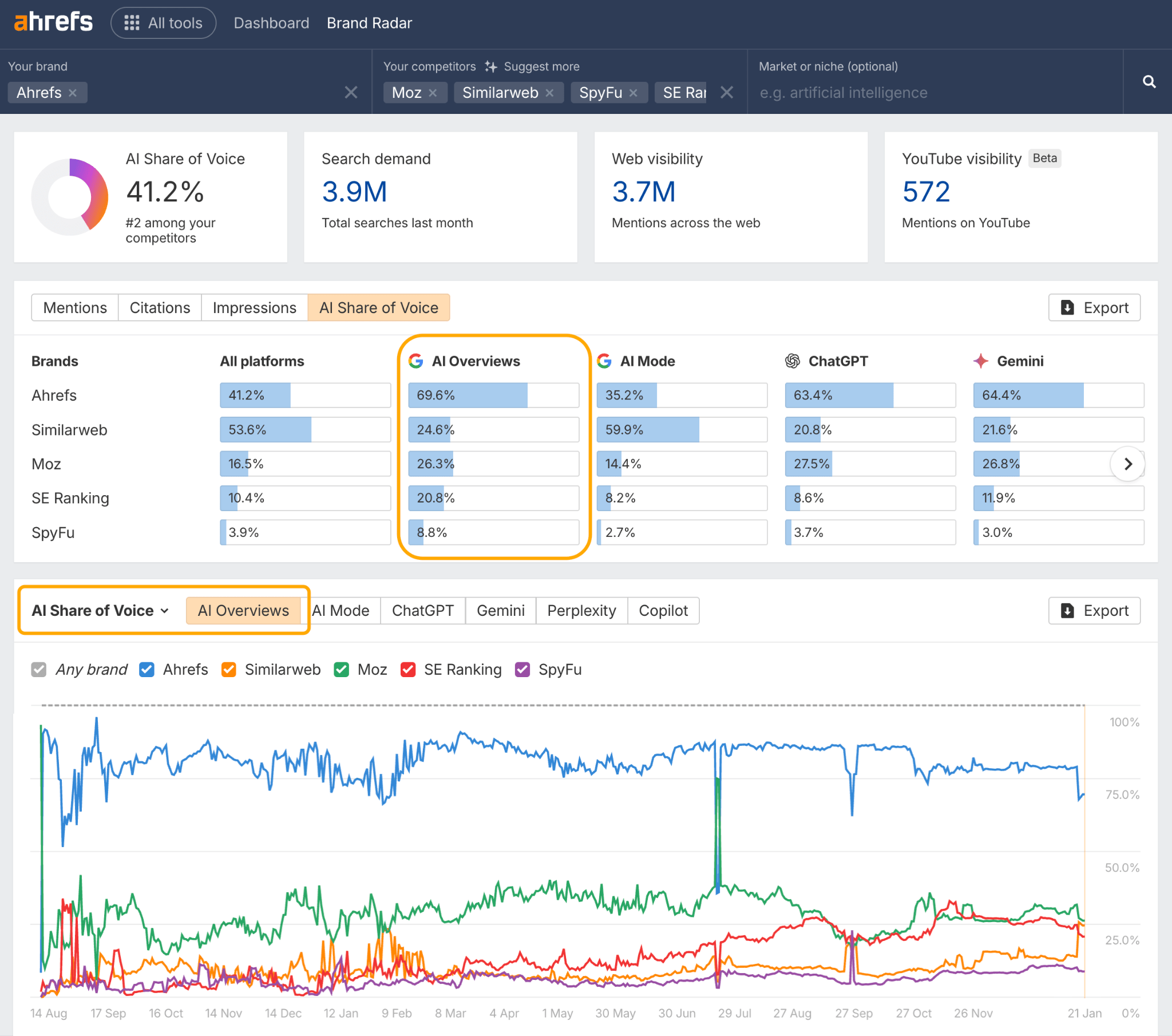
Cross-platform patterns: Spot patterns between AI Overview mentions and visibility in ChatGPT, Perplexity, or Gemini. Consistent presence across platforms signals you have developed strong topical authority.
You can also use Brand Radar to track mentions across YouTube (i.e. titles, descriptions, transcripts), Reddit, TikTok and the broader web—the exact signals that feed AI Overviews and determine which brands get featured.
Case in point: This one YouTube video generated 30 separate brand mentions for Ahrefs in AI Overviews.
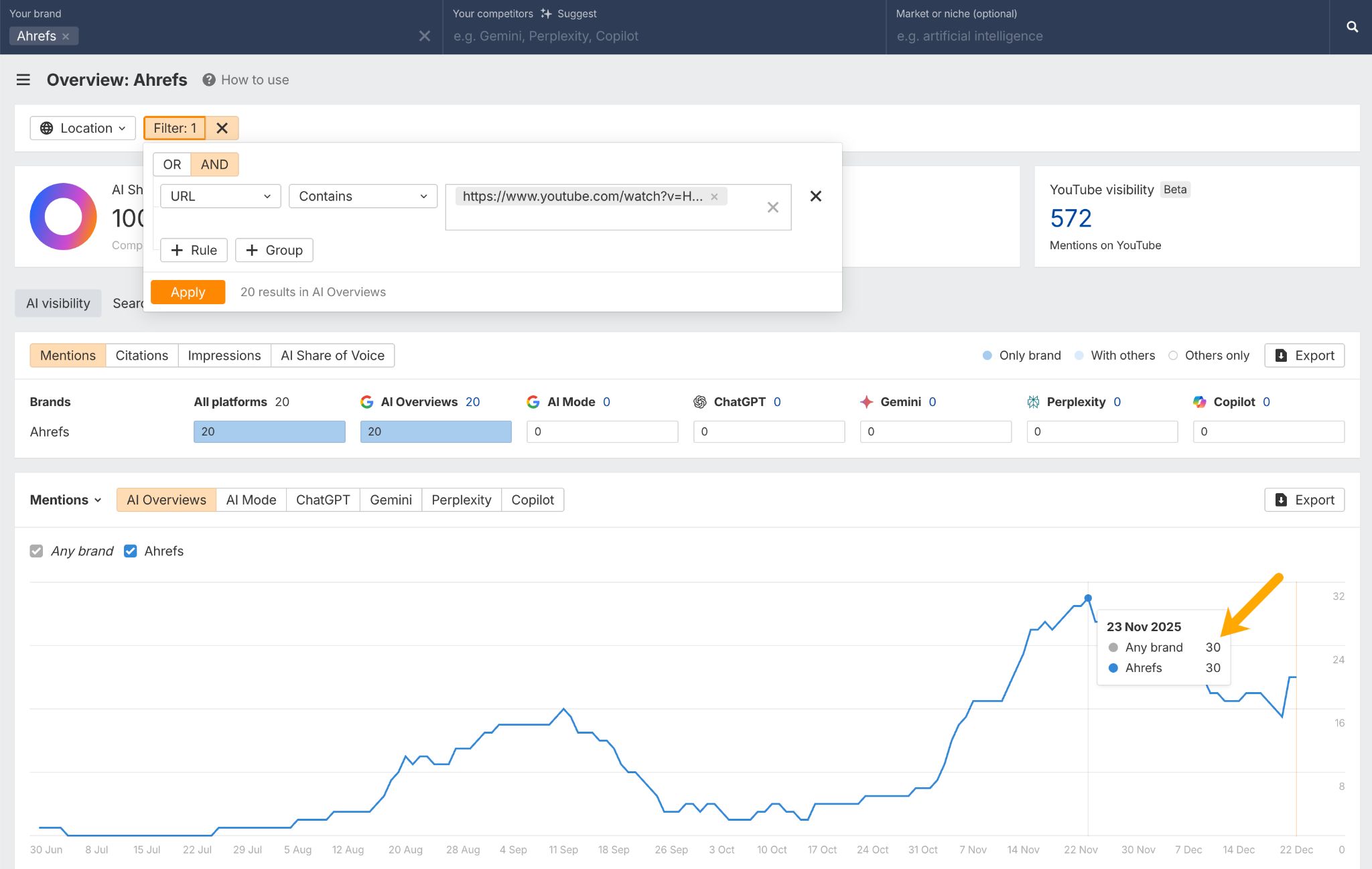
Build mentions into your reporting to understand how AI systems actually represent your brand, and identify the content types and platforms driving that visibility.
Further reading
As I mentioned earlier, Google doesn’t neatly package up AI Overview traffic for us.
From here on in, I’ll be walking you through indirect signals and workarounds for tracking AIOs—and, fair warning, they’re a bit trickier than the methods I’ve covered above.
One such signal is the #:~:text= URL fragment, which Google sometimes appends to AI Overview clicks to scroll users to the relevant, highlighted passage on the page.
In my experience, these fragments tend to show up for long-tail AI Overview queries.
Here’s an example of what I mean. Below, Ahrefs owns the third citation spot for the seven-word query “how to do keyword research for SEO”…
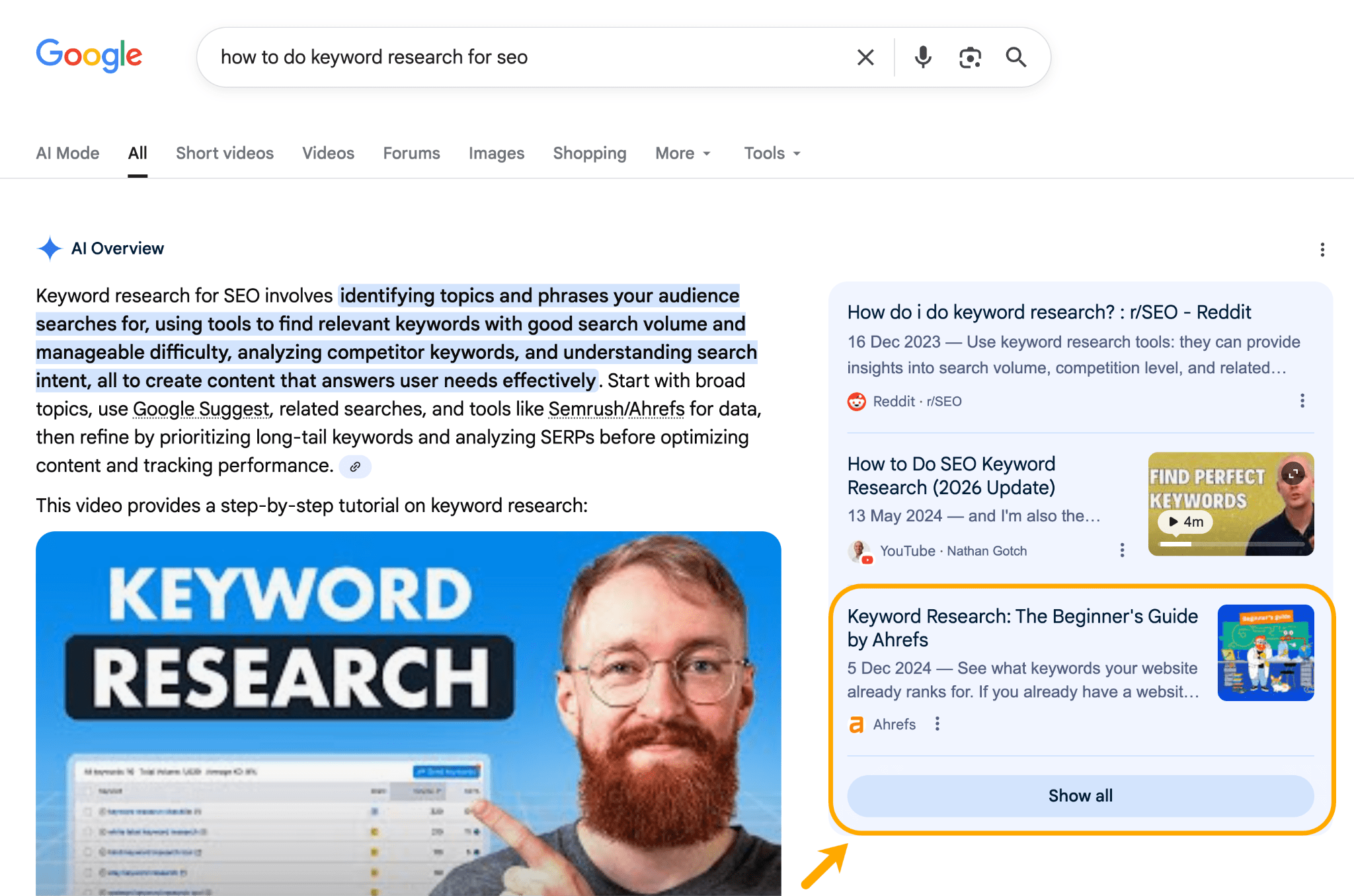
Clicking that URL generates the text fragment I mentioned above, and routes users to a specific paragraph a quarter of the way down the page…
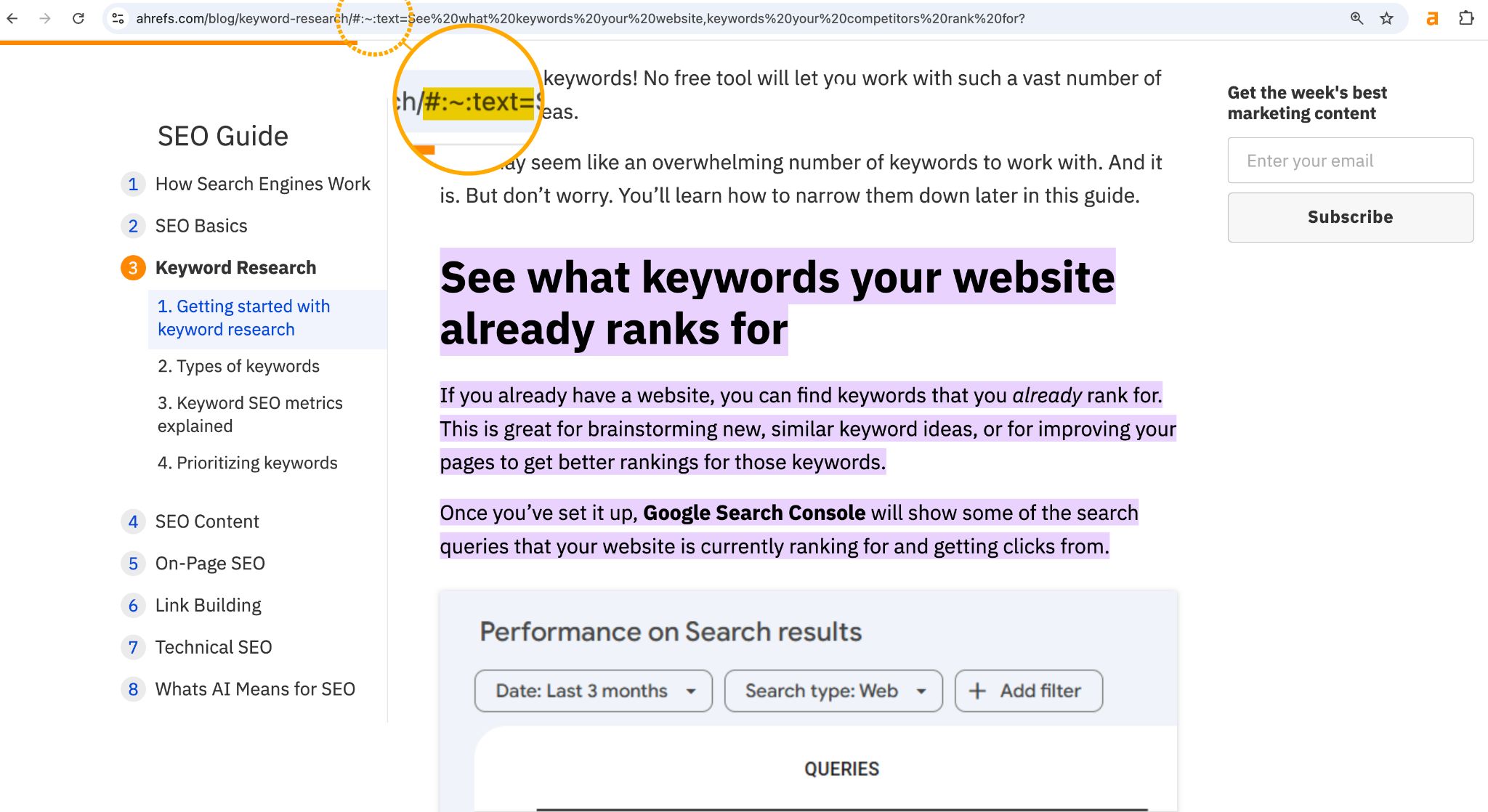
With a bit of effort, these fragments (and their associated clicks) can be tracked.
Sidenote.
Text-fragment URLs also appear when a user navigates to pages cited in Featured Snippets or People Also Ask boxes, so clicks from these SERP Features may get bundled in with your AI Overview traffic data.
The issue is, GA4 can’t actually see #:~:text= URL strings, since they’re client-side rendered.
That means, you can’t just set up a URL filter in GA4 to hunt that traffic down.
Instead, here’s what you have to do:
- Use custom JavaScript variables in Google Tag Manager to detect the URL fragment and extract the highlighted text.
- Pass those JS-extracted values into GA4 as event parameters (e.g. ones that load on a
page_viewor a custom event). - Register those parameters as custom dimensions in GA4.
- Use those dimensions to isolate traffic driven by AI Overviews (and similar SERP features).
Dana Di Tomaso covers this process step-by-step—in a way even non-technical folk (like me) can understand—via her awesome article: How to Track Traffic from AI Overviews, Featured Snippets, or People Also Ask Results in Google Analytics 4
If you’re set on tracking AI Overview traffic, I highly recommend checking it out!
So far we’ve covered opportunity, and how to show up more in AI Overviews.
But this section is about impact—specifically: how many clicks are AI Overviews costing you?
While Google Search Console doesn’t show which exact keywords trigger an AI Overview, you can get a pretty good idea of click impact by analyzing:
- Queries that “fit the bill” of an AI Overview keyword—like informational, non-branded, or question-based queries.
- Clicks for those “fit the bill” queries before and after known rollout dates.
Start by creating a query filter for these keywords in GSC or via your GSC data in Ahrefs.
- Include informational queries with a “Matches regex filter containing typical question starters and modifier phrases—e.g.
^what |^how |^why |^when |^where |^who |^which | guide|tutorial|definition|examples?|vs.?|versus| best way|difference between|meaning of - Exclude branded queries with a “Doesn’t match regex” filter containing brand and product names—e.g.
ahrefs|ahrefs.com|ahref|site explorer|keywords explorer - Exclude commercial keywords with a “Doesn’t match regex” filter containing typical commercial modifiers—e.g.
Price|pricing|cost|cheap|buy|discount|coupon|review
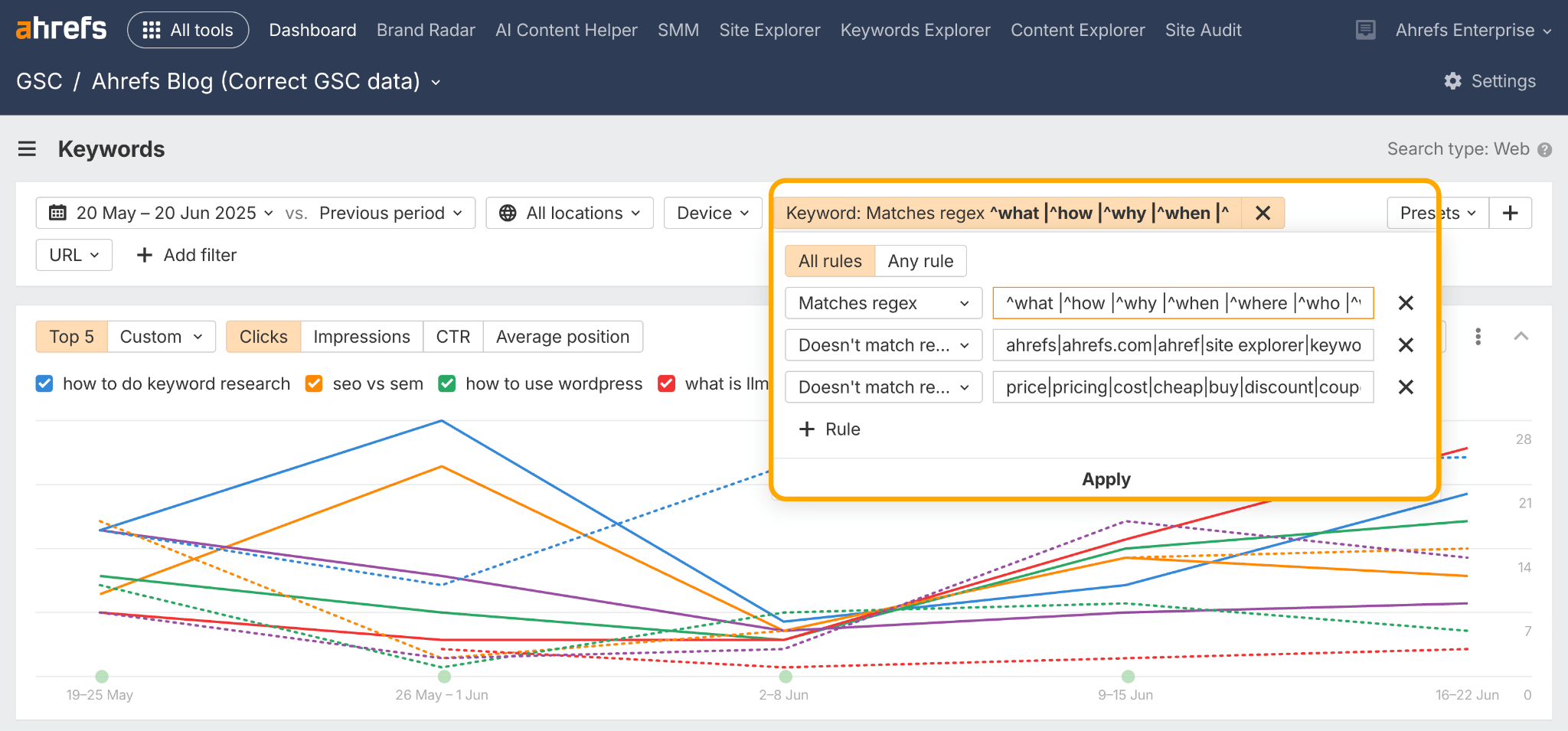
Following that, set a comparison date range for the month following the rollout vs. the previous period.
In May 2025 Google expanded AI Overviews to over 200 countries and territories, and more than 40 languages, so in this example I set my date range to May vs. April 2025.
Then I exported the data, and compared CTRs before and after the rollout. On average, our CTR dropped by 3.76 percentage points—a 42% decline relative to where we started.
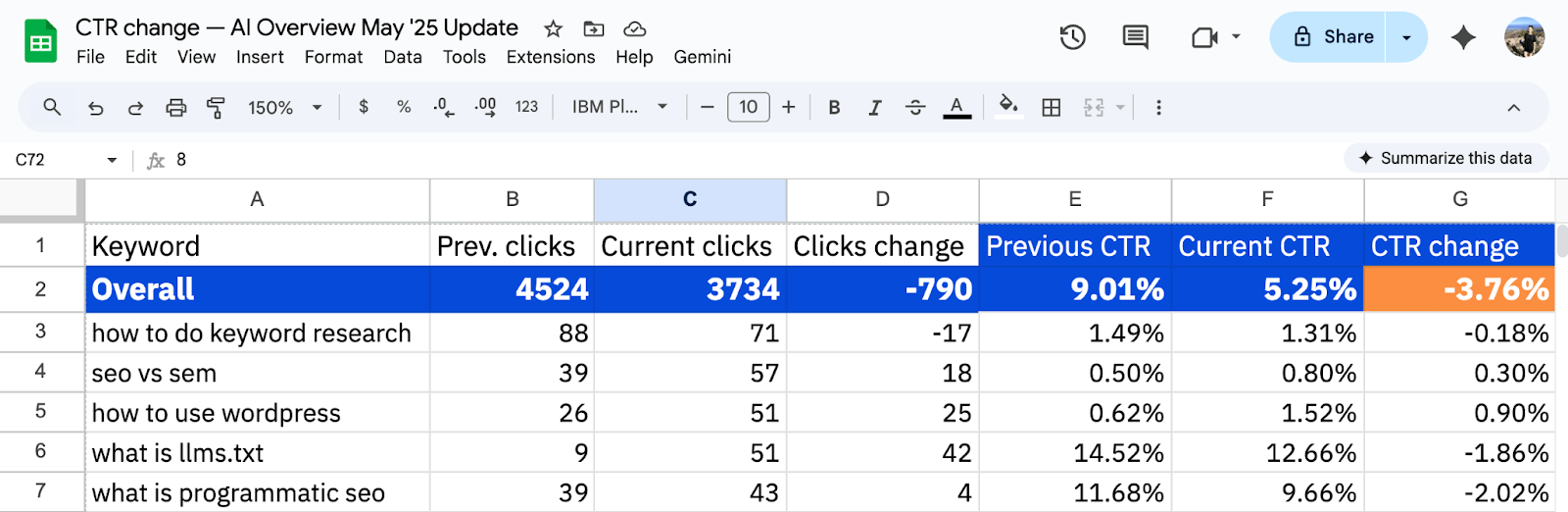
Google Search Console doesn’t reveal which keywords trigger AI Overviews—but Ahrefs does.
So to validate this approach I repeated this analysis, but for actual AI Overview keywords where we’d won a citation, according to data in Ahrefs Brand Radar. To do this, I set up two filters:
- Keyword: Containing the confirmed AI Overview keywords
- URL: Containing the URLs cited within those Overviews
Both of which I’d exported from Brand Radar.
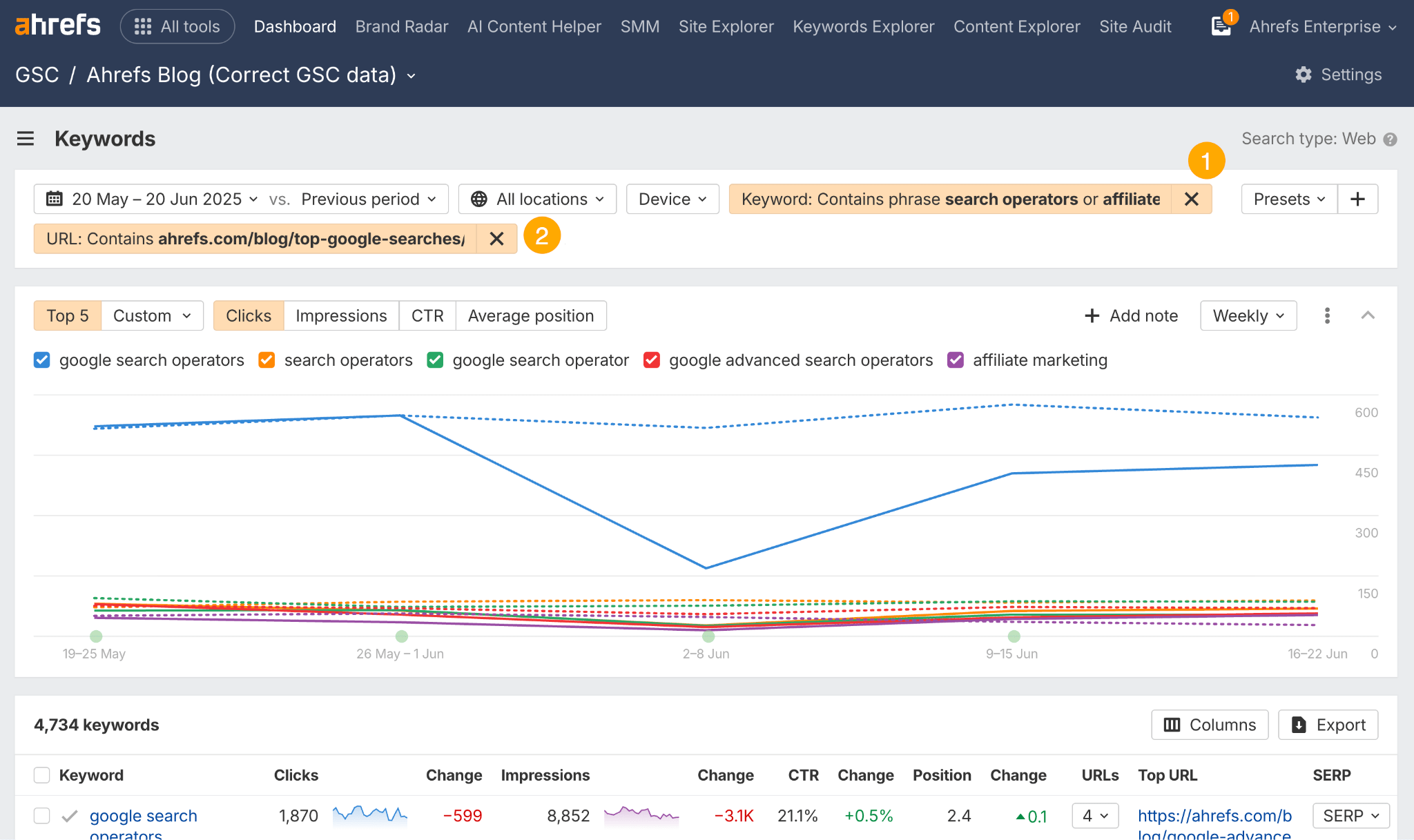
This time, CTRs dropped by 3.98 percentage points, representing a 44% relative decline—or just a 2% relative difference from our “guessed” AIO keywords.
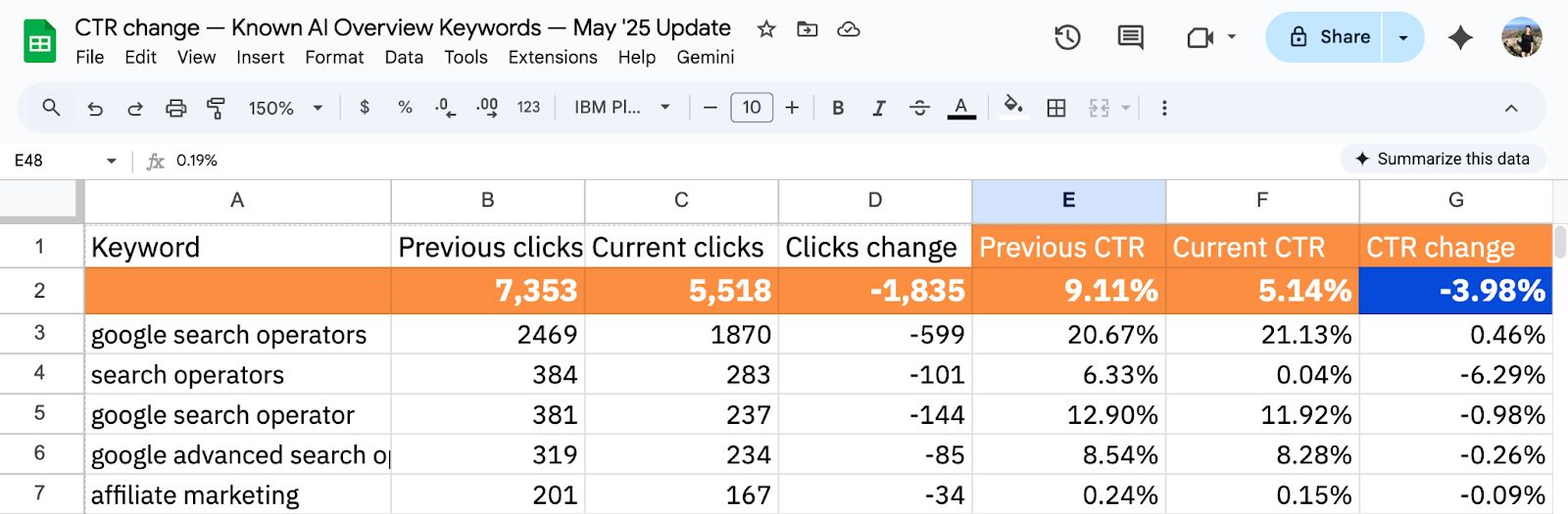
So, while Google Search Console offers limited AI Overview data, you can still make a pretty good judgment call on an AI Overview’s click impact by filtering for keywords that “fit the bill.”
We used this methodology in one of our most popular studies
We did this exact style of analysis when we studied the overall impact of AI Overviews on clicks, based on the AI Overview keywords in our Keywords Explorer database.
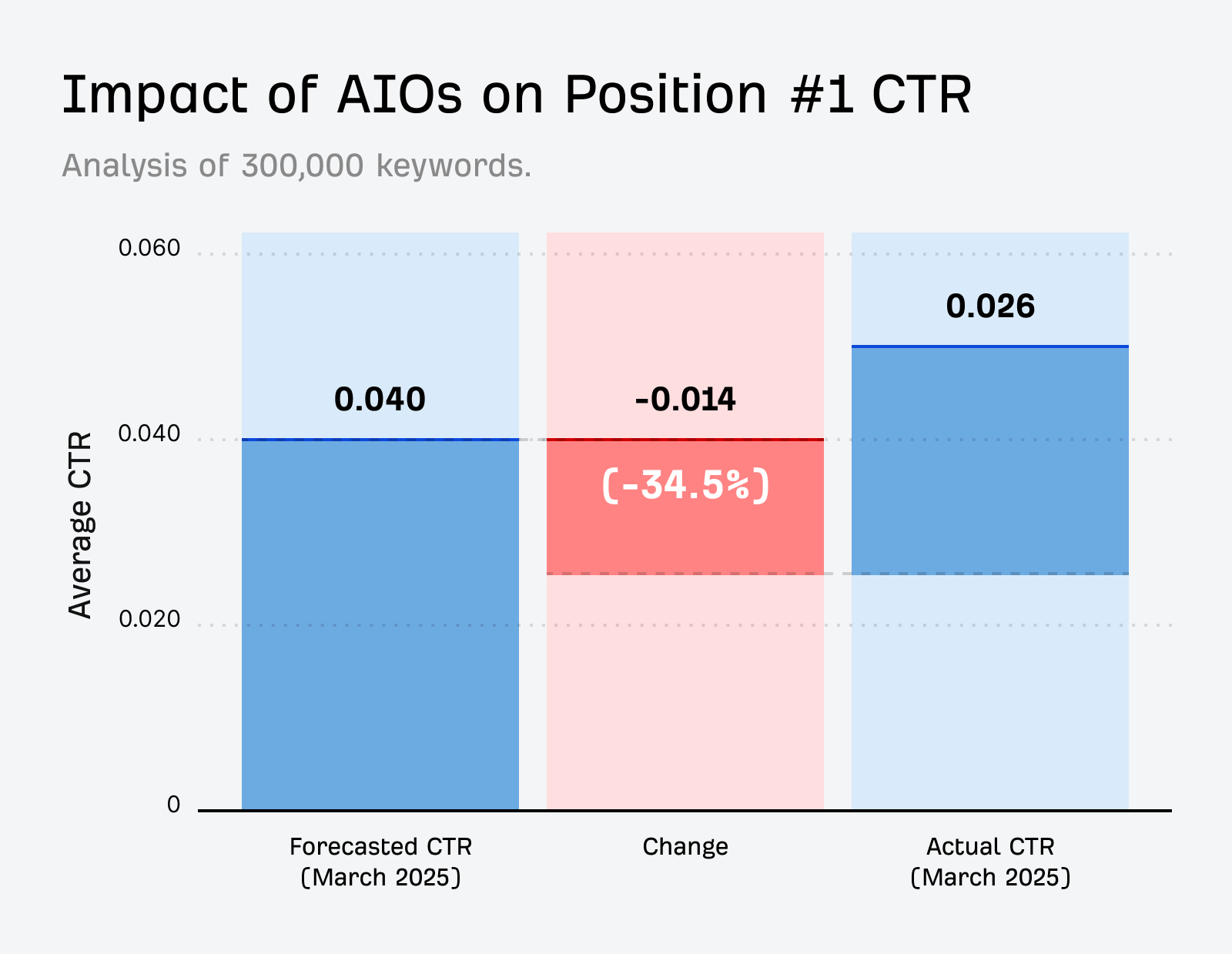
We took 150,000 keywords that triggered an AI Overview, and compared them against 150,000 keywords with informational intent, with no AI Overview present.
Then we used aggregated GSC data to get each keyword’s average clickthrough rate (CTR), and compared samples for March 2024 (before the major US rollout of AI overviews) versus March 2025 (after).
The result? A 34.5% decrease in clicks.
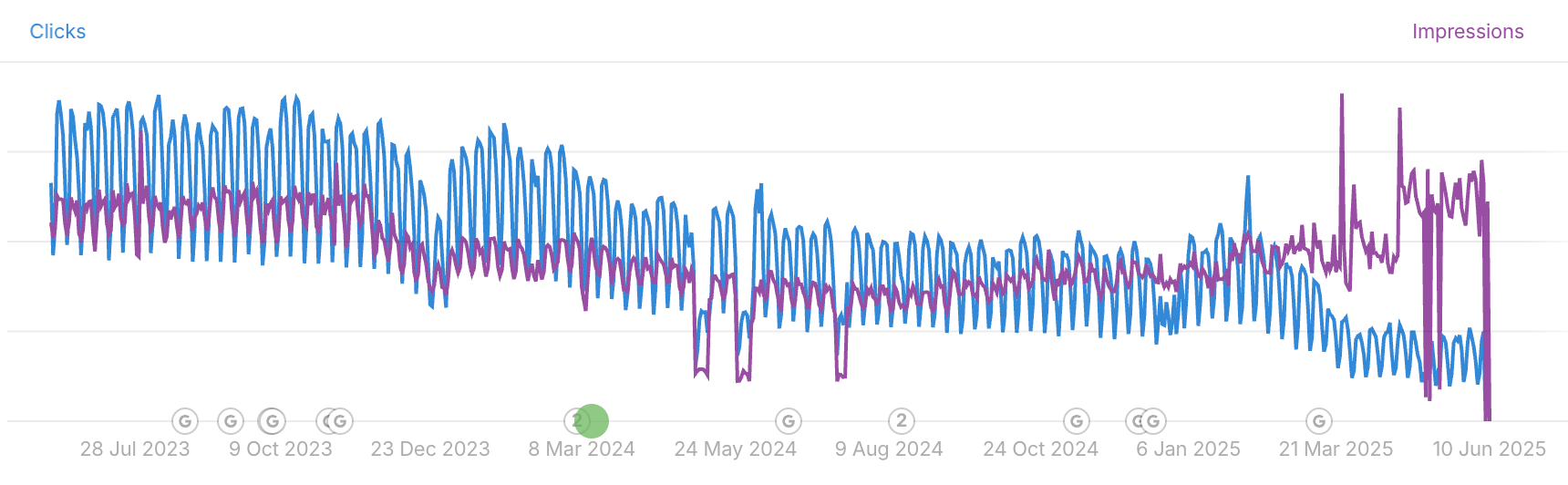
Another way to estimate and track the click impact of AI Overviews in Google Search Console is to look out for keywords that experience CTR drops without losing rankings.
AI Overviews tend to field a user’s query natively in the SERP. As a result, ranking pages can:
- Maintain a stable average position
- See impressions stay flat or even increase
- Yet experience a noticeable decline in CTR
This pattern—often referred to as the “great decoupling”—suggests that visibility hasn’t been lost, but clicks have been absorbed by on-SERP answers instead.
See below for how to filter your GSC data in Ahrefs to find queries that fulfil the criteria of an AIO-impacted keyword—you can save them as a preset if you plan on repeating this kind of analysis.
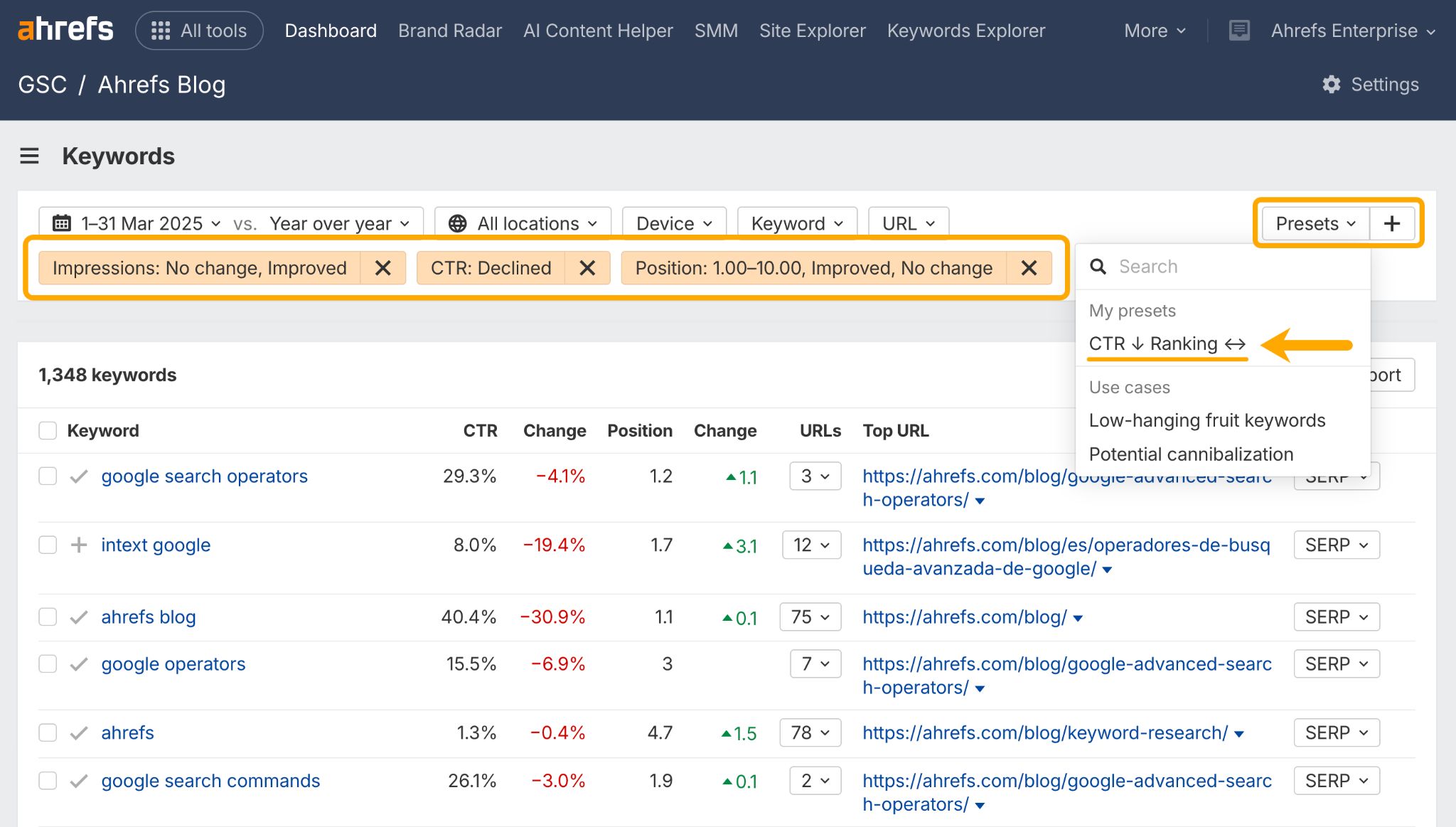
While these filters aren’t definitive proof of AI Overview presence, they can help flag queries where Google may be answering the question directly in the SERP.
Tracking CTR drops without ranking losses can help you:
- Diagnose the problem correctly. If rankings and impressions are stable but CTR is falling, the issue is SERP behaviour (i.e. AI Overview presence)—not SEO performance. Meaning, you can stop “fixing” pages that aren’t broken.
- Decide which keywords to pursue and which to drop: Figure out which queries you still need to be “seen” for regardless of traffic loss, which content is worthwhile updating, and which keywords no longer deliver enough ROI to justify investment.
- Manage expectations: Set more realistic traffic forecasts and explain CTR declines to clients, internal teams, and leadership as a SERP change—not a performance failure.
- Rethink content strategy for affected pages: Instead of competing with on-SERP answers, shift content toward follow-up questions, deeper angles, or formats AI Overviews don’t cover as well. For example, a comparison query like “email marketing tools comparison” may still be worth defending even if CTR declines, because serious buyers often evaluate options and look for deeper detail, not just a quick answer. By contrast, a query like “what is email marketing,” is probably not worthwhile optimizing if CTR is falling, since the intent can be fulfilled completely within the SERP.
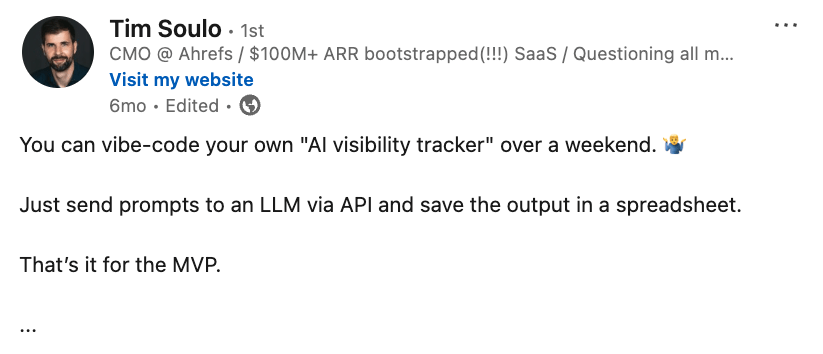
As our CMO Tim Soulo correctly points out, anyone can whip up their own basic vibe-coded AI Tracker in an afternoon.
So, I thought—why not give it a go? I used ChatGPT to define the prompt logic, then Lovable to turn that into a working, vibe-coded AI Overview tracker, built using Ahrefs data.
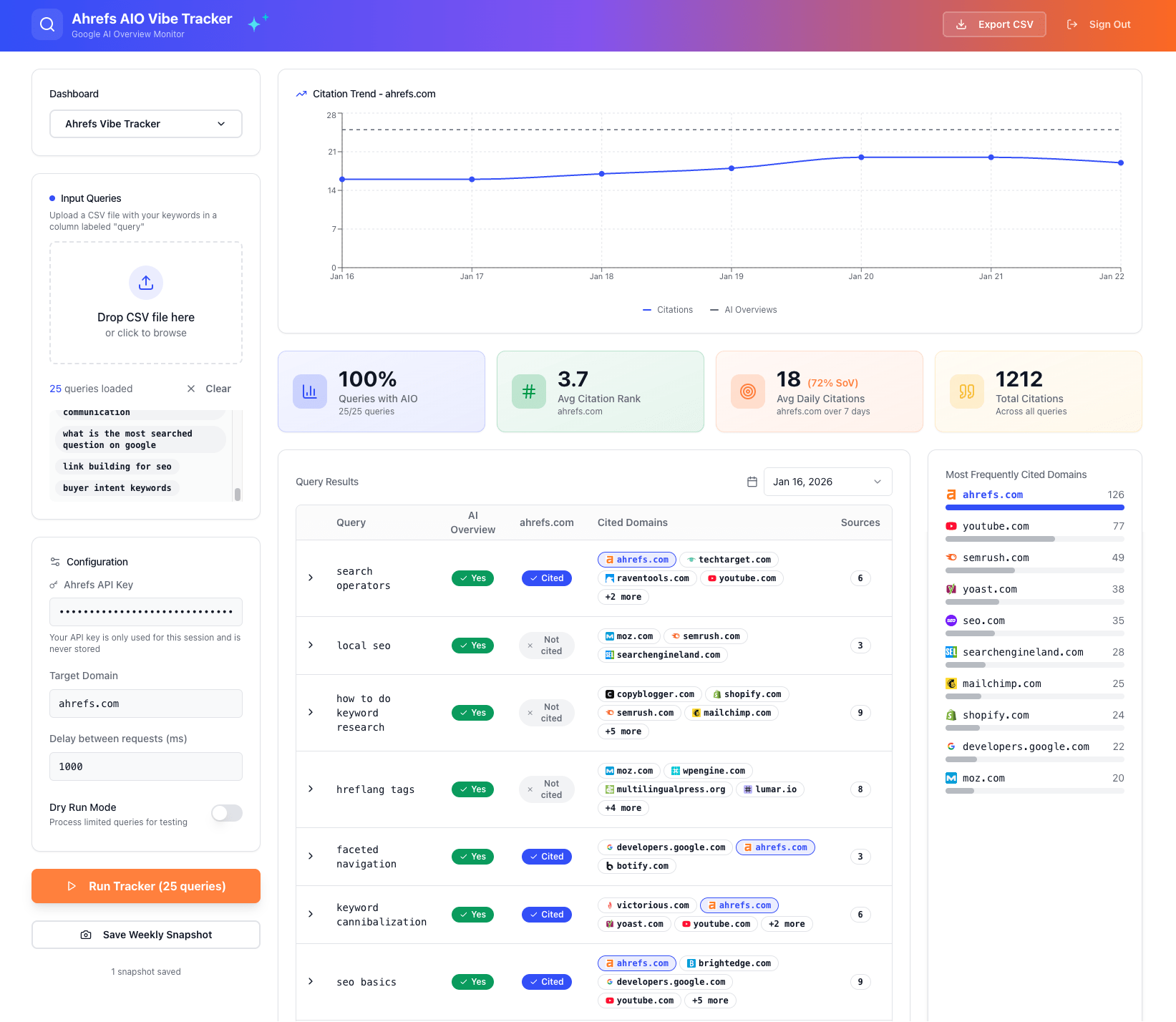
You can try it out here.
This approach works best if you’re tracking a small, known set of keywords and want quick insights without investing in a full tracking solution.
To use the “AIO Tracker”, just upload a csv keyword list, drop in your Ahrefs API key, enter your domain, and then hit “Run Tracker”.
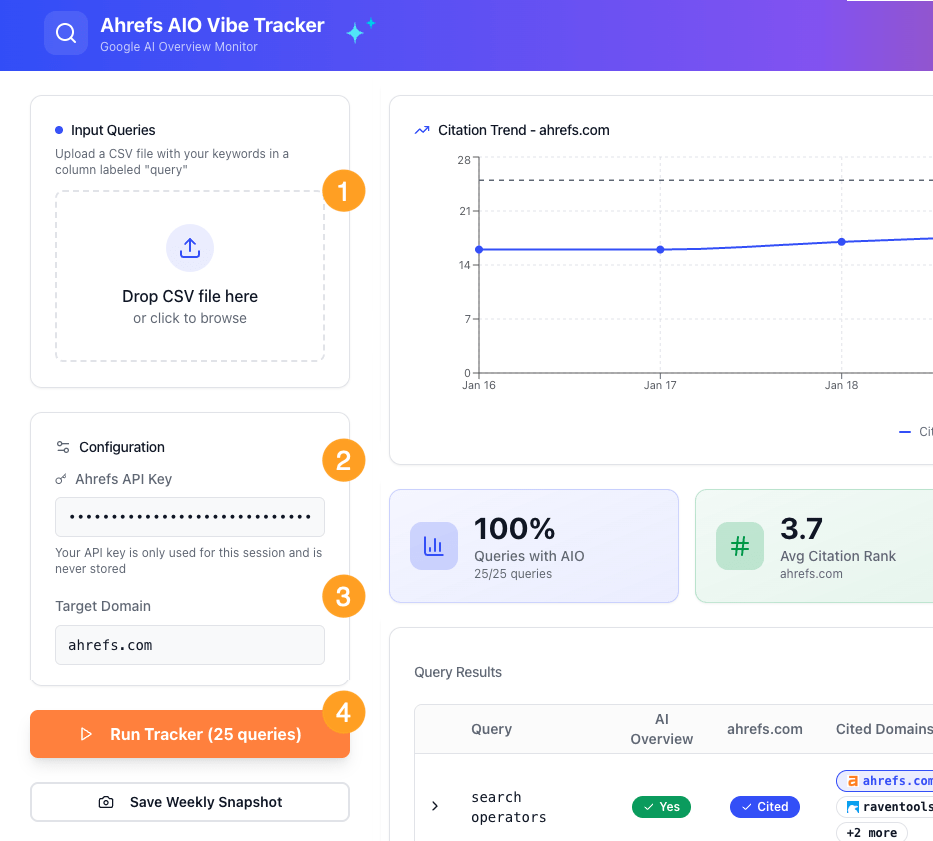
In return, you’ll get:
- A weekly tracking snapshot (which you can save to the dashboard)
- The total number of queries in your list that return an AIO
- Your average citation rank (within an AIO response)
- Your average daily AIO citations and SoV for that week
- A chart of how you size up versus the competition
- A CSV export, should you want it
I’ve also built a stripped back daily AIO tracker which you can use with a free SERP API key.
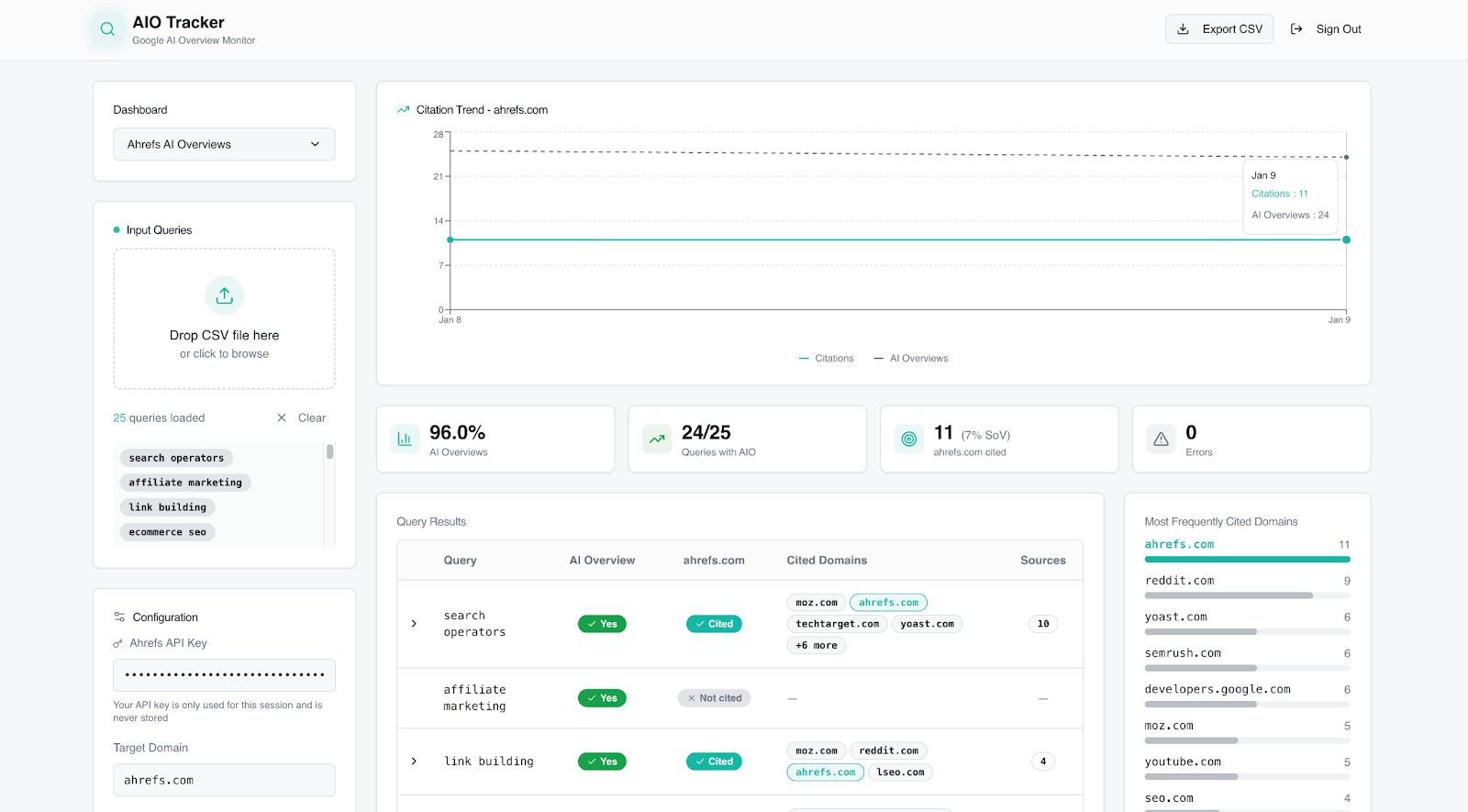
Vibe-coded trackers can give you useful AI Overview visibility data, but they come with limitations.
The basic one above, for example, is constrained by API limits (SERPapi’s free plan allows just 250 searches—I was nearly out by day two).
You also have to supply the keywords yourself, which means no “unknown” keyword ideas and opportunities, and you could waste a fair few API credits just finding out which keywords return an AI Overview in the first instance.
Vibecoded AI trackers also tend to miss valuable features like actual AI Overview responses, brand mentions, competitor SoV trends, and visibility contextualized against other AI platforms—e.g. AI Mode.
Still, if you’re willing to trade scale and depth for speed and cost, they can give you some actionable AI Overview data!
Wrapping up
The traditional search funnel assumed users would visit your site to find answers.
But that doesn’t happen so much anymore. Search results have morphed from directories into destinations.
The tracking methods in this guide give you three critical insights:
- Visibility → Where is your brand appearing (or missing) in AI responses?
- Opportunity → Which keywords and content types still deliver ROI?
- Impact → How much traffic are AI Overviews actually costing you?
Your approach depends on what you’re trying to measure and how deep you want to go.
A regex filter in GSC can show you the impact of AI Overview “shaped” keywords.
Ahrefs Site Explorer can help you track your actual AI Overview keywords.
Vibe-coded tools can give you simple visibility insights on a budget.
And Brand Radar can show you the full picture across all AI platforms.
We’re in the messy middle of a major shift. If you start tracking AI now, you’ll have a clear competitive advantage as AI search matures. Give one of these methods a go and let me know how you get on!