

WordPress Studio is our free, open source app for building WordPress sites, available on macOS, Windows, and Linux.
You describe what you want, and the agent builds it. That might be a whole new site, or changes to the WordPress you already have, like a new page or a tidier header.
Earlier this month, we reintroduced WordPress Studio as a new workspace for building with WordPress.
With this release, you can now bring the AI you already pay for and already know, and use it right inside WordPress Studio.
Use the AI you already have
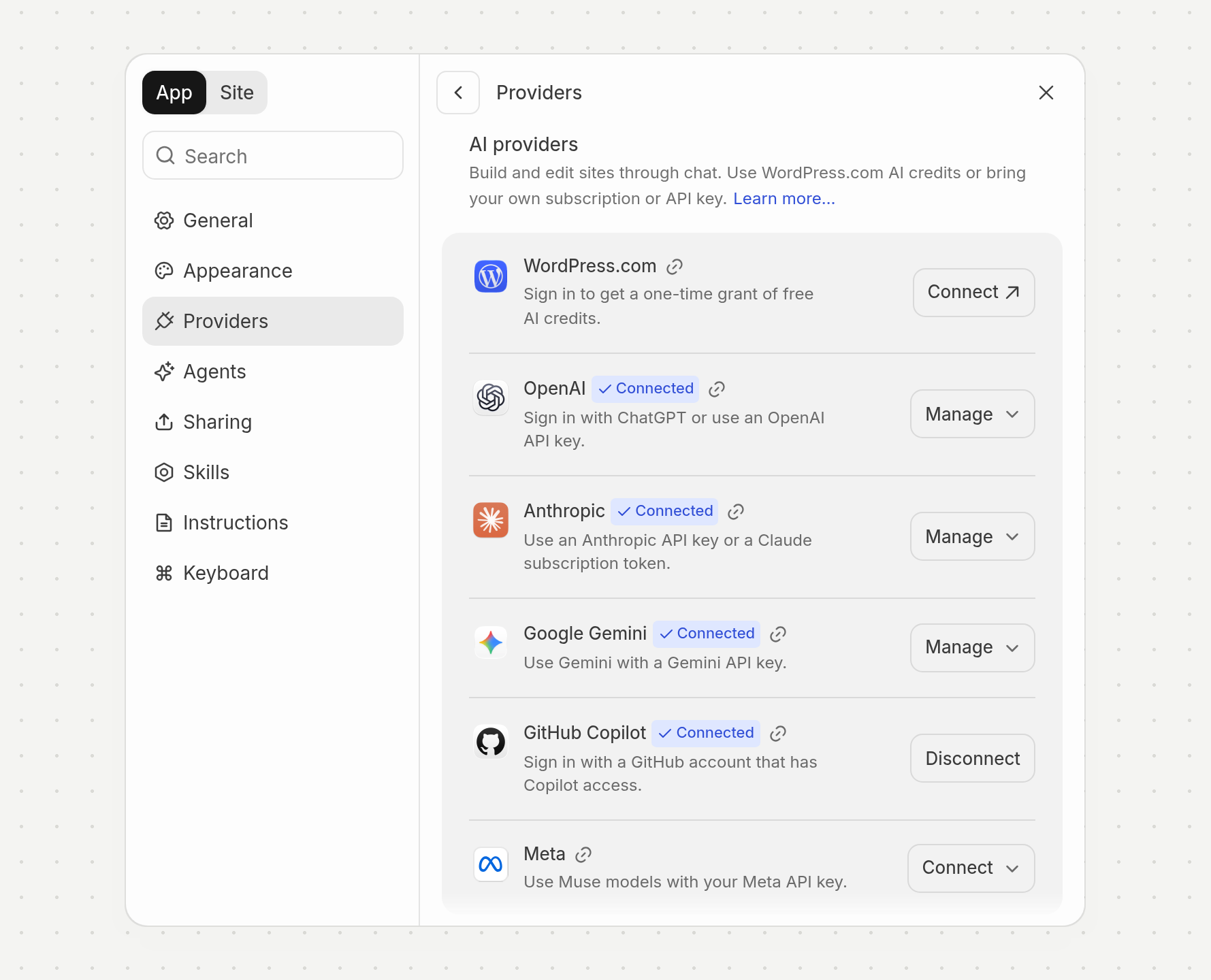
Open Settings → Providers to connect your ChatGPT, Claude, or GitHub Copilot plan, or an API key from OpenAI, Anthropic, Google Gemini, or Meta.
Each provider shows you what you need to connect. Once connected, you can choose which model to use when starting a new chat.
- WordPress.com: Sign in and get one-time free credits. If you don’t pay for AI anywhere else, start here.
- ChatGPT: Sign in with your ChatGPT plan.
- Claude: Use a Claude subscription token.
- GitHub Copilot: Sign in with a GitHub account that has Copilot. One plan gives you Claude, GPT, and Gemini models (availability varies by plan).
- API keys: If you’d rather use a key, OpenAI, Anthropic, Google Gemini, and Meta all work. A Meta key runs Muse models.
Your usage is billed through whichever account you add. You can add more than one and set a default for new chats.
Pick a model for every chat
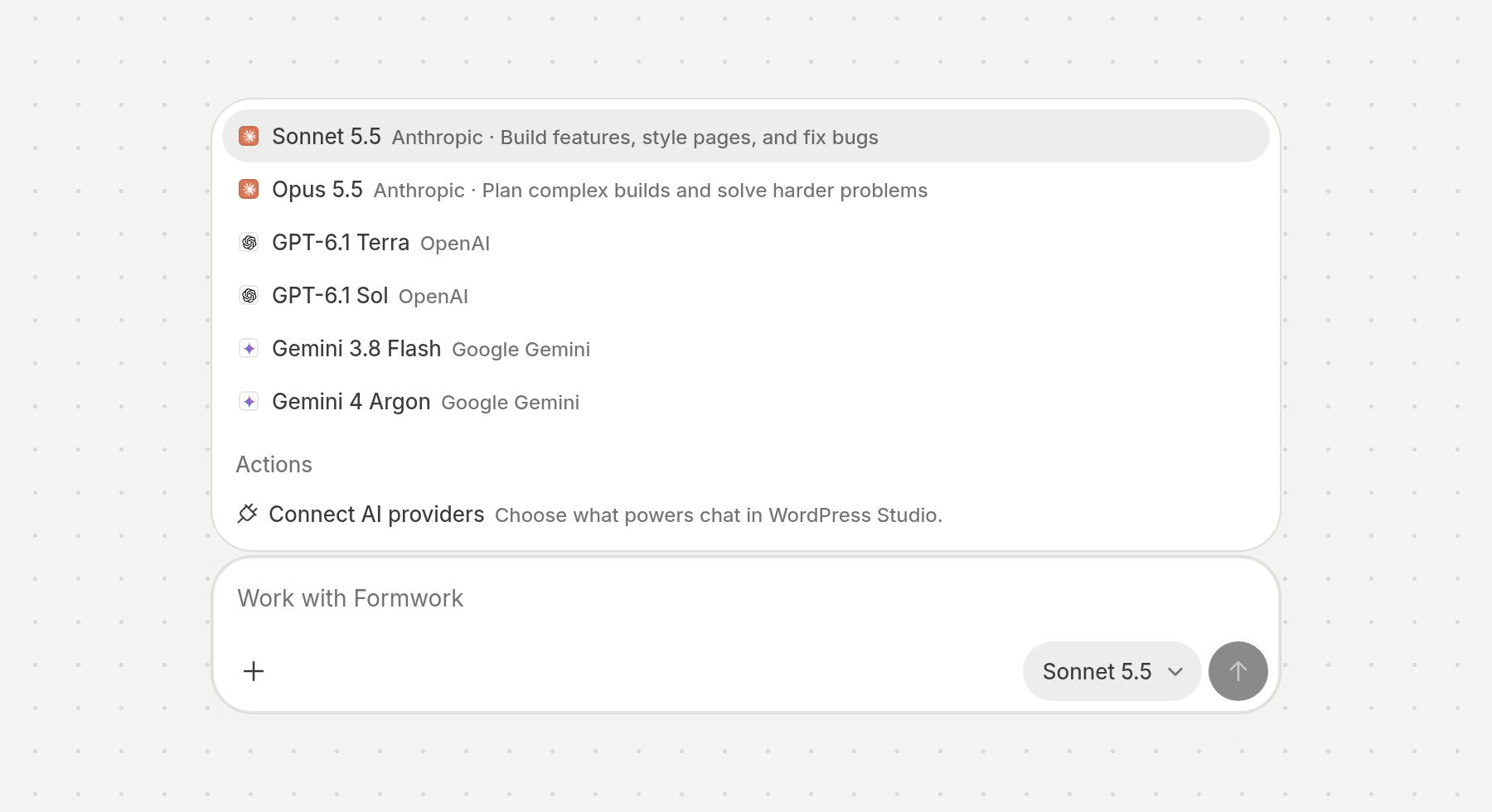
Once you’ve added your AI, its models show up in the composer, right where you type your message. Choose one when you start a chat, and a different one next time if the job is different.
You might want a stronger model when you’re redesigning a whole site, and a faster one for small changes.
Whichever one you choose, the agent works the same way, and what it builds is still a real WordPress site you can open in the WordPress Site Editor.
Already use another agent?
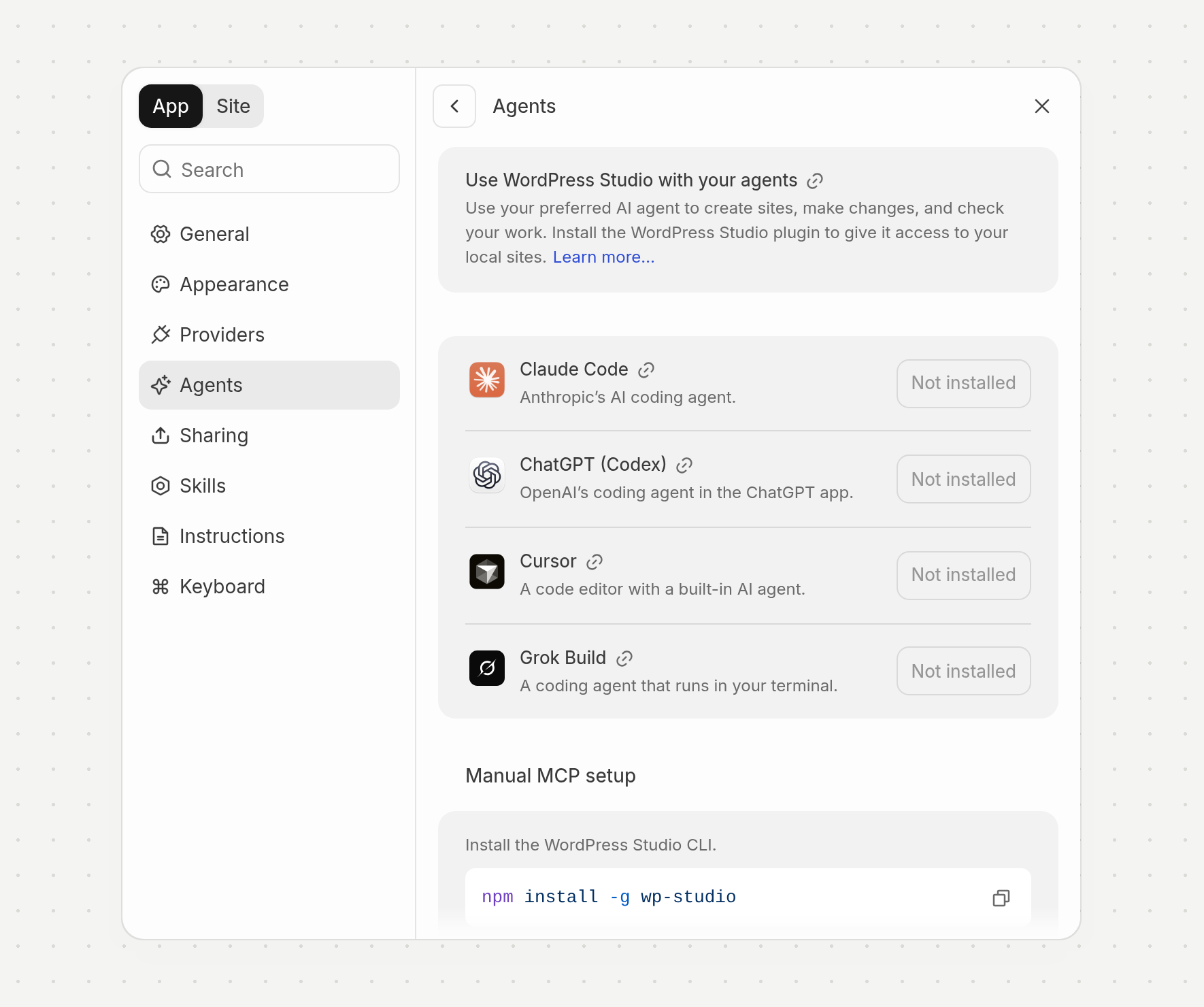
Some of you already build with Claude Code, ChatGPT (Codex), Cursor, or Grok Build, and you can keep doing that.
Settings → Agents is a new panel that shows which of them you have installed and links to the agent plugin that gives your agent access to your sites in WordPress Studio.
With the plugin in place, your agent can create sites, make changes, and check its own work, using the same tools as the built-in agent.
If your agent isn’t on the list, you can set up manual MCP in the same panel. Install the WordPress Studio CLI with npm install -g wp-studio, then add the studio mcp configuration to your app.
Your WordPress, your AI
Whichever AI you bring, what you get is a WordPress you own and can keep editing.
Download WordPress Studio, add your existing agents, and show us what you’re building.