

This post was originally published on this site.
When a new article goes live on the Ahrefs blog, I drop the URL into Claude and run /linkedin-pipeline.
It pulls the article and generates three to five distinct LinkedIn posts.
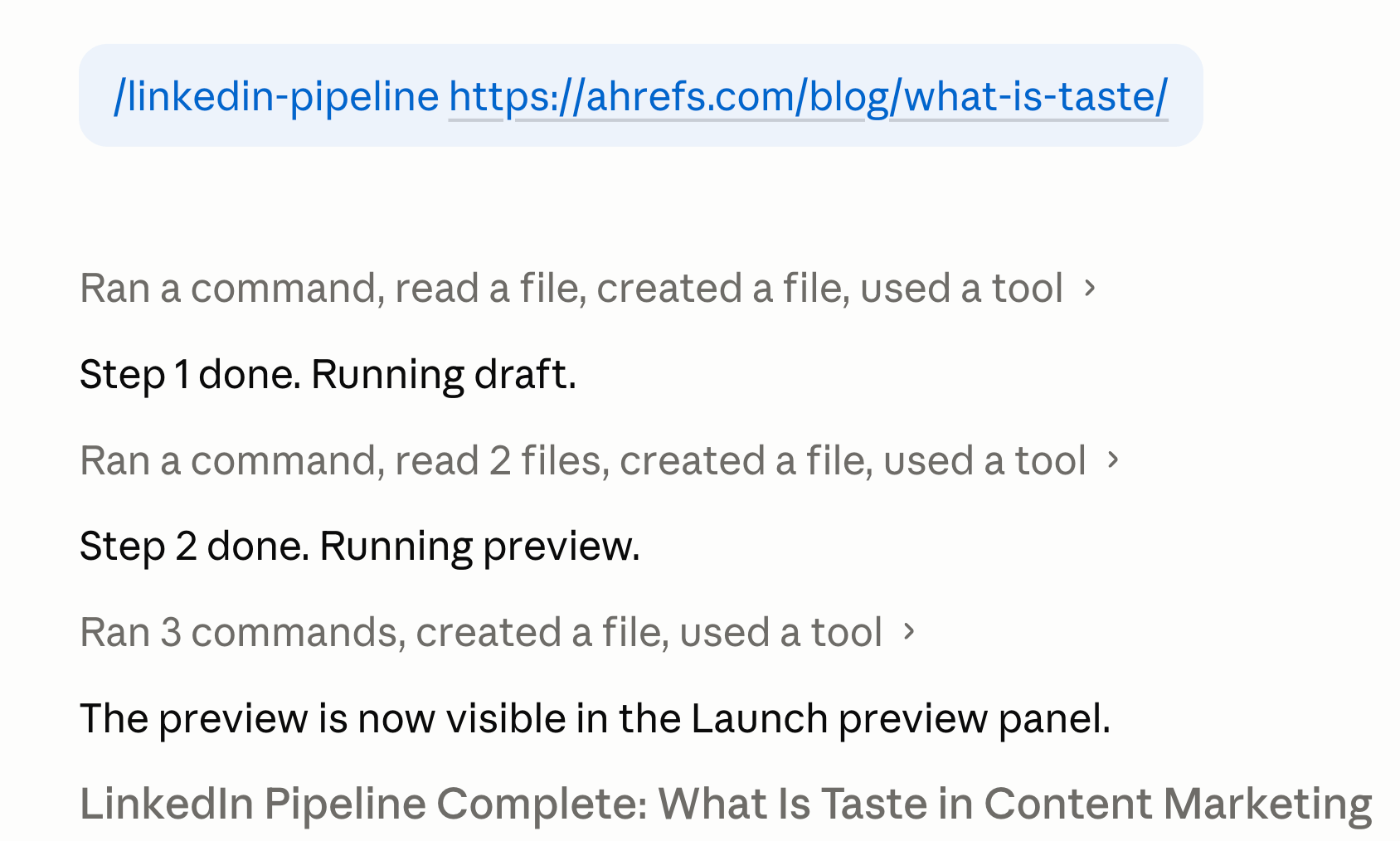
Before that, every LinkedIn post started the same way. I’d re-explain the voice rules. The fold-line rule. The hook patterns I like, the ones I don’t. The example posts to mimic. The CTA style. Slightly different wording each time, slightly different output each time.
A skill fixes that. You write the playbook once and Claude fires it whenever you ask. No re-prompting. No drift.
Here’s what Claude Skills are, how they work, and how to build your own.
A Claude Skill is a saved, reusable package of instructions Claude fires automatically when it recognizes the task.
A prompt is a one-time instruction. You type it, Claude responds, the instruction evaporates. Next time, you type it again — or you save it as a template and paste it again. Either way, you’re the one remembering it exists, finding it, and putting it in front of Claude.
A skill is the next step. You write the playbook once. Claude reads what you’re asking, decides which skill (if any) applies, and follows it. No menu. No paste. You just describe the task in your normal words, and the saved playbook fires.
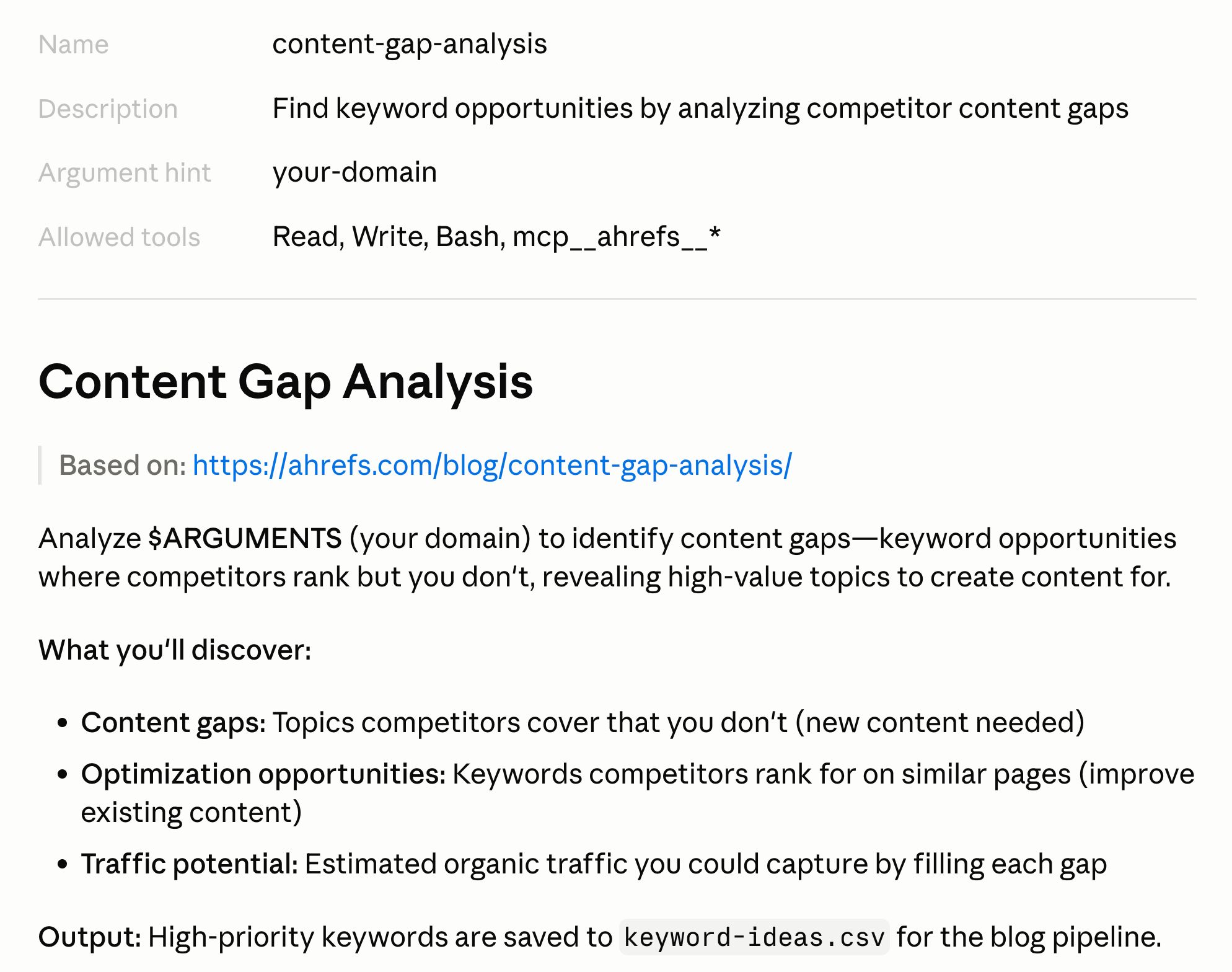
The format is an open standard — Anthropic calls it Agent Skills — and the same SKILL.md format powers the skills bundled into Claude Code itself. The skill you write today isn’t tied to Claude. It runs anywhere a model and a file system can talk to each other.
A skill is a folder. Inside, a file called SKILL.md: markdown with a small block of YAML at the top, plain-language instructions below.
—
name: outline
description: Generate an article outline in my preferred structure. Use whenever the user asks for an outline, a structure, or section headings for an article or blog post.
—
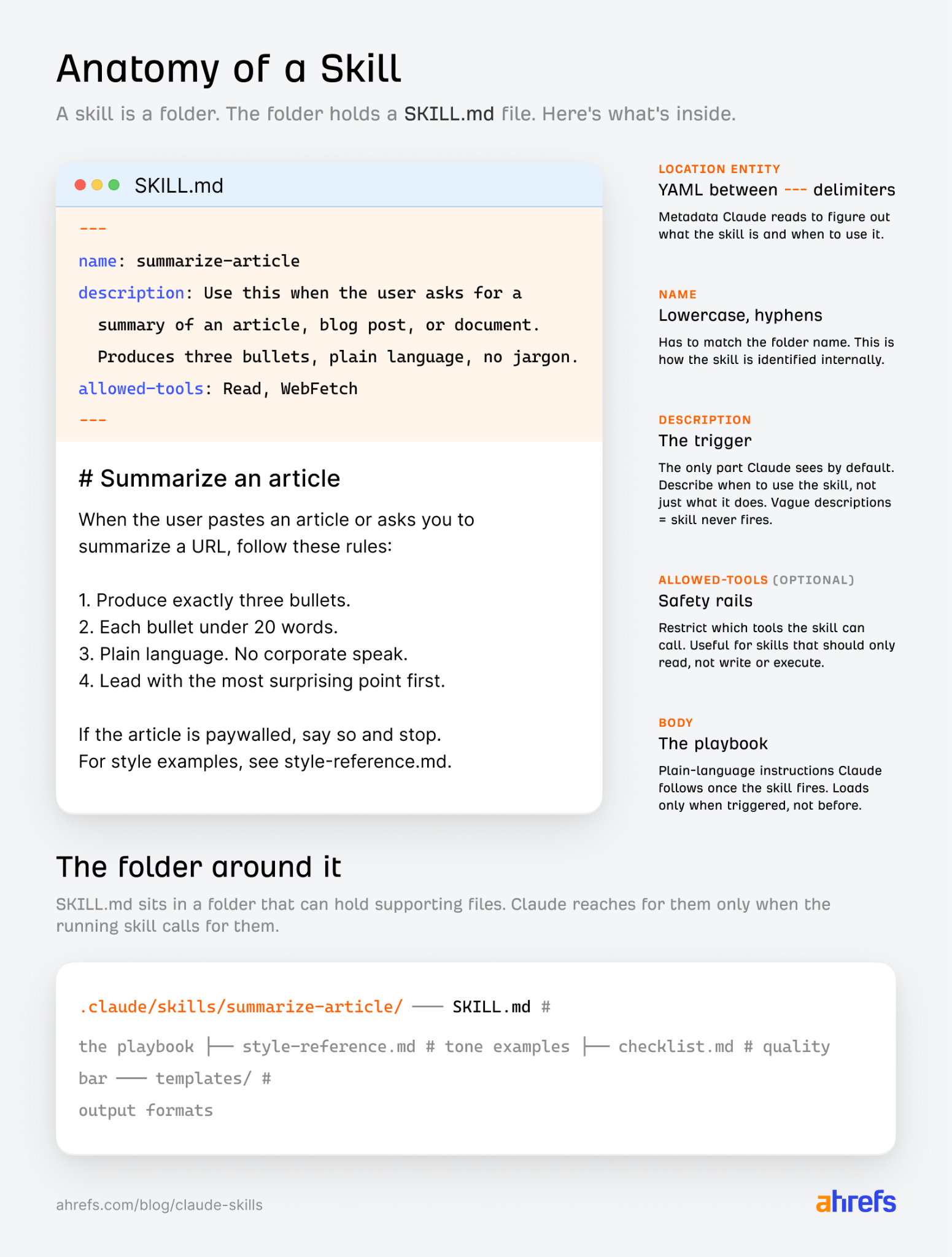
The frontmatter does two jobs. It names the skill, and it gives Claude a description.
The description is the trigger: it’s what Claude reads to decide whether your request matches this skill. It’s also the only part of the skill Claude sees by default, so it has to do real work in one or two sentences.
Below the frontmatter, you write the playbook. Steps, examples, rules, whatever the task needs.
The folder can hold supporting files too, like style references, checklists, or templates. Claude pulls those in only when the running skill calls for them. This is called progressive disclosure, and it’s the mechanism that keeps skills cheap. Three layers:
- Frontmatter is always in context. Description and name. This is what Claude reads when deciding whether to fire the skill.
- The body of SKILL.md loads when the skill fires. The playbook itself.
- Linked files load only when the playbook tells Claude to read them. Long style guides, edge-case libraries, API docs.
You’re not stuffing everything into one giant prompt. You’re handing Claude a structured kit, so the token cost of long reference material stays at zero until it’s actually needed.
The folder lives at .claude/skills/<skill-name>/SKILL.md inside your project. Drop it in, name it sensibly, and the skill is live. For skills you want available across every project, use ~/.claude/skills/ instead.
You don’t need to be a developer for any of this. Anthropic publishes a skill called skill-creator in their public skills repo.
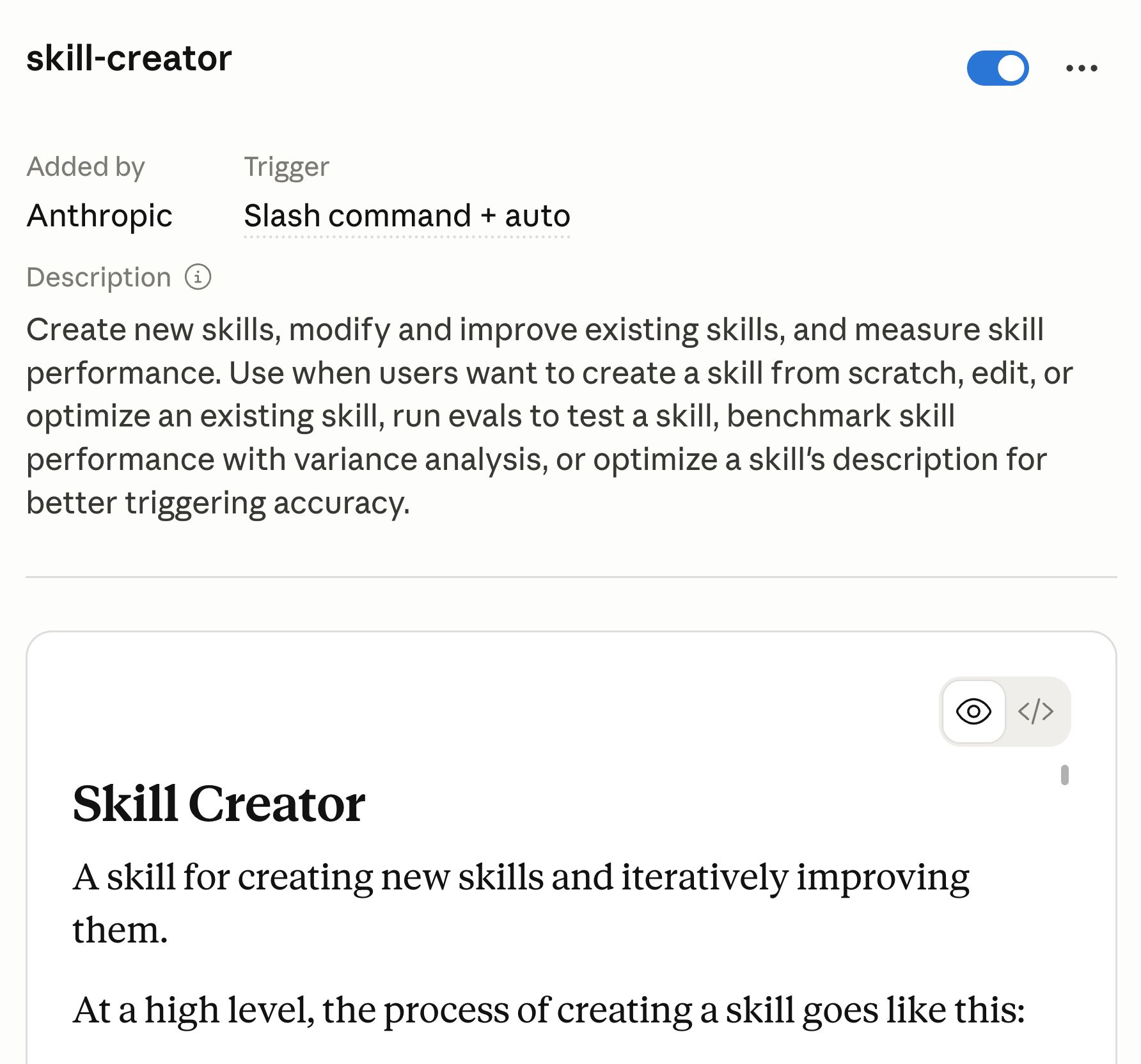
Install it once and it walks you through creating new skills by asking about the task, drafting the SKILL.md, and writing the folder structure for you. In Claude.ai, the same skill is the recommended path under Settings → Capabilities. Use it.
But knowing what’s inside the file matters, because when the skill misbehaves later, you’re the one editing it.
1. Pick a task you already repeat
The fastest way to waste an afternoon is trying to build a skill for everything at once. Pick one task that meets two criteria: you do it regularly, and you find yourself re-explaining the same context every time you ask for it.
For me it was turning published articles into LinkedIn posts. For someone else it might be turning a transcript into a quote bank, or rewriting a content brief in a specific tone of voice, or QAing an article draft against an editing checklist. They all have the same structure underneath: same kind of input, same judgment calls, same kind of output, every time.
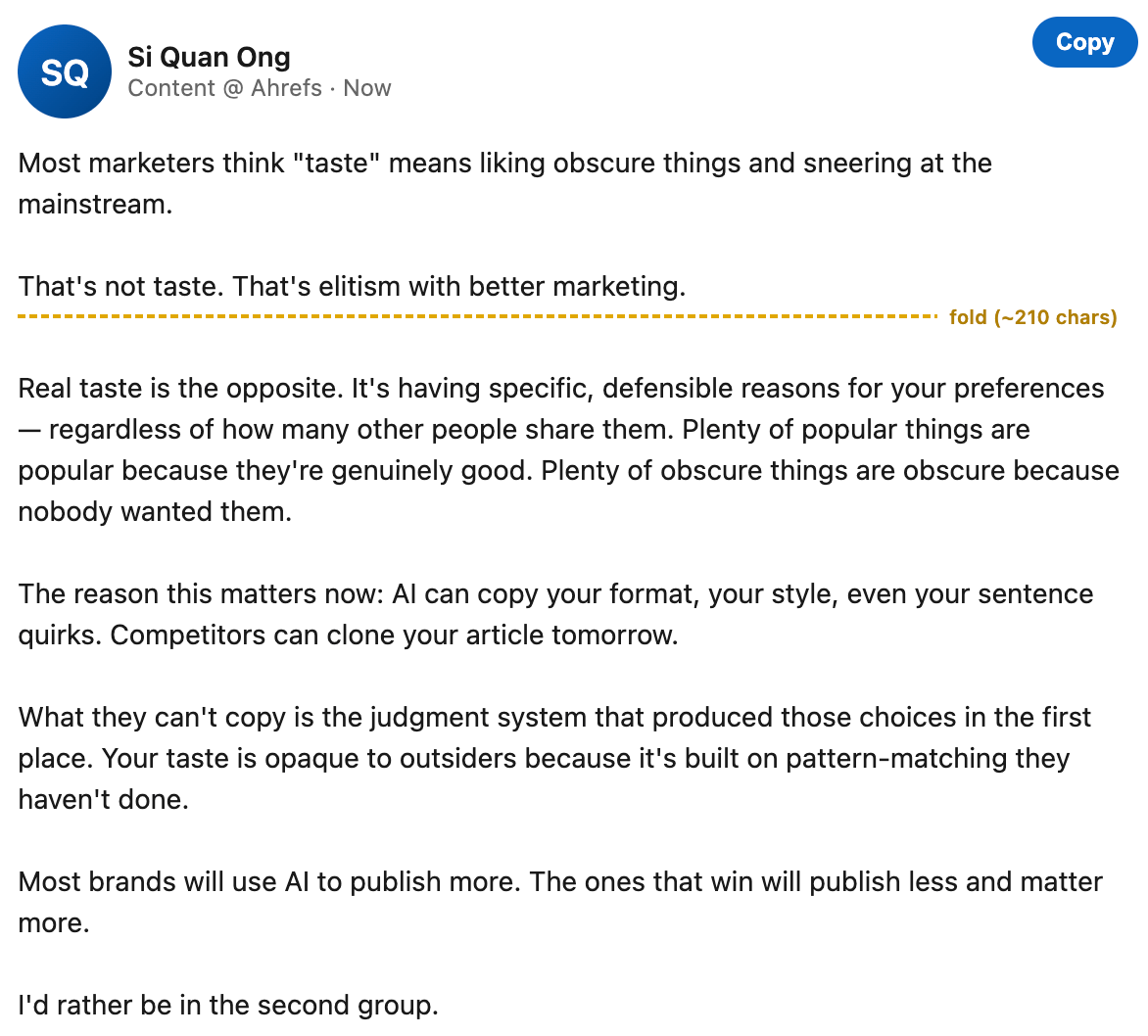
If you can’t say out loud, in one sentence, what good output looks like, the skill isn’t ready. Build the muscle in conversation first.
2. Write the description as a real trigger
The description is the only thing Claude reads when deciding whether to fire your skill, so it has to do three jobs at once: say what the skill does, when Claude should reach for it, and what trigger phrases the user might actually say.
| Job | Example |
|---|---|
| What it does | Generate an article outline in my preferred structure |
| When to use it | Whenever the user asks for an outline, a structure, or section headings |
| Trigger phases | “Outline”, “structure for”, “the bones of”, “section headings” |
Write trigger phrases the way you actually ask for the task, not the way a feature page would describe it. If you say “give me the bones of a piece” and the description only knows the word “outline”, the skill won’t fire.
For example, look at the difference between a description that fires and one that doesn’t:
- Helps with writing. Never fires. No trigger. It’s just a category. Claude has nothing to match against.
- Use when the user asks for a summary, recap, or TL;DR of an article. Fires reliably. Specific task, named trigger phrases, clear scope.
3. Show, don’t tell
The body of the skill is where most people go wrong. They write “match my voice” and expect it to work. It doesn’t. Vague instructions produce vague output.
Four things that do work:
- Worked examples. Paste a real input next to the exact output you wanted. One good example beats a paragraph of instructions.
- Explicit anti-patterns. “Never use em dashes.” “Never open with a definition.” “Never produce more than three sections.” Write down the failures you’ve already seen, as rules.
- A self-check at the end. A short checklist Claude runs through before responding catches drift that prose instructions miss.
- Brevity. The longer and more complicated the skill, the less likely Claude is to follow all of it. If a section isn’t earning its place, cut it. Anthropic’s own skill-authoring guidance is to keep SKILL.md under 500 lines. The model doesn’t know what your good output looks like, and that’s the only thing the body should encode.
4. Move long content into separate files
Anything that bloats the main playbook, like long style references, example libraries, lists of competitor URLs, API docs, lives in a separate file in the skill folder. They’re referenced from SKILL.md but not pasted into it.
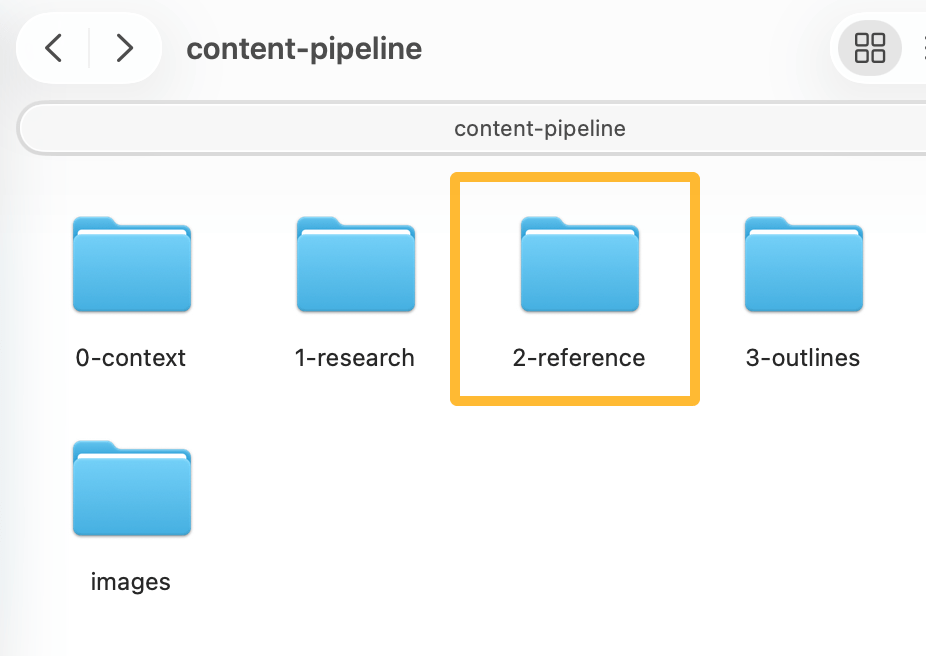
Progressive disclosure does the rest: the linked file only loads when the running skill reaches for it, so the token cost stays at zero until it’s actually needed.
5. Lock down skills with side effects
If a skill keeps firing for requests it shouldn’t, or if running it has consequences you want full control over, set disable-model-invocation: true in the frontmatter. Claude won’t auto-fire it.
You trigger it manually with /skill-name. Useful for a deploy skill, a publish-to-CMS skill, a skill that sends a Slack message — anything you don’t want a model deciding to run on its own.
A skill is two things glued together: the expertise you’ve encoded into the playbook, and the data the playbook can reach. Most people underestimate both.
The markdown takes ten minutes. Articulating what you actually do when you build a content brief — the judgment calls, the rules you’ve never written down, the things you reject without thinking — takes the rest of your career. Wiring it to live SERP data, your CMS, and your style guide is a separate project on top of that.
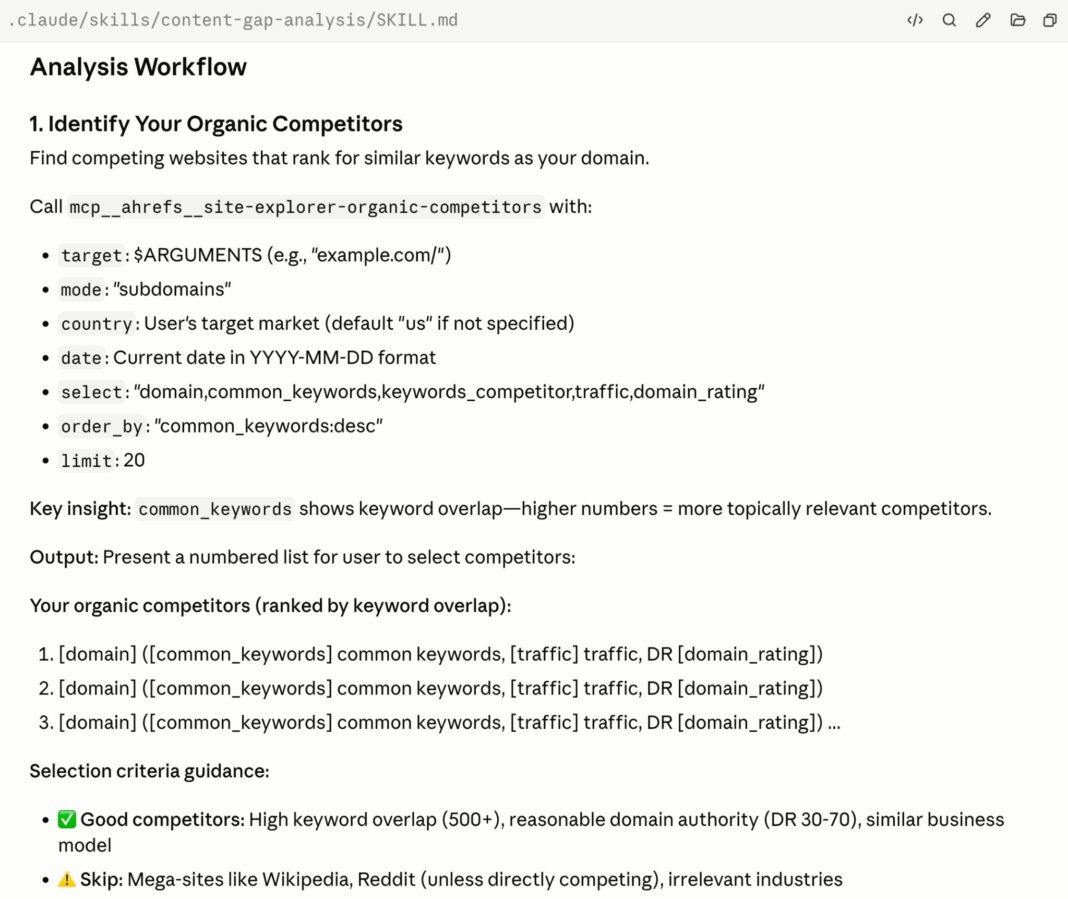
Take Ryan Law, our Director of Content Marketing. He recently published a post on how he built a 23-skill content engineering pipeline in Claude Code, chained behind a main blog-pipeline skill that generates publish-ready articles in six to twelve minutes.
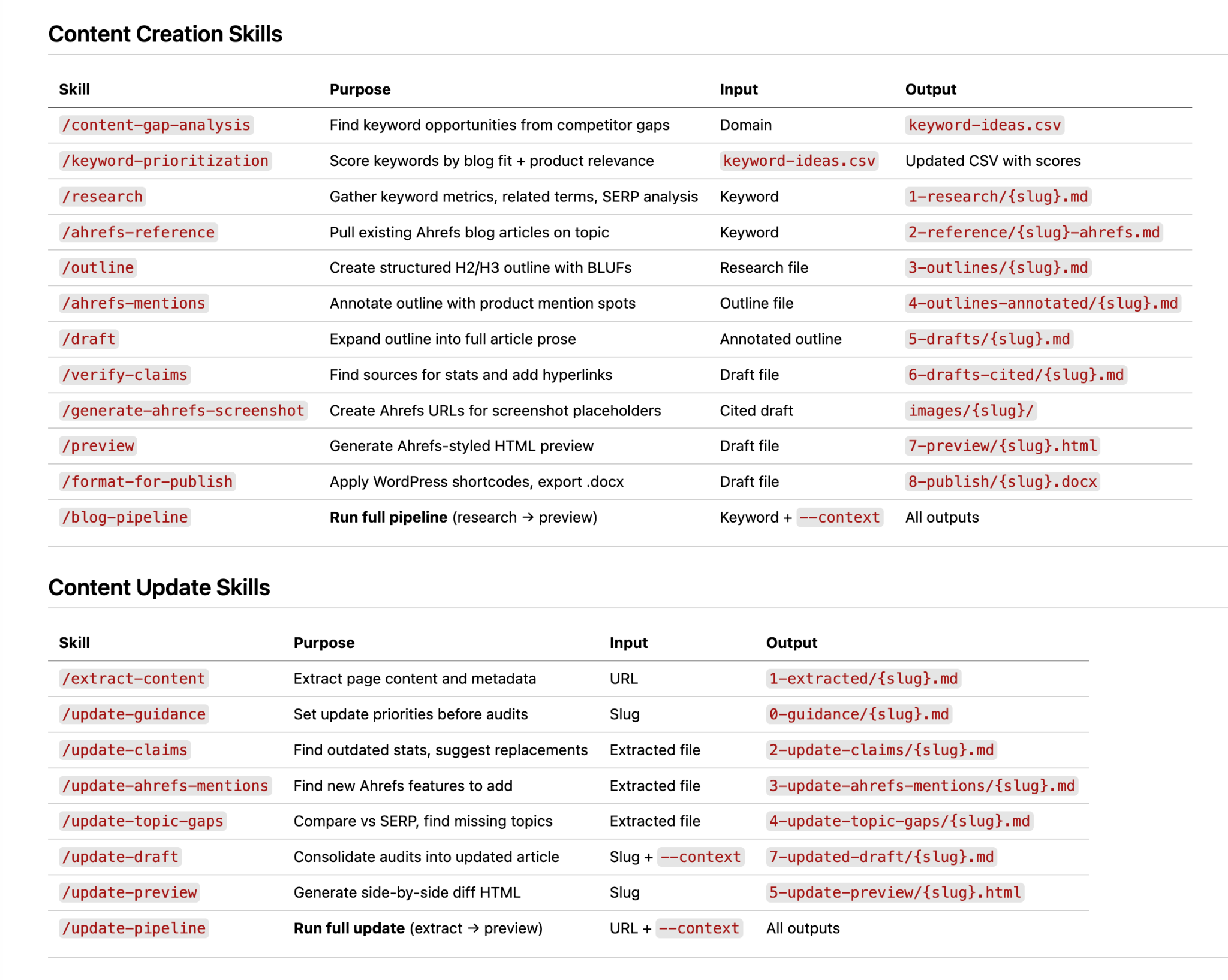
What’s worth noticing is where the work actually went. A LinkedIn commenter put it best:
Ryan’s SKILL files are good because Ryan already knew what to put in them. Most people using blank-slate tools don’t have 13 years of editorial experience to build from. The gap isn’t just in the tool. It’s in the person behind it too.
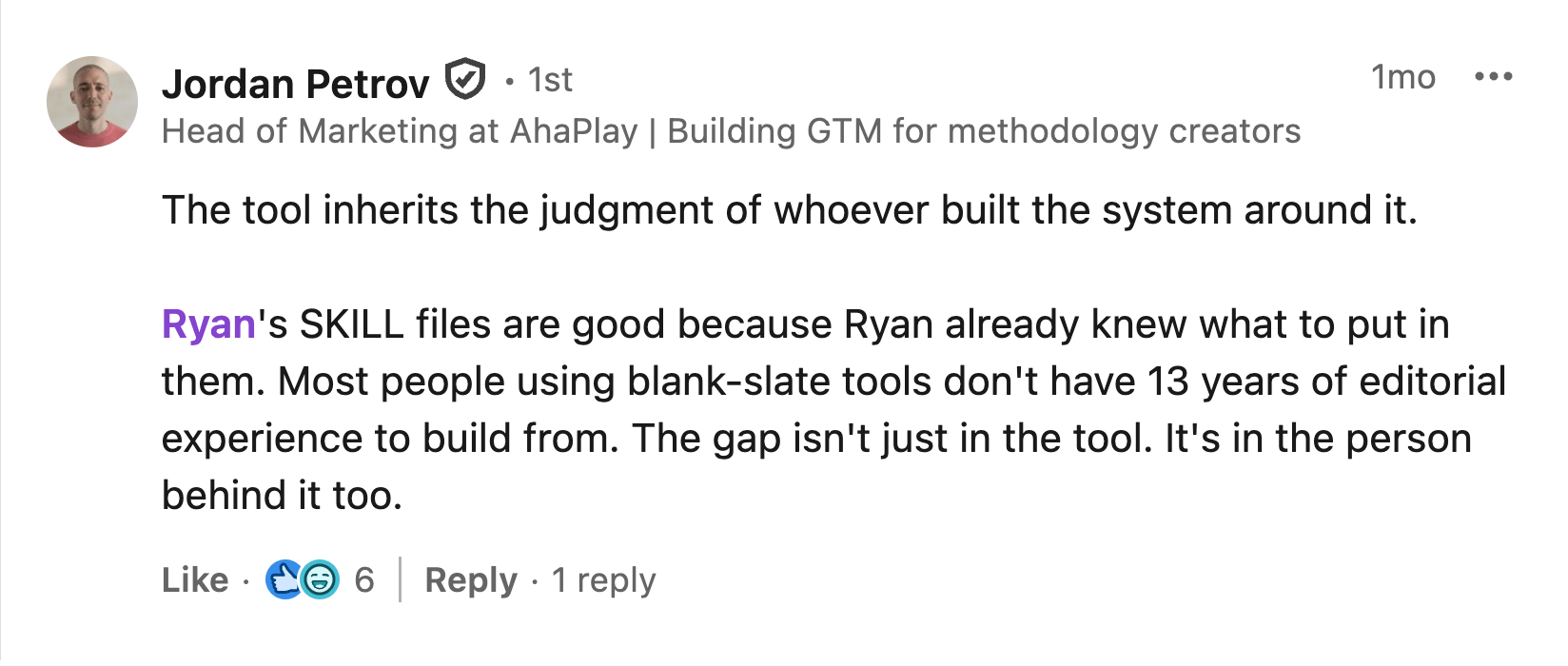
Thirteen years of editorial expertise on one side. The Ahrefs MCP wired up on the other so the skills could pull real data instead of hallucinating it. The markdown in the middle was the easy part.
You can build all of this yourself if you have the skills (heh) and experience. Otherwise, you can lean on others.
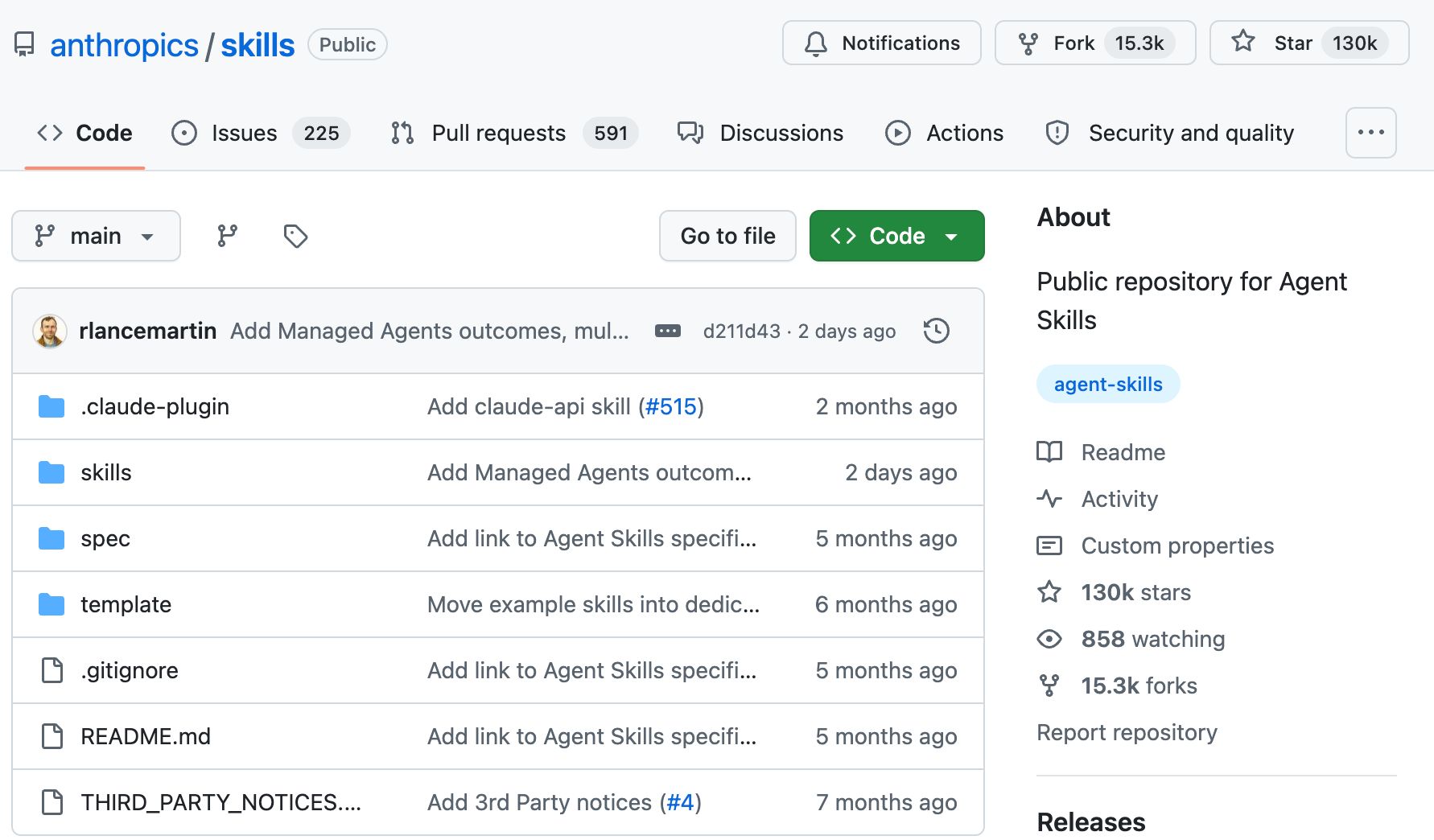
Claude Code ships with bundled skills available in every session: /batch, /claude-api, /debug, /loop, and /simplify. They work the moment you install Claude Code. Anthropic also publishes a public skills repository you can fork, copy, and modify, and community directories are starting to appear.
For SEO and marketing specifically, you have Agent A. It’s an AI agent with unrestricted access to Ahrefs data, plus integrations with major tools like Notion, HubSpot, WordPress, Slack, and Google Search Console.
Describe what you want — tools, reports, apps, dashboards, and yes, skills — and Agent A will design, write, and deploy them. It lives in your workspace, remembers the decisions you’ve made together, and is scoped to your data and your tools.
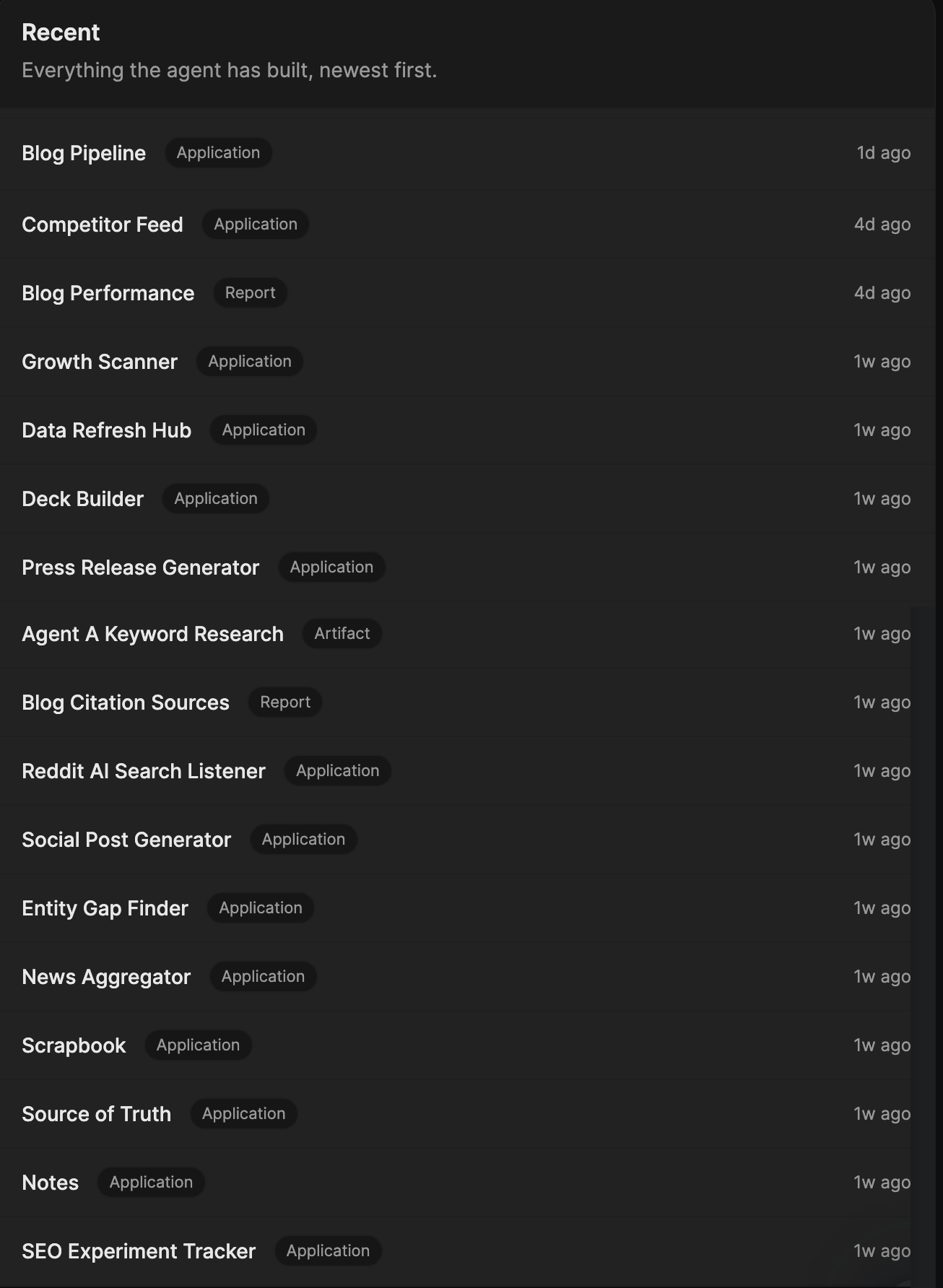
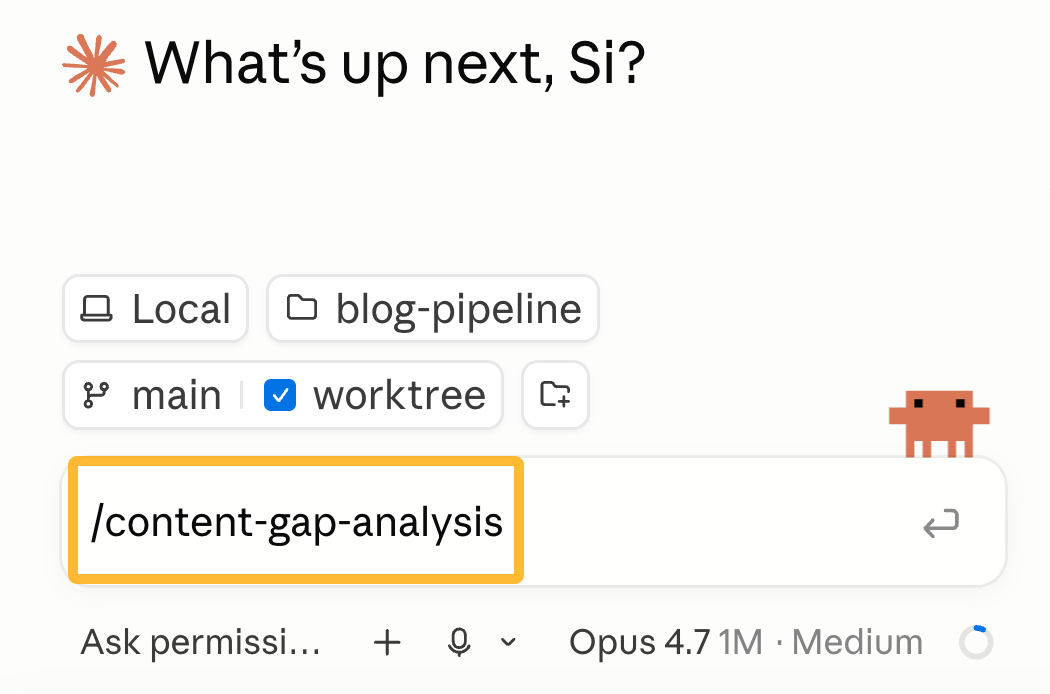
We’ve also pre-built a marketing skill library, curated by our in-house expert team and tuned on real marketing work. For example, you can automatically launch skills to run an AI brand sentiment analysis, run a content gap analysis, detect content that’s declining in traffic, find linkbait opportunities, and more.
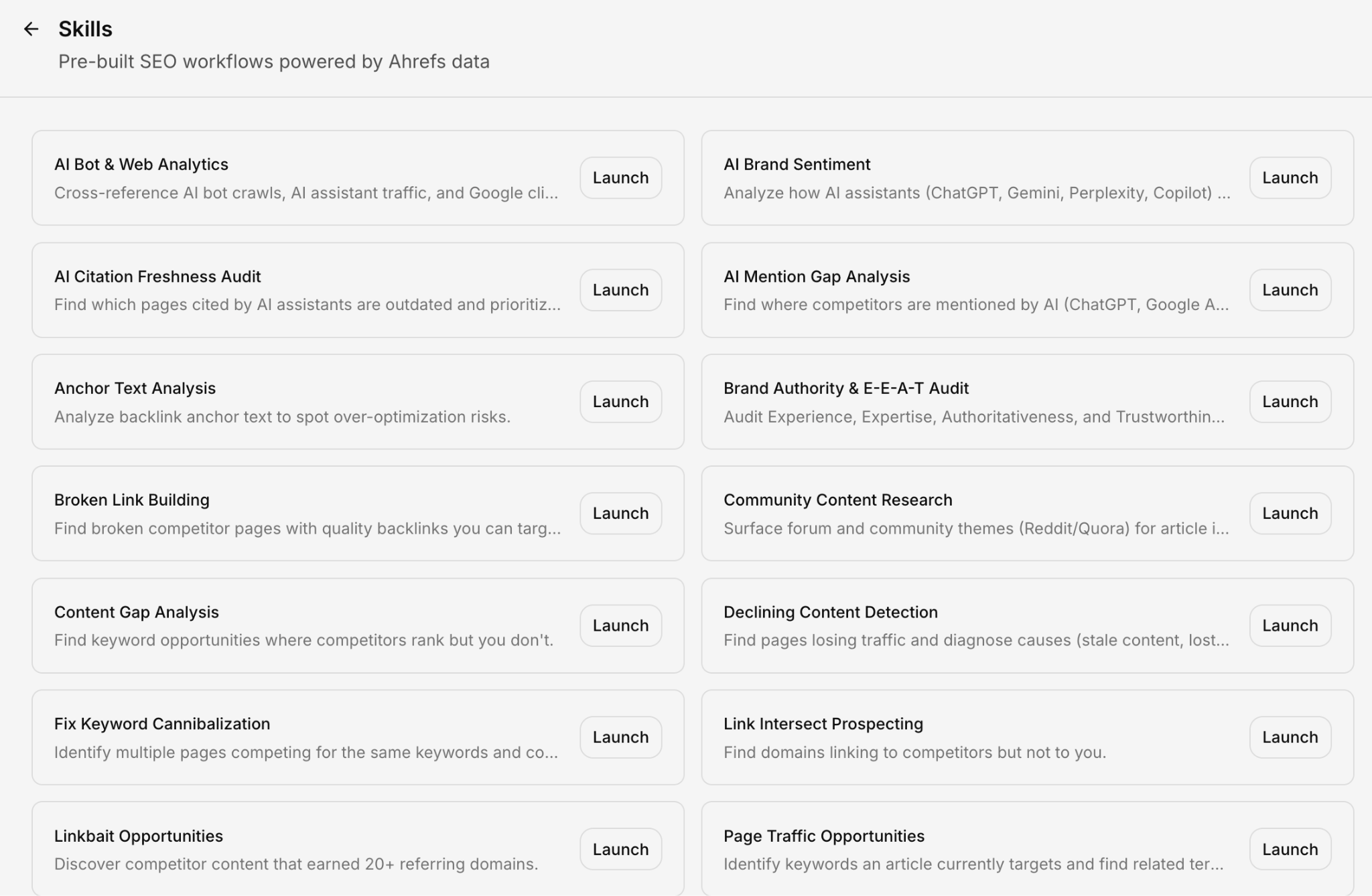
Agent A runs on the same SKILL.md format as Claude Code. So, even if you have a library of skills built on Claude Code, you can easily move them into Agent A.
Final thoughts
The skill format is a bigger deal than it looks. It’s the mechanism that turns Claude from a chat window you keep re-explaining yourself to, into something you train. Once you’ve built three or four skills you actually use, you stop typing instructions and start triggering systems.
Write a small one this week. Pick a task you do every Tuesday and forget exactly how you do it. Run skill-creator, or describe it to Agent A and let it draft, install, and test the skill for you. Fifteen minutes either way.
The next time the task comes around, you’ll know whether you’ve actually built something — or just made a fancier prompt. Pass that test once, and you’ll keep building skills forever.