
This post was originally published on this site.
If your buyers are asking ChatGPT for vendor recommendations instead of scrolling through Google results, your brand’s visibility in AI search engines matters as much as your organic rankings … maybe more. That shift is what’s driving the rapid adoption of answer engine optimization as a discipline, and it’s why marketers are now evaluating dedicated tools to track, measure, and improve how AI platforms characterize their brand. The challenge isn’t awareness that AI is reshaping search; it’s choosing the right tool to address it.

HubSpot AEO and Peec AI are two of the most visible platforms in this space, but they serve meaningfully different functions. One connects AI visibility insights to a CRM-driven content execution workflow. The other delivers deep monitoring and reporting infrastructure designed to feed external tools and agency dashboards.
Choosing the wrong one for your team’s stage, stack, and resources means either paying for execution capabilities you won’t use or collecting data you can’t act on. This post breaks down features, pricing, engines tracked, integrations, and actionability side by side, so you can effectively match the tool to your AI SEO workflow.
Let’s begin.
Table of Contents
What is HubSpot AEO Grader and Peec AI?
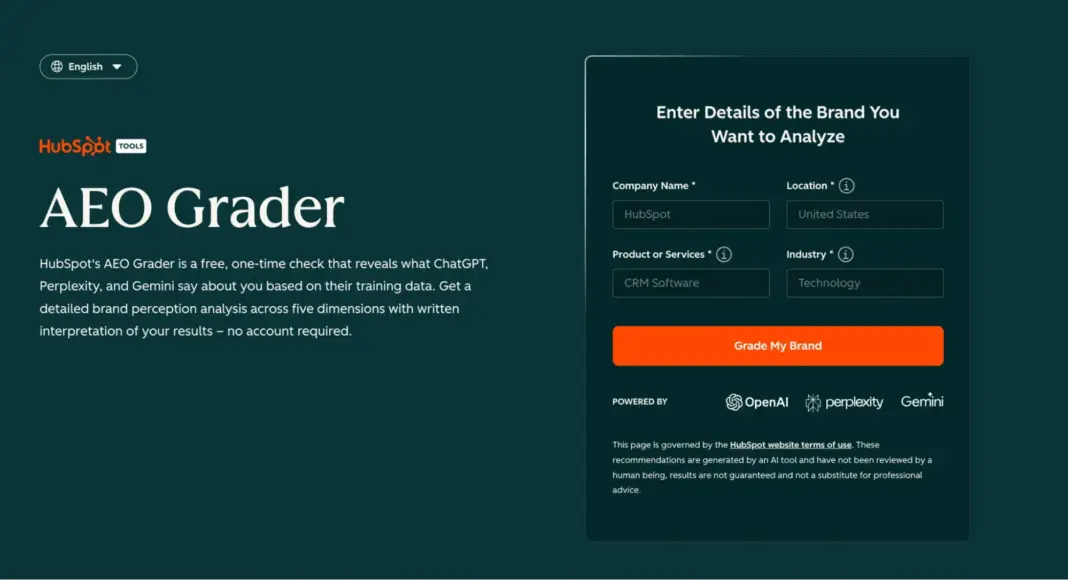
HubSpot’s AEO Grader is a free page grader that evaluates what ChatGPT, Perplexity, and Gemini say about your brand based on their training data. No account, no credit card, no usage caps.
It’s pretty simple to get started with AEO Grader. To run your first report, you enter your:
- Company name
- Location
- Industry
- Product description
Then, the tool runs dozens of test queries across all three AI engines, returning a composite score out of 100 with a written interpretation of your results in three to five minutes.
Peec AI, on the other hand, is a visibility monitoring platform that tracks how often your brand appears in AI-generated responses to buyer questions. The platform uses UI scraping technology to simulate real user interactions rather than querying APIs, so the responses it logs reflect what actual users see.
Now, when comparing HubSpot AEO versus Peec AI, the first thing to understand is that these are not interchangeable tools.
HubSpot’s AEO Grader provides a one-time brand visibility check across five key categories. In short, each tool serves a distinct role in your AEO stack, and the right choice depends on where your team stands today.
HubSpot AEO Grader: Your Free Baseline Score
As I previously mentioned, HubSpot’s AEO score baseline is structured around five factors, each weighted to reflect its impact on how AI characterizes your brand.
Take a look at the chart below to see how each dimension is scored and what it measures:
|
Dimension |
Max Score |
What It Measures |
|
Sentiment Analysis |
40 pts |
The overall tone AI uses when describing your brand spanning general sentiment, contextual sentiment across topics, and the credibility of the sources shaping that characterization. |
|
Presence Quality |
20 pts |
The depth and accuracy of how AI engines describe your offerings, capabilities, and differentiators. |
|
Brand Recognition |
20 pts |
Whether AI engines reliably identify, name, and categorize your brand when responding to relevant queries. |
|
Share of Voice |
10 pts |
How frequently your brand appears in AI responses relative to competitors in the same category. |
|
Market Competition |
10 pts |
Your perceived competitive positioning and market standing within AI-generated answers. |
Overall, Sentiment Analysis carries the most weight among these areas because it measures how AI characterizes your brand.
HubSpot AEO: Continuous Monitoring Plus Execution
This article positions HubSpot AEO as the primary product comparison, and AEO Grader as the low-friction entry point.
Here’s why: AEO Grader answers, “How does AI represent my brand right now?” HubSpot AEO answers, “How is that changing, and what should I do about it?”
Additionally, the platform includes:
- Prompt tracking across ChatGPT, Perplexity, and Gemini with week-over-week trend data.
- Brand visibility and citation analysis to surface how and where your brand is mentioned.
- Competitor share of voice to benchmark your position against named rivals.
- Prioritized recommendations that tell you what content to create or update (and connect directly to your existing HubSpot content tools).
Peec AI: Monitoring and Reporting at Scale
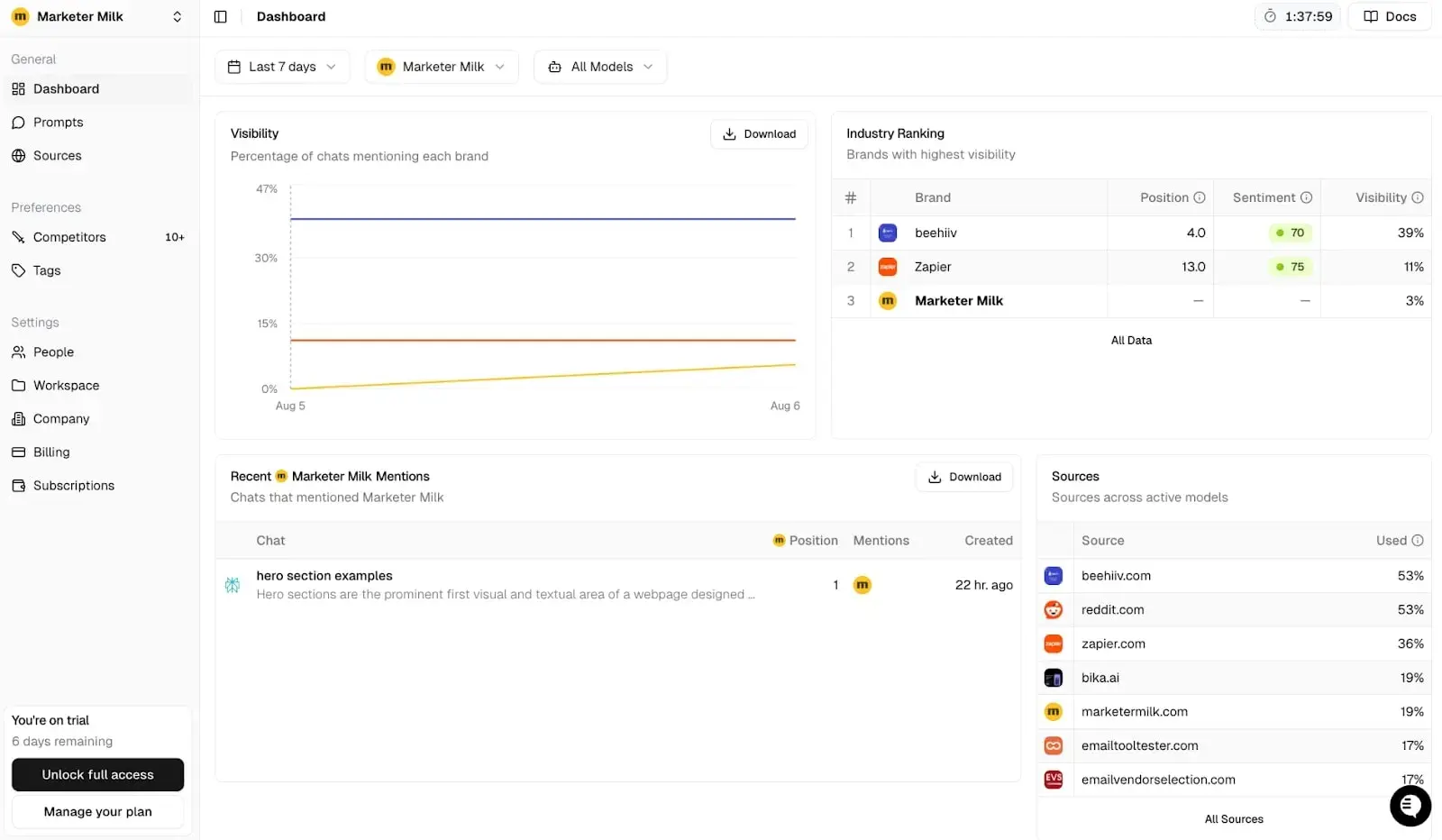
This comparison evaluates features, pricing, engines tracked, prompts, integrations, and actionability, so here’s what Peec AI delivers:
- Daily visibility tracking across ChatGPT, Perplexity, and Google AI Overviews on every plan, with Claude, Gemini, and DeepSeek available as add-ons.
- Source-level citation intelligence that shows exactly which URLs AI engines cite when answering your prompts, categorized by domain type, page type (homepage, article, listicle, comparison), and whether it’s your domain, a competitor, or a third party.
- Gap Analysis that surfaces sources frequently citing competitors but not you, scored and prioritized for outreach.
- Sentiment scoring that measures how your brand is discussed, not just whether it’s named.
- Multi-language, multi-region tracking across 14+ languages and any supported country at no extra prompt cost.
How do I choose between a snapshot and continuous AEO monitoring?
The right tool depends on your stage of AEO maturity and what you intend to do with the data.
Here’s a practical decision framework to utilize when it’s time to make a choice:
|
Your situation |
Recommended tool |
Why |
|
You’ve never measured AI brand visibility. |
HubSpot AEO Grader (free) |
Establishes a scored baseline across five categories in under five minutes — zero commitment required. |
|
You need continuous tracking and competitor benchmarking. |
HubSpot AEO ($50/mo) or Peec AI ($95+/mo) |
Both offer ongoing monitoring. HubSpot AEO includes CRM-connected recommendations; Peec AI offers deeper multi-engine reporting. |
|
You need to act on visibility gaps (not just measure them). |
HubSpot AEO + Marketing Hub |
HubSpot AEO surfaces what to fix. Marketing Hub is where you build and publish the content that fixes it. |
|
You manage multiple client brands and need scaled reporting. |
Peec AI |
Multi-project accounts, agency credit systems, white-label dashboards, and per-project engine selection. |
|
You’re building a business case for leadership buy-in. |
HubSpot AEO Grader (free) |
A composite score out of 100 with a written interpretation is significantly more communicable than paid-tool dashboards. |
Pro tip: If you’re unsure whether continuous monitoring is worth the investment, I recommend starting with the AEO Grader. A low Sentiment or Share of Voice score signals that monitoring (and execution) should follow quickly.
A strong baseline may mean the priority is maintaining visibility rather than rebuilding it. Either way, HubSpot’s brand visibility report with AEO Grader gives you a concrete data point to bring into the conversation rather than a theoretical pitch.
HubSpot AEO vs. Peec AI Features and Engines
To help you make a confident decision, I’ve compared the following:
- Features
- Pricing
- Engines tracked
- Prompts
- Integrations
- Actionability
When choosing between AEO tools, the feature list matters far less than what you can actually do with the data.
Here’s a transparent breakdown of how HubSpot AEO and Peec AI stack up across the capabilities that shape your day-to-day workflow:
1. Engines Tracked
HubSpot AEO tracks brand visibility across three answer engines:
- ChatGPT
- Gemini
- Perplexity
All three are included on every plan with no add-on fees.
HubSpot’s broader web analytics also recognizes AI referral clicks from Copilot, Claude, and Meta AI inside its “AI Referrals” traffic source, so while prompt-level tracking covers three engines, your attribution picture extends further.
Alternatively, Peec AI tracks ChatGPT, Perplexity, and Google AI Overviews on every plan, with Claude, Gemini, DeepSeek, and Grok available as paid add-ons. Every self-serve plan limits engine selection to three out of the seven available options (a constraint that holds from the Starter through the Advanced tier).
Pro tip: If Gemini is a priority engine for your audience, note the difference. HubSpot AEO includes Gemini across all plans. With Peec AI, Gemini is an add-on, and choosing it means dropping one of your three default engines unless you pay extra.
2. Prompt Tracking and Caps
No matter what the feature lists say, prompt tracking is the core of both platforms. However, how prompts are generated, capped, and connected to your business context varies significantly between HubSpot AEO and Peec AI.
HubSpot AEO uses your Smart CRM data (i.e., products, ICPs, competitor names, and deal stages) to auto-generate prompt suggestions tailored to your actual business. Then, the CRM connects contact and company records directly to AEO prompt recommendations, so tracking starts with buyer-relevant queries from day one rather than generic industry templates.
I’ll get into pricing for both tools in more detail later on, but for now, here’s a brief look at HubSpot AEO pricing as it relates to prompt caps:
- Free trial: 10 prompts on ChatGPT for 28 days.
- Standalone ($50/month): 25 prompts, daily tracking across all three engines (up to 2,500 answers/month).
- Marketing Hub Professional (included): 25 prompts, daily tracking, 2,500 answers/month.
- Marketing Hub Enterprise (included): 50 prompts, daily tracking, 5,000 answers/month.
- Expansion packs: +10 prompts each (1,000 answers/month), stackable.
Peec AI suggests prompts based on search intent signals and lets teams organize them by persona, funnel stage, or topic tags.
Here’s a brief look at Peec AI pricing as it relates to prompt caps:
- Starter ($95/month): 50 prompts, 3 AI models, 1 project.
- Pro ($199/month): 100 prompts, additional engine options.
- Advanced ($945/month): 300 prompts, custom pricing for higher volumes.
Basically, Peec AI offers more raw prompt volume at each tier. HubSpot AEO offers fewer prompts but connects them directly to your CRM context and content execution workflows, which is a considerable trade-off between breadth and depth of integration.
3. Citation and Source Insights
Both platforms surface which domains and pages are cited in AI-generated responses, but the depth and how you use those insights differ.
HubSpot AEO connects visibility insights to content and campaign execution workflows. Its citation analysis breaks down sources by the following types:
- Owned content
- Competitor domains
- Social platforms
- User-generated content (UGC)
- Affiliate pages
- Content format (blog, news, product, social)
When a gap appears, HubSpot AEO surfaces prioritized recommendations and connects them directly to HubSpot’s Marketing Hub content tools, so your team can create or update the content that closes that gap without leaving the platform. (Also, Marketing Hub supports content and campaign execution after AI visibility insights are identified. The blog post, landing page, or LinkedIn post all get built where the data lives.)
Conversely, Peec AI focuses on AI visibility monitoring and reporting through its Sources feature, which shows the exact URLs that AI engines cite for each prompt. These cited URLs are categorized by:
- Domain type
- Page type (homepage, article, listicle, comparison, product)
- Ownership (your domain, competitor, or third party)
Its Gap Analysis scores sources that frequently cite competitors but not you, giving teams a prioritized target list for digital PR and authority-building outreach.
4. Update Frequency
HubSpot AEO runs every tracked prompt daily across all three engines on a 24-hour refresh cycle. Data refreshes automatically. No manual runs required.
Now, Peec AI also tracks daily on all paid plans. But because Peec uses UI scraping technology rather than API calls, responses reflect what real users see in each engine’s interface, which can surface formatting and citation differences that API-based tools miss.
Nevertheless, both platforms deliver daily data, so the update cadence is effectively equivalent.
5. Exports, Reporting, and Integrations
This is where the platforms diverge most sharply, and where the HubSpot AEO or Peec AI choice often comes down to your team’s reporting stack.
To save you the stress of going back and forth between product pages, here’s a brief, quick hit guide to export, reporting, and integration capabilities for both tools:
|
Feature |
HubSpot AEO |
Peec AI |
|
Internal dashboards |
Native inside Marketing Hub |
Standalone dashboard |
|
CSV exports |
Via HubSpot reporting |
All plans |
|
Looker Studio |
Not native (HubSpot reporting instead) |
Advanced+ plans |
|
API access |
Via the HubSpot API ecosystem |
Enterprise only |
|
MCP integration |
Not available |
All paid plans |
|
Mobile access |
Mobile-friendly dashboard cards |
Responsive web UI |
|
CRM connection |
Native Smart CRM integration |
Requires manual configuration |
6. Alerting
HubSpot AEO surfaces visibility changes through its dashboard, trend views, and recommendation updates inside Marketing Hub.
While not a standalone alerting system, the prioritized recommendations act as a functional alert layer; when visibility drops or a competitor gains share of voice, a new recommendation appears with a specific action attached.
Now, Peec AI, on the other hand, is a little different. It offers more configurable alerting through its MCP integration. Teams can wire up daily sentiment checks that trigger Slack or email alerts when a brand’s sentiment drops below a defined threshold, including the exact AI responses that caused the shift. (This is available on all of its paid plans.)
7. The Page Grader Connection
If your team started with the free AEO Grader, you already have a baseline score across the following AI search dimensions:
- Sentiment Analysis
- Presence Quality
- Brand Recognition
- Share of Voice
- Market Competition
Peec AI does not offer a free baseline diagnostic. Teams evaluating Peec start with a paid subscription from day one.
Quick Summary: What Each Platform Does Best
Here’s the (short) scoop on what each platform does best: HubSpot AEO is the right choice when your priority is connecting AI visibility data to content execution and pipeline reporting in a single platform. However, Peec AI is the strongest choice when your priority is scaled monitoring, external reporting, and multi-engine analytics.
Use this chart to help assess which strengths matter most for your team:
|
Strength |
HubSpot AEO |
Peec AI |
|
CRM-connected prompt generation |
Yes (Smart CRM) |
No |
|
Content execution from insights |
Yes (Marketing Hub) |
No |
|
Multi-engine coverage (7+ engines) |
No (3 included) |
Yes (7 engines, 3 per plan) |
|
BI tool integrations |
Via HubSpot reporting |
CSV, Looker Studio, API, MCP |
|
Agency multi-client management |
Multiple purchases required |
Built-in multi-project + credits |
|
Free baseline diagnostic |
Yes (AEO Grader) |
No |
|
Sentiment depth |
Included |
Best-in-class |
Pro tip: These tools aren’t mutually exclusive. Some teams run HubSpot AEO for CRM-connected execution and Peec AI for expanded engine coverage and client reporting, using each where it’s strongest rather than forcing one platform to do everything.
HubSpot AEO vs. Peec AI Pricing and Limits
Pricing is where the HubSpot AEO versus Peec AI comparison gets concrete.
Both platforms use prompt-based billing, but they structure costs, trials, seats, and scaling very differently, and those differences have real implications depending on whether you’re an SMB testing AEO for the first time, a mid-market team embedding it into an existing CRM workflow, or an agency managing ten client brands.
In this section, I’ll provide a transparent, no BS breakdown that’ll help you make a decision grounded in your budget, team size, and reporting needs.
Entry Pricing and Free Tiers
The article positions HubSpot AEO as the primary product comparison and AEO Grader as the low-friction entry point, and the pricing structure reflects that philosophy.
HubSpot AEO offers two free entry paths before any spend:
- AEO Grader (free, unlimited): HubSpot’s scanner for AI brand visibility. No account required, no usage caps, run it on your own brand or competitors as many times as needed.
- 28-day trial (free, no credit card): Track 10 prompts on ChatGPT with daily data for nearly a month. Enough to validate whether prompt tracking adds value before committing budget.
After the trial, HubSpot AEO’s standalone plan is $50/month ($45/month on annual billing). That includes 25 prompts tracked daily across ChatGPT, Gemini, and Perplexity, with up to 2,500 answers per month. No additional HubSpot subscription is required.
Peec AI does not offer a free tier or a free baseline diagnostic. Instead, it offers:
- A 7-day free trial with no credit card required. This leeway gives users enough time to set up prompts and see initial visibility, sentiment, and source data.
- Paid plans that start at $95/month for the Starter tier (50 prompts, 3 AI models, 1 project, unlimited users, daily tracking). Annual billing reduces all plans by approximately 15%.
Tier-by-tier Comparison (at a Glance)
|
HubSpot AEO Standalone |
Marketing Hub Pro (AEO included) |
Marketing Hub Pro (AEO included) |
Peec AI Starter |
Peec AI Pro |
Peec AI Advanced |
|
|
Monthly price |
$50 |
$890 ($800 annual) |
$3,600 (annual only) |
$95 |
$245 |
$495 |
|
Prompts |
25 |
25 |
50 |
50 |
150 |
350 |
|
Engines |
3 (ChatGPT, Gemini, Perplexity) |
3 |
3 |
3 of 7 (choose) |
3 of 7 (choose) |
3 of 7 (choose) |
|
Update frequency |
Daily |
Daily |
Daily |
Daily |
Daily |
Daily |
|
Seats |
Unlimited viewers; core seats vary |
3 core seats included |
5 core seats included |
Unlimited |
Unlimited |
Unlimited |
|
Projects |
1 brand |
1 brand |
1 brand |
1 |
2 |
5 |
|
Geo/language |
No extra cost |
No extra cost |
No extra cost |
No extra cost |
No extra cost |
Multi-country |
|
Exports |
HubSpot reporting |
HubSpot reporting |
HubSpot reporting |
CSV |
CSV, Looker Studio |
CSV, Looker Studio |
|
API access |
Via HubSpot API |
Via HubSpot API |
Via HubSpot API |
No |
No |
No (Enterprise only) |
|
Free trial |
28 days (10 prompts, ChatGPT) |
N/A |
N/A |
7 days |
7 days |
7 days |
|
CRM integration |
Optional (Smart CRM) |
Native |
Native |
Manual configuration |
Manual configuration |
Manual configuration |
Pro tip: HubSpot AEO is included at no additional cost with Marketing Hub Professional and Enterprise. If your team is already on either plan, AEO is already available; there’s no reason not to activate it immediately.
Prompt Caps and Scaling
Prompt limits are the single biggest cost lever in both platforms, but they scale differently.
- HubSpot AEO starts at 25 prompts (standalone and Marketing Hub Pro) or 50 prompts (Marketing Hub Enterprise). Additional capacity is available through expansion packs — each adds 10 prompts tracked daily across all three engines, adding 1,000 answers/month. Packs are stackable.
- Peec AI starts at 50 prompts on Starter and scales to 150 (Pro) and 350 (Advanced). For agencies, Peec uses a credit-based system where 1 prompt × 1 model × 1 day = 1 credit. Agency plans range from Essentials (10,000 credits) through Scale (65,000 credits), with credits shared across all client projects. The minimum allocation per project is 900 credits, roughly 10 prompts across 3 models per month.
All of this said, the trade-off is clear: Peec AI offers more prompt volume at each tier. HubSpot AEO offers fewer prompts but connects each one to CRM context and an execution workflow. But this doesn’t mean that one tool is better than the other.
If prompt volume is your primary constraint, Peec scales further at comparable price points. If prompt quality and actionability matter more, HubSpot AEO’s CRM-generated suggestions reduce the guesswork.
Seats and Access
HubSpot AEO’s seat model depends on how you access it. The standalone $50/month plan offers open dashboard access. Marketing Hub Professional includes 3 core seats (additional seats at $45/month each); Enterprise includes 5 (additional at $75/month each).
View-only seats are free on both Marketing Hub plans, which is useful for stakeholders who need visibility into AEO data without editing permissions.
However, Peec AI includes unlimited seats across all paid plans, from Starter to Enterprise. This is a meaningful procurement advantage for larger teams and agencies where per-seat pricing creates budget friction.
Engines and Geography
HubSpot AEO includes ChatGPT, Gemini, and Perplexity on every plan with no add-on fees and no engine-selection constraints. HubSpot’s broader web analytics separately tracks AI referral traffic from Copilot, Claude, and Meta AI.
Peec AI offers seven engines, including:
- ChatGPT
- Google AI Mode
- Google AI Overviews
- Copilot
- Perplexity
- Gemini
- Grok
But each self-serve plan limits selection to three. Additional engines cost €20–30/month each as add-ons. Claude is available only on the custom-priced Enterprise plan. Both platforms support multi-language and multi-region tracking at no extra prompt cost.
Exports, Reporting, and Integrations
HubSpot AEO keeps reporting native to the HubSpot ecosystem. AEO data appears alongside:
- Campaign metrics
- Pipeline data
- Attribution (in Marketing Hub)
The best part? No manual stitching is required. Marketing Hub also supports content and campaign execution after AI visibility insights are identified, so the path from insight to published content stays inside one platform.
By contrast, Peec AI has a more open export architecture. CSV exports are included on all plans. Looker Studio connectivity arrives on Advanced ($495/month). API access is Enterprise-only.
Additionally, MCP integration (for automated Slack alerts, n8n/Make workflows, and Claude-powered reports) is included on all paid plans at no extra cost, which is a notable differentiator for teams building custom reporting pipelines.
Alerting
HubSpot AEO surfaces visibility shifts through its recommendation engine inside Marketing Hub. When a competitor gains share of voice or your visibility on a key prompt drops, a new recommendation appears with a specific next action attached.
Peec AI offers more configurable alerting via its MCP integration. Teams can set sentiment thresholds that trigger Slack or email notifications when a brand’s score drops below a defined level, including the exact AI responses that caused the shift.
Plan-fit Checklist
SMB Teams (1 to 10 Marketers, Limited AEO Budget)
- HubSpot AEO Standalone ($50/month) is the strongest value. Start with the free AI search grader (aka AEO Grader) to establish a baseline across the five dimensions, validate with the 28-day trial, then upgrade. At $50/month with 25 prompts and 3 engines included, it’s the most affordable paid option with CRM connectivity.
- Peec AI Starter ($95/month) offers double the prompt volume (50 versus 25) and unlimited seats, but no free baseline diagnostic, no CRM integration, and no execution tools. You’ll need separate resources to act on what the data reveals.
Mid-market Teams (10 to 50 Marketers, Existing HubSpot Stack)
- Marketing Hub Professional ($800/month annual, AEO included) is the clear choice. You get 25 prompts with CRM-generated suggestions, citation analysis, and recommendations that link directly to blog, landing page, and social tools. No additional AEO spend required.
- Peec AI Pro ($245/month) makes sense if you need 150 prompts, multi-project tracking, or expanded engine coverage beyond HubSpot’s three. Some mid-market teams run both (HubSpot AEO for execution, Peec for expanded monitoring).
Agency Teams (Multiple Client Brands, External Reporting Needs)
- Peec AI agency plans (starting at $245/month for Essentials) are purpose-built for multi-client work. Credit-based allocation, unlimited seats, per-project engine selection, pitch workspaces, and Looker Studio + MCP integrations make client reporting operationally efficient. CSV exports are included on every plan.
- HubSpot AEO requires a separate purchase per client account ($50/month each), with no consolidated cross-brand dashboard. 5 clients at $50/month each = $250/month for 25 prompts per brand, with no multi-project reporting layer. (Agencies already managing clients inside HubSpot accounts can still leverage AEO per account, but the economics are less favorable at scale than Peec’s credit pooling.)
Budget, Reporting, and Volume: The Core Tradeoffs
|
Decision factor |
Choose HubSpot AEO |
Choose Peec AI |
|
Budget under $100/month |
$50/month standalone with free trial and free Grader baseline |
$95/month minimum, no free tier |
|
CRM-connected recommendations |
Native Smart CRM integration |
Requires manual configuration |
|
Content execution from insights |
Built into Marketing Hub |
Not included; execution happens elsewhere |
|
Prompt volume over 50 |
Requires Marketing Hub Enterprise or expansion packs |
150 prompts on Pro, 350 on Advanced |
|
Multi-brand / multi-client |
Per-account pricing, no pooled credits |
Credit pooling across projects, agency-tier pricing |
|
External BI reporting |
HubSpot-native reporting only |
CSV, Looker Studio, API (Enterprise), MCP (all plans) |
|
Engine coverage beyond 3 |
Fixed at ChatGPT, Gemini, Perplexity |
7 engines available, add-ons from €20/month |
|
Unlimited seats |
Core seats are limited; view-only seats free |
All plans include unlimited seats |
HubSpot AEO vs. Peec AI Actionability and Workflows
Here’s the thing: Monitoring AI visibility is only useful if you can do something with what you find.
This is the single biggest differentiator in the HubSpot AEO versus Peec AI comparison, and where the two platforms diverge most clearly.
Understanding the AEO workflow as a whole will help you determine which one best fits your team. Below, I’ve provided an overview of how it functions.
HubSpot AEO Workflow: Track → Identify → Create → Publish → Monitor
Regardless of which platform you choose, AI visibility tools follow a common operational loop. The difference between tools is how many steps of this loop they handle natively versus how many require external resources.
- Step 1: Track. Set up prompts that reflect how your buyers actually search in ChatGPT, Gemini, and Perplexity. Both HubSpot AEO and Peec AI run these prompts daily and return visibility, sentiment, and citation data.
- Step 2: Identify the gap. Review prompt-level results to find where competitors appear, and you don’t, where your sentiment is negative, or where your citations are weak. Both platforms surface this data (HubSpot AEO through prioritized recommendations tied to specific content actions, Peec AI through source-level gap analysis and competitive benchmarking dashboards).
- Step 3: Create or update content. This is where the paths split. HubSpot AEO generates a prioritized recommendation (such as “create a blog post on [topic]” or “update [existing page]”. Peec AI does not include content creation tools; your team handles execution in a separate platform.
- Step 4: Publish. Blog posts, landing pages, social content, and LinkedIn posts can all be published from within HubSpot without switching tools. With Peec AI, publishing happens in your CMS, social scheduler, or content platform of choice.
- Step 5: Monitor the trend. Both platforms track whether visibility improves after changes. HubSpot AEO ties completed recommendations back to the prompts they targeted, letting you compare visibility before and after. Peec AI shows daily trend data across prompts and engines, giving you the time-series view to validate whether a content change moved the needle.
Pro tip: Answer engines shift slowly. Give each content change multiple weeks before evaluating its impact.
Peec AI’s Monitoring and Reporting Workflow
Peec AI delivers strong analytics but stops at the execution boundary by design. The platform tells you where your brand is underperforming and which sources competitors are leveraging, then expects your team to handle the content and authority-building work independently.
Here’s the honest 411 on where Peec AI’s workflow excels:
- Source-level intelligence. Peec surfaces the exact URLs that AI engines cite per prompt, categorized by domain type, page type, and ownership. This gives teams a concrete target list for digital PR, guest posting, and backlink outreach.
- Automated reporting pipelines. Peec’s MCP integration lets teams automatically pull visibility scores into Slack, email, or BI dashboards. A common agency setup: every Monday, pull client-level visibility data, format it into a summary, and push it to Slack.
- Sentiment thresholds. Configurable alerts notify teams when brand sentiment drops below a defined level, including the exact AI responses that triggered the shift. This provides an early-warning layer for reputation management.
- Multi-project management. Agencies can manage multiple client brands from one account using credit allocation, per-project engine selection, and pitch workspaces.
HubSpot AEO vs. Peec AI Ease Of Use and Adoption
AI citation tracking tools only deliver value if your team actually uses them and keeps using them after the first week.
In the HubSpot AEO versus Peec AI comparison, both platforms score well on interface design and initial accessibility, but they diverge on:
- Setup guidance
- Time-to-value for non-technical teams
- How naturally they fit into existing workflows at different org sizes
In the sections below, I’ve outlined what to expect from each.
1. Set-up Speed and Guided Onboarding
HubSpot AEO is designed for fast onboarding with minimal technical expertise required. The onboarding flow works like this:
- Enter your brand name and website URL. HubSpot automatically generates brand name variations that AI engines might use when referencing your business.
- Confirm your products and ICPs. HubSpot’s intuitive CRM pulls existing customer data to pre-populate these fields.
- Review and activate prompts. HubSpot also auto-generates suggested prompts mapped to buyer journey stages based on your CRM data. You can accept, edit, or add custom prompts.
- View your first data. Baseline visibility results appear within minutes. Meaningful trend data takes two to four weeks to accumulate.
Peec AI also earns high marks for interface clarity and fast activation. Basic setup involves:
- Entering your brand name
- Domain
- Competitor names
- Selecting or accepting suggested prompts
The dashboard shows initial AI visibility scores, broken down by engine, within a few minutes of completing configuration. Reviewers routinely describe understanding the full product within about 30 minutes.
The key difference: HubSpot AEO’s onboarding is guided by your CRM data, which reduces the upfront decisions a marketer needs to make. Peec AI’s onboarding is clean and fast, but prompt selection relies either on the user’s knowledge of their buyer landscape or on Peec’s intent-based suggestions.
Pro tip: Both tools have minimal learning curves. Neither requires technical expertise to set up, configure, or interpret results — a meaningful advantage over enterprise-grade platforms that require dedicated implementation cycles.
2. Reporting Clarity and Stakeholder-friendly Outputs
Getting value from an AEO tool often depends on whether you can share the findings with people who don’t live in dashboards. Both platforms address this, but with different strengths.
HubSpot AEO presents data in a centralized dashboard with three headline metrics:
- Brand Visibility Score (percentage)
- Sentiment Analysis (scored -100 to +100)
- Competitor Visibility
The plain-language format makes outputs immediately shareable. Because AEO data lives inside Marketing Hub alongside campaign metrics and pipeline reporting, it’s already in the system where most stakeholders consume performance data.
Peec AI offers a clean, information-dense dashboard that provides visibility into:
- Position
- Sentiment
- Sources
- Competitors
All of which is organized logically on the landing screen. For external reporting, Peec supports CSV exports on all plans, Looker Studio connectivity on Advanced plans and above, and MCP-powered automated summaries that can be pushed to Slack or email.
2. Non-technical Team Guidance and Simplicity
AEO is a new discipline. Many marketers are encountering it for the first time, and the tool they choose needs to meet them where they are — not assume they already understand prompt strategy, citation analysis, or share-of-voice benchmarking.
HubSpot AEO addresses this by guiding users from insight to action without requiring AEO expertise. The Recommendations tab surfaces prioritized next steps (e.g., “create a blog post on [topic],” “update [existing page],” “publish a LinkedIn post on [theme]”), with the reasoning behind each recommendation visible.
Peec AI keeps the interface accessible while offering more analytical depth. Prompt analytics, source analysis, and competitor benchmarking are all navigable without technical expertise. Plus, Peec’s Actions feature (in beta) surfaces recommended next steps, such as improving review site profiles, joining relevant discussions, or investing in digital PR. The recommendations are directional rather than one-click-executable, which works well for teams that already have a content production process in place.
Pro tip: HubSpot Academy also offers a free AEO Certification Course (Implementing AEO), which provides structured training for teams new to the discipline. For organizations where AEO knowledge is concentrated in one person, that shared learning resource reduces key-person risk.
3. Adoption Fit by Team Resources and Workflow Complexity
The right tool isn’t just the one with the best features. In fact, it’s the one your team will consistently use given your current resources.
Here’s how each platform fits across common team profiles.
Solo Marketer or Small Team (1 to 3 People)
These teams need fast time-to-value with the fewest possible moving parts. The AEO Grader → free trial → $50/month standalone path lets a solo marketer go from first baseline to daily tracking without coordinating across tools.
Peec AI’s clean interface works well here too, but the lack of built-in execution means the solo marketer needs a separate CMS, content editor, and publishing workflow — adding steps that compound when resources are limited.
Best for solo/small teams: HubSpot AEO.
Mid-market Team (5 to 15 Marketers, Dedicated Content and SEO Roles)
These teams typically have the headcount to act on insights but need the AI search performance tools to fit into an existing workflow rather than creating a new one. If the team already lives in HubSpot, activating AEO inside Marketing Hub is zero-friction adoption — the data appears where the team already works.
If the team’s content stack is outside HubSpot (WordPress, Webflow, Contentful), Peec AI’s standalone monitoring can be integrated without requiring a platform migration. The credit system also scales more naturally when tracking multiple product lines or regions.
Best for HubSpot-native mid-market teams: HubSpot AEO.
Best for mid-market teams with non-HubSpot content stacks: Peec AI.
Agency Teams (Multi-client, Reporting-heavy)
Agencies need two things from AEO visibility tools: scalable multi-client management and client-facing reporting that doesn’t require hours of manual formatting.
Peec AI focuses on AI visibility monitoring and reporting, with a purpose-built agency tier that includes:
- Credit pooling
- Per-project engine selection
- Unlimited seats
- Pitch workspaces
- Looker Studio integration
That infrastructure maps directly to how agencies operate. HubSpot AEO requires a separate account purchase for each client ($50/month each), with no cross-brand dashboard, which adds operational friction at scale.
Best for agencies: Peec AI.
Enterprise Teams (50+ Marketers, RevOps Integration Needs)
Enterprise teams care about governance, attribution, and CRM connectivity. Marketing Hub Enterprise includes HubSpot AEO with 50 prompts, and the native Smart CRM integration means AEO data feeds directly into:
- Multi-touch attribution
- Journey analytics
- Revenue reporting
Peec AI’s Enterprise tier offers:
- Custom pricing
- API access
- Broad engine coverage
But keep in mind, connecting that data to the pipeline and attribution requires manual integration work.
Best for CRM-connected enterprise workflows: HubSpot AEO.
Best for enterprise teams needing 7+ engine coverage: Peec AI.
HubSpot AEO vs. Peec AI Integrations and Ecosystem
The integration architecture of your AEO tool determines how easily visibility data moves into the systems where your team actually works, and how much manual effort sits between an insight and an action.
In the HubSpot AEO versus Peec AI comparison, the two platforms take fundamentally different approaches: HubSpot AEO is built into a connected CRM and marketing platform; Peec AI is built to export data into whatever stack you already run.
My point? Both tools are valid. Choosing the right AEO tool depends on where your team is based and what you plan to do with the data.
CRM, CMS, and Reporting Integrations
HubSpot AEO is natively embedded inside the HubSpot platform. AEO data sits alongside the following core components:
- CRM records
- Campaign metrics
- Content tools
- Revenue reporting
This information doesn’t live in a separate tab, login, or dashboard. It’s naturally embedded, and that native integration creates three practical advantages for faster insight-to-execution:
- CRM → Prompts. HubSpot’s CRM connects contact and company records to AEO prompt recommendations. Prompt suggestions pull from your actual ICPs, products, competitors, and deal stages, so the queries you track reflect how your real buyers search — not generic industry topics.
- Insights → Content. When HubSpot AEO surfaces a gap, you create the blog post, landing page, or social content in the same platform. No CSV export, no manual brief, no tool-switching.
- Recommendations → Drafts. HubSpot’s Breeze drafts content directly from AEO recommendations in your configured brand voice. This creates a path from “here’s a visibility gap” to “here’s a first draft in the blog editor.”
HubSpot’s broader integration ecosystem includes 2,200+ apps in its marketplace and a data-versioned API that supports custom data connections, webhooks, and workflow automation
This ensures your AEO data can reach external systems when needed, even though the primary workflow stays within the platform.
Peec AI takes an open-architecture approach. Rather than building execution or CMS tools into the platform, Peec builds the connectors that let teams pipe visibility data into whatever systems they prefer.
Here’s a closer look at Peec AI’s integration capabilities by tier:
- All paid plans: CSV exports for full chat and prompt data, direct Slack/email alerting via MCP integration, and compatibility with Claude, Cursor, n8n, and Make for custom automated workflows.
- Advanced ($495/month): Adds a Looker Studio community connector for building custom dashboards with drag-and-drop visualization across all Peec dimensions (visibility, sentiment, position, share of voice, sources, citations, tags, topics, models, and countries).
- Enterprise (custom pricing): Adds REST API access for programmatic data pulls, plus SSO, custom onboarding, and full model flexibility.
Peec AI is purpose-built to feed data outward into your CMS, BI tools, and reporting dashboards rather than to house an execution workflow internally.
That makes it a natural fit for teams whose content production, publishing, and reporting already live in external systems like WordPress, Webflow, Looker, or Tableau.
When should you connect AEO data to your CRM and content workflows?
Not every team needs CRM-connected AEO from day one. That said, connect HubSpot AEO to your CRM when:
- Your team needs prompt, data-driven suggestions rather than generic category queries.
- You want to correlate AI visibility trends with pipeline outcomes.
- Your team addresses visibility gaps by creating content, and you want that content workflow on the same platform where the gap was identified.
Now, standalone monitoring is more enough when:
- Your content execution stack lives outside HubSpot, and a migration isn’t planned.
- Your reporting needs are external.
- You manage multiple client brands and need consolidated cross-project reporting.
Prompt Caps, Seats, Engines, and GEOs
Integration value depends on the data volume and coverage your plan provides.
Here’s how each platform scales across the dimensions that matter most.
Prompts
- HubSpot AEO: 25 prompts (standalone and Marketing Hub Pro), 50 prompts (Marketing Hub Enterprise), expandable via +10-prompt packs.
- Peec AI: 50 prompts (Starter), 150 (Pro), 350 (Advanced), custom (Enterprise). Agency plans use a credit-based allocation, starting at 10,000 credits (Essential) and going up to 65,000 (Scale).
Seats
- HubSpot AEO: Standalone offers open dashboard access. Marketing Hub Pro includes 3 core seats ($45/month each additional); Enterprise includes 5 ($75/month each). View-only seats are free on both plan.
- Peec AI: Unlimited seats on every paid plan, brand, and agency tiers alike.
Engines
- HubSpot AEO: ChatGPT, Gemini, and Perplexity on every plan. No add-on fees, no engine selection constraints. HubSpot’s web analytics separately tracks AI referral traffic from Copilot, Claude, and Meta AI.
- Peec AI: Six engines available on self-serve plans (ChatGPT, AI Mode, AI Overviews, Microsoft Copilot, Perplexity, and Gemini), with each plan limited to three. Additional engines cost $35-$165/month, depending on your tier. Enterprise unlocks all models, including Claude, DeepSeek, Qwen, and GPT-5 Search via API.
GEOs and Languages
- HubSpot AEO: Multi-language and multi-region tracking at no extra prompt cost on all plans.
- Peec AI: Starter supports 1 country per project. Pro supports 3 countries per project. Advanced and Enterprise expand to multiple countries. All plans support 14+ languages.
Exports
- HubSpot AEO: Reporting lives inside HubSpot’s native reporting infrastructure. Dashboards, custom reports, and attribution models all include AEO data alongside campaign and pipeline metrics. Data exports follow HubSpot’s standard reporting export tools.
- Peec AI: CSV exports on all plans. Looker Studio connector on Advanced+. REST API on Enterprise only. Full chat-level data exportable per project.
Who Should Choose HubSpot AEO vs. Peec AI
Every section above has compared features, pricing, workflows, and integrations. This section makes the decision simple.
If you’ve read the full comparison, you already know the details. If you’ve skipped ahead, this section tells you which tool fits your team; read on for the simplified verdict.
Choose HubSpot AEO If …
Basically, pick HubSpot AEO when your priority is acting on AI visibility data, not just collecting it.
If you’re still not convinced, here are the scenarios where it’s the clear fit:
- You want a single platform from insight to published content. HubSpot AEO surfaces a visibility gap, generates a prioritized recommendation, and lets you draft content in your brand voice.
- Your team already runs on HubSpot. If Marketing Hub is your content engine and Smart CRM is your source of truth, AEO data slots into your existing dashboards, attribution models, and reporting without an integration project.
- You’re new to AEO and want the lowest-friction starting path. HubSpot’s AEO Grader helps teams establish a baseline before ongoing optimization with a free AEO grader that scores your brand across its primary scoring categories (Sentiment Analysis, Presence Quality, Brand Recognition, Share of Voice, and Market Competition) in under five minutes.
Choose Peec AI If …
I’ve already mentioned that Peec AI is primarily an AI visibility monitoring and reporting tool. That monitoring-first architecture is the right choice when your team needs analytics depth, external reporting infrastructure, or scaled multi-client management without requiring a specific execution platform.
That said, I recommend choosing Peec AI based on the following use cases:
- Your content execution stack lives outside HubSpot. If your team publishes on WordPress, Webflow, Contentful, or another CMS, Peec AI provides visibility data without requiring a platform migration. (The monitoring layer is CMS-agnostic; it tracks how AI engines represent your brand regardless of where your content is hosted.)
- You need external BI reporting. Peec AI’s export architecture is built for teams that report outside the tool: CSV exports on all plans, a Looker Studio community connector on Advanced, and REST API access on Enterprise. For teams that run marketing reporting in Looker, Tableau, or custom dashboards, Peec’s data pipes into those systems without manual transformation.
- You manage multiple client brands. Peec AI’s agency tiers (Essential through Scale) use credit pooling across projects, unlimited seats, per-project engine selection, and pitch workspaces for prospecting new clients. (A Growth agency plan at $495/month supports 10 projects with 25,000 credits, which is a structure purpose-built for boutique agencies managing 3 to 10 brands.)
- You need expanded engine coverage. Peec AI offers six engines on self-serve plans (ChatGPT, AI Mode, AI Overviews, Microsoft Copilot, Perplexity, and Gemini) with Enterprise unlocking Claude, DeepSeek, Qwen, and GPT-5 Search via API. HubSpot AEO tracks three engines (ChatGPT, Gemini, Perplexity) on every plan.
- You want source-level citation intelligence for off-site strategy. Peec AI’s Sources and Gap Analysis features show the exact URLs AI engines cite per prompt, scored by how frequently they reference competitors but not you. That target list drives digital PR outreach, guest posting, and authority-building campaigns with a specificity that most AEO tracking tools don’t offer.
International and Multi-brand Considerations
Global and multi-brand organizations face distinct constraints when choosing between HubSpot AEO and Peec AI. Neither platform has an obvious advantage across every scenario.
To help you better evaluate which tool would be the best investment for your organization, I’ve overviewed how each platform handles multi-region and multi-brand use cases below:
1. Multi-region Tracking
Both platforms support multi-language and multi-region prompt tracking at no extra prompt cost. Peec AI gates country coverage by tier: Starter supports 1 country per project, Pro supports 3, and Advanced expands to multi-country.
HubSpot AEO includes multi-region tracking on all plans without per-country restrictions. For teams tracking the same brand across 5+ markets, it avoids the tier-gating constraint. However, for teams running separate projects per region (common in agencies), Peec AI’s multi-project structure with per-project country settings may be more operationally natural.
2. Multi-brand Management Within HubSpot
HubSpot offers two architectural paths for multi-brand organizations: HubSpot Brands (formerly Business Units), an add-on for Marketing Hub Enterprise that lets you manage multiple brands from a single account with separate branding, marketing assets, and reporting — while sharing a centralized CRM; or multiple separate accounts connected through multi-account management.
HubSpot AEO currently operates as a single-brand, single-account tool. Multi-brand organizations on HubSpot Enterprise can run AEO within their primary account and use the Brands infrastructure to manage brand-specific content execution. However, organizations with fully separate accounts would need AEO to be activated per account.
3. Multi-brand Management With Peec AI
Peec AI handles multi-brand natively through its project structure. Each project can track a different:
- Brand
- Domain
- Competitor set
- Engine configuration
Agency plans pool credits across all projects, and brand plans offer up to 5 projects on the Advanced plan. But, for organizations with a portfolio of brands that operate independently, Peec AI’s per-project architecture avoids the account-level constraints that HubSpot’s single-brand AEO tool currently imposes.
Still not sure what to choose? Take a look at the chart I created below to match your scenario to the right platform:
|
Scenario |
HubSpot AEO |
Peec AI |
|
Single brand, 1 to 3 markets |
Multi-region on all plans, CRM-connected |
Works well; Starter limited to 1 country |
|
Single brand, 5+ markets |
No country restrictions |
Requires Pro ($245/mo) for 3 countries, or Advanced for more |
|
2 to 3 brands, shared CRM |
HubSpot Brands on Enterprise + AEO per brand |
Multi-project on Pro or Advanced |
|
5+ brands, independent operations |
Separate accounts, $50/mo each, no consolidated view |
Advanced (5 projects) or agency tiers with credit pooling |
|
Agency with 10+ clients |
Per-account cost, no multi-client infrastructure |
Agency Growth or Scale tiers |
Scaling Within HubSpot
For teams that choose HubSpot AEO, understanding how the tool scales within the broader platform helps you plan for growth rather than hitting unexpected limits.
Here’s what I recommend to scale your AEO program without hitting unexpected limits:
- Prompt scaling: Start with 25 prompts on the standalone plan or Marketing Hub Pro. Upgrade to Marketing Hub Enterprise for 50 prompts, or add expansion packs (+10 prompts each, stackable) at any plan.
- Execution scaling: As your AEO program matures, the content you produce in response to AEO recommendations feeds back into Smart CRM’s data context, which improves future prompt suggestions. The five grading factors from your initial AEO score baseline become the KPIs you track over time, creating a clean before-and-after measurement framework.
- Platform scaling: HubSpot marketplace and date-versioned API mean AEO data can connect to any external system as your reporting needs evolve. (Teams that start with the $50/month standalone can migrate to Marketing Hub Pro when they’re ready for the full execution workflow; AEO data carries over.)
- Team scaling: View-only seats are free on Marketing Hub, so expanding AEO visibility across stakeholders doesn’t increase per-seat costs.
Pro tip: The comparison evaluates features, pricing, engines tracked, prompts, integrations, and actionability, but the single most predictive factor in AEO tool success is whether your team will actually execute on the insights consistently.
A tool embedded in your existing workflow will see higher adoption than one that requires a separate login and a manual data transfer. If your team works in HubSpot, that means HubSpot AEO. If your team works in a different stack, that means Peec AI. Match the tool to the workflow, not the other way around.
How to Get Your Baseline with AEO Grader
Before choosing between HubSpot AEO, Peec AI, or any other AI visibility tool, you need a number.
Not a dashboard, not a trial, not a sales call. A real, tangible number. Or, even better, a scored baseline that tells you exactly how AI engines characterize your brand right now.
Step-by-step: Running Your AEO Grader Report
HubSpot’s AEO Grader provides a one-time brand visibility check across five scoring layers. The entire process takes under five minutes with no account, no credit card, and no usage caps.
- Step 1: Enter your brand information. Go to hubspot.com/aeo-grader and input your company name, location, industry, and the specific product or service you want evaluated. Be precise — the tool tailors its test queries to the context you provide, so “CRM for mid-market B2B” produces more useful results than “software.”
- Step 2: Let the tool run. Once it’s set up, AEO Grader then sends dozens of test queries to ChatGPT, Perplexity, and Gemini simultaneously, asking each engine to characterize your brand based on its training data. Results are generated in under five minutes using deterministic scoring with schema validation.
- Step 3: Complete the form to access your full report. HubSpot uses a short form as a lead-capture step. After submitting, you receive your composite score out of 100, a breakdown across all major visibility metrics, and a written narrative interpretation of what your scores mean.
- Step 4: Run the same process for 2 to 5 competitors. The Grader accepts any brand name, so use it as a competitive intelligence tool. Your score in isolation doesn’t tell the full story. (For example, a 62 is unremarkable until you see competitors scoring 78 and 81 on the same queries.)
Reading the Five Dimensions in Plain English
Your composite score is the weighted sum of the five AEO performance areas.
Here’s what each one actually tells you and what a low score in that area means for your next steps.
- Sentiment Analysis (up to 40 points) measures the overall tone AI uses when describing your brand. It looks at three layers: general sentiment (positive, neutral, or negative characterization), contextual sentiment (how tone shifts across different topics and use cases), and source credibility (whether the sources shaping AI’s opinion are authoritative). A low Sentiment score means AI engines are describing your brand negatively, neutrally, when competitors are described positively, or drawing from low-credibility sources. This is the highest-weighted dimension because it reflects how AI talks about you, not just whether it knows you exist.
- Presence Quality (up to 20 points) measures how deeply and accurately AI engines describe your offerings, capabilities, and differentiators. A low score means AI either doesn’t know enough about your brand to describe it meaningfully or is describing it inaccurately, both of which signal a content depth or authority gap.
- Brand Recognition (up to 20 points) measures whether AI engines reliably identify, name, and categorize your brand when responding to relevant queries. A low score means your brand isn’t surfacing when buyers ask the questions your product answers (also known as the most fundamental visibility gap).
- Share of Voice (up to 10 points) measures how frequently your brand appears in AI responses relative to competitors in the same category. A low score means competitors dominate the AI conversation in your space — even if AI knows your brand, it still recommends others more often.
- Market Competition (up to 10 points) measures your perceived competitive positioning and market standing within AI-generated answers. A low score means AI engines position your competitors as category leaders or preferred alternatives, even when your brand is mentioned.
Pro tip: Use HubSpot’s free AI Search Guide to better translate what “AI visibility” means into specific, measurable concepts, making it the clearest way to explain AEO to a CMO, board member, or cross-functional stakeholder who’s never encountered the category.
Frequently Asked Questions (FAQs) About HubSpot AEO vs. Peec AI
Do I need both HubSpot AEO and Peec AI?
Most teams don’t. But it depends on what you’re optimizing for.
HubSpot AEO connects visibility insights to content and campaign execution workflows, making it the stronger choice when your team needs to act on gaps inside a CRM-connected platform. Peec AI is the better fit if your primary need is analytics depth, external BI exports, or scaled multi-client management.
That said, some teams do run both, and there is (surprisingly) a practical case for it:
- HubSpot AEO for execution. Use it as your CRM-connected workflow that turns AEO recommendations into published content via Marketing Hub.
- Peec AI for expanded monitoring. Use it for engine coverage beyond HubSpot’s three (ChatGPT, Gemini, Perplexity), source-level citation intelligence for off-site authority campaigns, or agency-style client reporting through Looker Studio and CSV exports.
Running both only makes sense if you have the budget ($50/month + $95/month minimum) and the team capacity to use two dashboards consistently.
TL;DR — If you’re choosing one, match the tool to the workflow your team will actually execute.
Can I use HubSpot AEO without buying the full Marketing Hub?
Yes. HubSpot AEO is available as a standalone product at $50/month ($45/month on annual billing) with no additional HubSpot subscription required. The standalone plan includes:
- 25 prompts tracked daily across ChatGPT, Gemini, and Perplexity (up to 2,500 answers per month)
- Citation analysis
- Competitor share of voice
- Prioritized recommendations
- HubSpot AI feature access
Here’s a more in-depth breakdown of how the access tiers scale:
- AEO Grader (free, unlimited): HubSpot’s AEO visibility scorer assesses AI brand visibility.
- 28-day free trial (no credit card): Track 10 prompts on ChatGPT with daily data. Enough to validate whether prompt tracking adds value before committing.
- Standalone ($50/month): Full AEO functionality including 25 prompts, 3 engines, and in-platform recommendations. No Marketing Hub subscription needed.
- Marketing Hub Professional ($800/month annual, AEO included): 25 prompts with full CRM context, content tools, campaign management, and multi-touch attribution. AEO is included at no extra cost.
- Marketing Hub Enterprise ($3,600/month annual, AEO included): 50 prompts with everything in Pro plus advanced reporting, team partitioning, and deeper automation.
The standalone plan is a fully functional product. The difference with HubSpot’s Marketing Hub is the depth of CRM context it provides.
In short, Marketing Hub supports content and campaign execution after AI-generated insights are identified, so recommendations connect to richer buyer data and a broader content toolset. (But $50/month standalone is a legitimate starting point, and many teams begin there before upgrading.)
Which tool should agencies choose for multi-client reporting?
Peec AI is the stronger fit for most agency workflows. The platform’s agency tiers are purpose-built for multi-client operations with credit pooling across projects, unlimited seats, per-project engine selection, and pitch workspaces for winning new business.
Here’s a brief look at how Peec AI’s agency plans to scale:
- Essential ($245/month): 10,000 credits, 3 projects, 3 active pitch projects, daily tracking across 6 engine options.
- Growth ($495/month): 25,000 credits, 10 projects, unlimited client seats, 5 pitch projects.
- Scale ($795/month): 65,000 credits, 25 projects, daily or weekly tracking, 7 pitch projects.
Agencies also get CSV exports on all plans, Looker Studio connectivity for client dashboards (where available by tier), and an Agency Partner Program with directory listing, co-branded initiatives, and coaching resources.
How do I improve my five dimensions score after running AEO Grader?
AEO Grader provides a one-time brand visibility check across five brand signals, each pointing to a different type of improvement.
Here’s what to prioritize based on where your score is weakest.
Low Sentiment Analysis (under 25 of 40):
- Audit the third-party AI engines your category cites. Negative sentiment often stems from outdated reviews, critical press coverage, or comparison articles that position competitors favorably.
- Publish authoritative first-party content (case studies with named customers, results-driven blog posts, detailed product documentation). This gives AI engines higher-credibility material to draw from.
- Respond to negative reviews on platforms AI engines trust — G2, Capterra, TrustRadius. Those sources directly influence how AI characterizes your brand.
Low Presence Quality (under 12 of 20):
- Strengthen the depth of your core pages’ content. AI engines prioritize content that answers specific questions with a clear structure: headers, concise summaries near the top, and enough detail to be considered authoritative.
- On the technical side, focus on structured data. Add the FAQ, HowTo, and organization schemas to help AI engines accurately extract and attribute your content.
Low Brand Recognition (under 12 of 20):
- Increase brand mentions across the domains AI engines already reference. Identify which sources appear in AI answers for your category (HubSpot AEO’s citation analysis or Peec AI’s Sources feature will show this), then earn coverage on those specific domains.
- Publish “best of” and comparison content that positions your brand within the consideration set AI is assembling for buyer queries. This helps AI engines place you in the consideration set alongside competitors it already recommends.
Low Share of Voice or Market Competition (under 5 of 10 each):
- Target the specific prompts where competitors appear, and you don’t. HubSpot AEO supports ongoing AI visibility monitoring and optimization workflows that surface these gaps as prioritized recommendations. Peec AI’s Gap Analysis scores the sources where competitors are cited, and you aren’t.
- Publish content in sequence, not in isolation. Produce multiple AEO-optimized posts that target related prompts rather than publishing sporadically to build compounding visibility across related queries.
After implementing changes, rerun the AEO diagnostic monthly to track progress. Over time, the five core AEO pillars from your initial baseline become the KPIs you measure against.
What engines matter most if my audience is B2B?
For B2B audiences in 2026, the three engines that matter most are ChatGPT, Perplexity, and Gemini — which are the three engines HubSpot AEO tracks on every plan. Here’s why each matters and where the HubSpot AEO vs Peec AI engine coverage differences become relevant.
- ChatGPT is the dominant conversational AI platform and the most common tool B2B buyers use for vendor research, product comparisons, and solution evaluation. If a buyer asks, “What’s the best CRM for mid-market B2B companies?” — ChatGPT is likely where that query happens first. Both platforms track ChatGPT across all plans.
- Perplexity has emerged as the primary answer engine for research-heavy queries. B2B buyers evaluating complex purchases (enterprise software, professional services, technology infrastructure) increasingly use Perplexity for its citation-backed, source-transparent answers. Both platforms include Perplexity, though it counts toward Peec AI’s three-engine-per-plan limit.
- Gemini powers Google’s AI Overviews and is increasingly integrated into the Google Workspace ecosystem that many B2B teams use daily. HubSpot AEO includes Gemini on every plan at no extra cost. Peec AI lists Gemini as a selectable engine, meaning choosing it uses one of your three engine slots — or requires a paid add-on ($35-$165/month depending on tier).
- Microsoft Copilot is worth monitoring if your buyers operate in Microsoft-heavy environments (Teams, Outlook, Azure). Peec AI includes Copilot as a selectable engine. (HubSpot’s broader web analytics tracks Copilot referral traffic separately, but HubSpot AEO doesn’t include prompt-level Copilot tracking.)
- Claude is gaining adoption among business users for detailed analysis and professional writing tasks. Neither platform tracks Claude on self-serve plans. Peec AI offers Claude only on its custom-priced Enterprise plan.
The bottom line for B2B teams? ChatGPT, Perplexity, and Gemini cover the highest-volume B2B buyer touchpoints, and both platforms track all three. The engine coverage “debate” in the HubSpot AEO or Peec AI conversation only becomes decisive when your audience relies heavily on Copilot, Claude, or Google AI Mode, in which case Peec AI’s broader engine selection offers more flexibility, but at a higher price point.
Choosing HubSpot AEO or Peec AI comes down to which one fits how your team already works.
Alright, reader. We’ve come to an end on this one, and I’ve got one last thing to say: Choosing HubSpot AEO or Peec AI isn’t a matter of which tool is objectively better. Instead, it’s a matter of which one fits how your team already works.
If your content workflows, campaign management, and buyer data live in HubSpot, HubSpot AEO turns AI-generated insights into published content without adding a new platform to your stack. If your execution tools live elsewhere and your primary need is scaled monitoring, external reporting, or multi-client management, Peec AI delivers the analytics depth and export infrastructure to feed the systems you already run.
The entire comparison — features, pricing, engines, integrations, actionability — points back to that single question: Where does your team do its best work?
AI visibility is measurable, scoreable, and improvable. The tools exist. The frameworks exist. What separates the teams that gain ground from those that keep auditing is whether they pick a tool that fits their workflow and actually use it.
Ready to take advantage of reliable AEO tracking? Get started with HubSpot AEO today.