


This post was originally published on this site.
Here’s a basic example of what the code can look like:
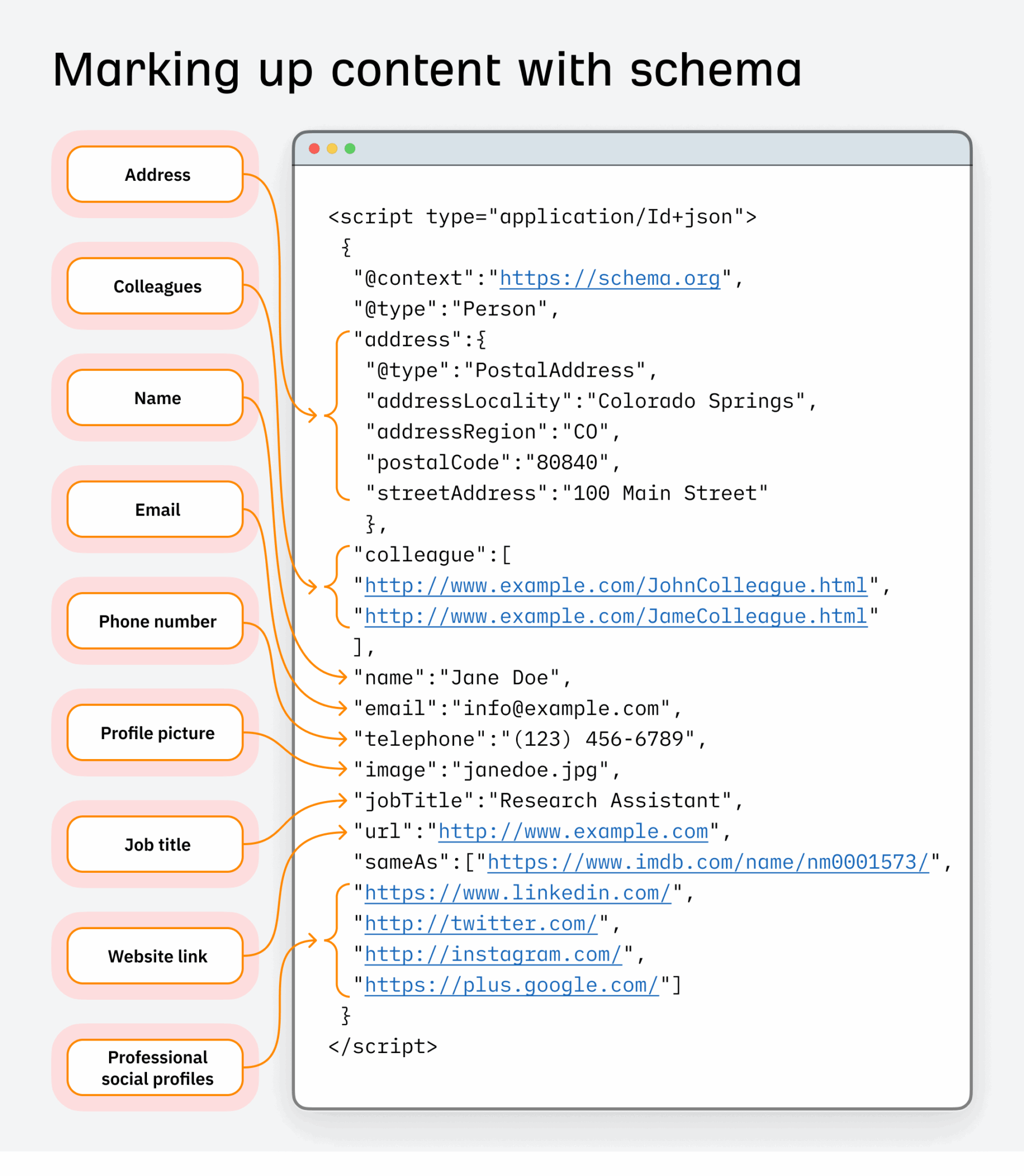
You can see that, unlike the words on a page, schema is a form of structured data. Its standardized format means there’s no chance of Google misinterpreting it. That’s why Google uses it for rich results.
Schema’s role has also expanded beyond traditional search. A common question among SEOs today is whether schema markup influences AI-generated responses in tools like ChatGPT, Gemini, and AI Overviews. The short answer is: it depends on the platform and the pathway.
In this guide, you’ll learn more about the role schema plays in AI search, along with the different types of schema you can use, when to add it, and how.
Schema can be used to enhance many different types of content. There are now over 823 types of schema listed on Schema.org, but Google only supports a handful of these, according to its website.
Here are a few examples of the types of markup Google supports that you can add to your website:
- Article
- Breadcrumb
- Carousel
- Course
- Event
- Fact Check
- FAQs
- HowTo
- Image Metadata
- Job Posting
- Local Business
- Logo
- Movie
- Product
- Recipe
- Review
- Sitelinks search box
- Video
Sidenote.
Google significantly reduced visibility for HowTo and FAQs rich results, which are commonly used in SEO content. FAQ results will now only be shown for well-known, authoritative government and health sites. HowTo rich results will now only be shown for desktop users.
Let’s take a more detailed look at the most common types of markup you can add to your site.
Article
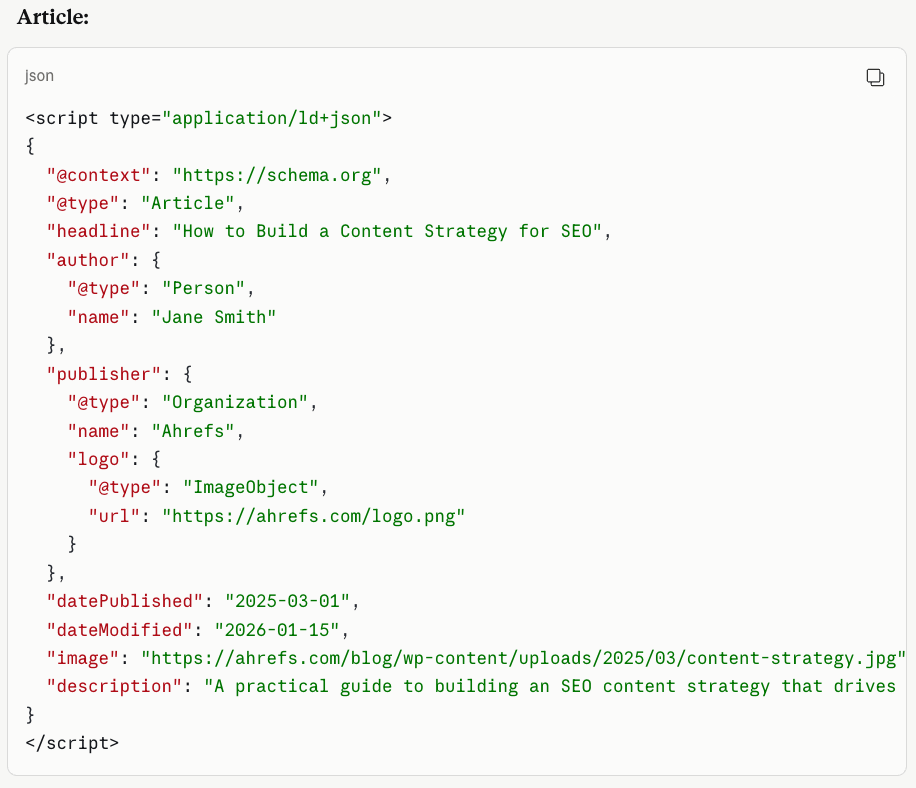
Article schema can be added to your news, blog, or sports article pages to help Google better understand your page.
There are two documented benefits of adding Article schema:
- It helps Google to show better title text, images, and date information.
- It tells Google “more explicitly what your content is about.”
The inference here is that by adding Article schema to your content, it may be shown for more relevant queries.
Here’s an example of what Article schema looks like:
Further reading
Product
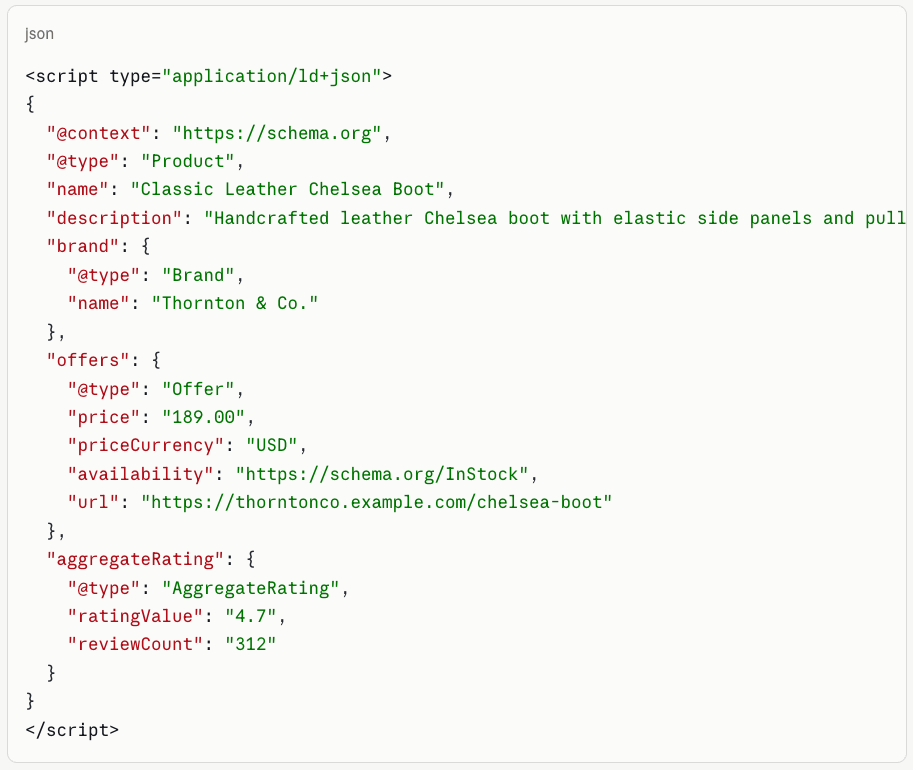
Adding Product markup means users can see the price, availability, review ratings, shipping information, and more in the search results. It’s particularly useful for e-commerce stores, giving potential customers a more detailed view of a product before they even visit your website.
Product rich results can look like this:

Here’s an example of what Product schema can look like:
Product schema has become increasingly important beyond rich results as products are pulled directly into Google and AI search results:

Google now allows merchants to provide shipping and returns information using organization-level structured data directly from their pages, even without a Merchant Center account.
And as AI shopping agents (including ChatGPT’s shopping features and Google’s AI-powered product discovery) become more prevalent, complete and accurate Product schema is how your products become machine-readable and recommendable by these systems.
AI agents evaluate structured product data (price, availability, specifications, returns policy) to match products to buyer queries. Incomplete product schema means incomplete visibility.
Further reading
Local Business
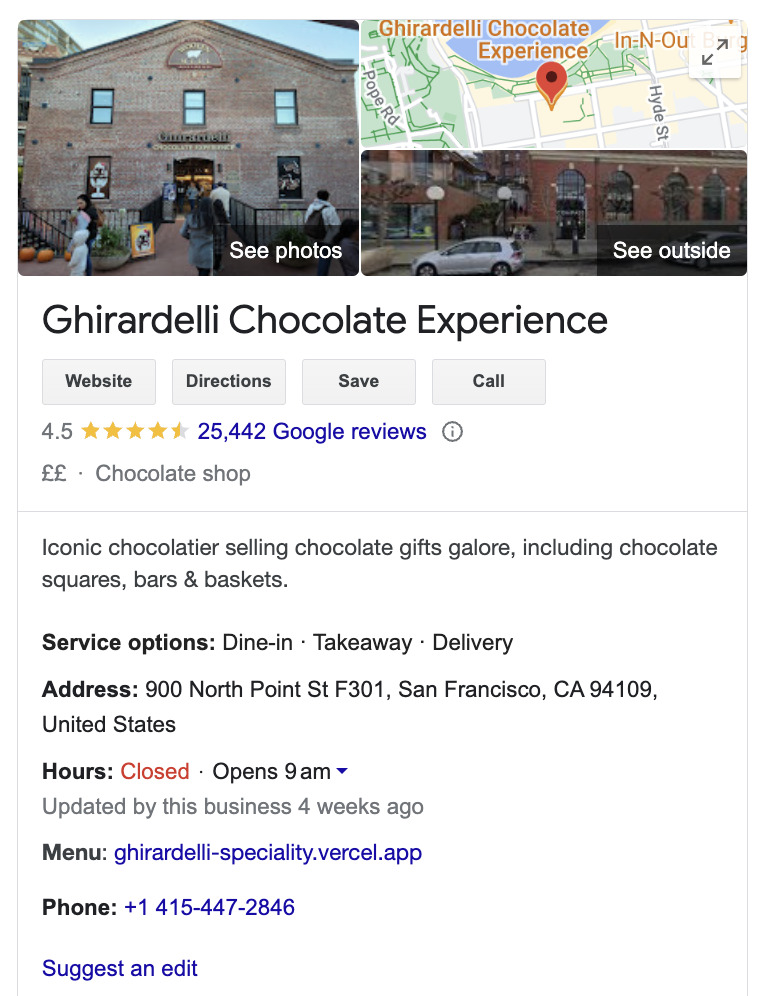
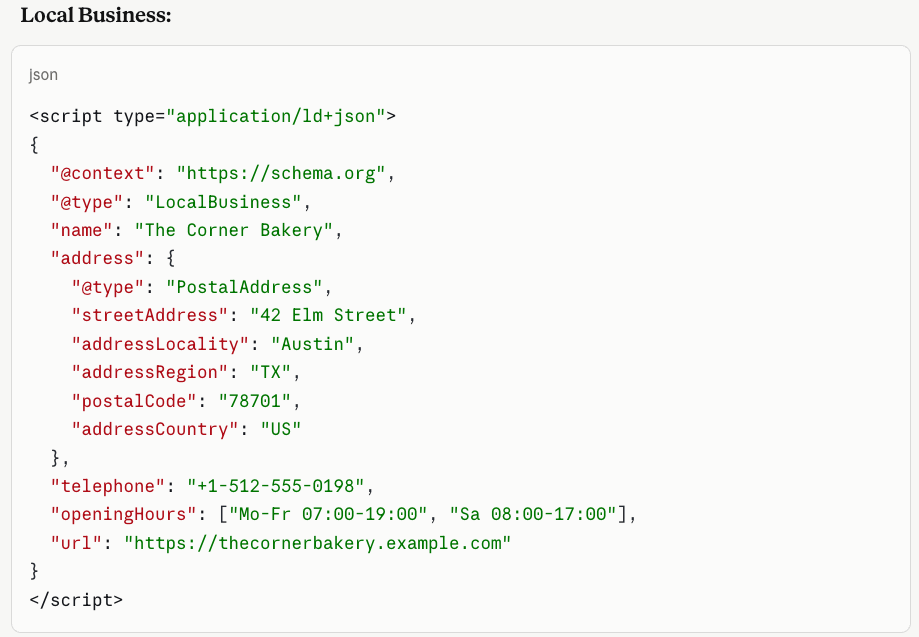
Local Business markup enables Google to understand your business. Adding schema allows Google to show your business hours, different departments, and more.
Local Business rich results can look like this:
Here’s an example of what Local Business schema looks like:
Further reading
Event
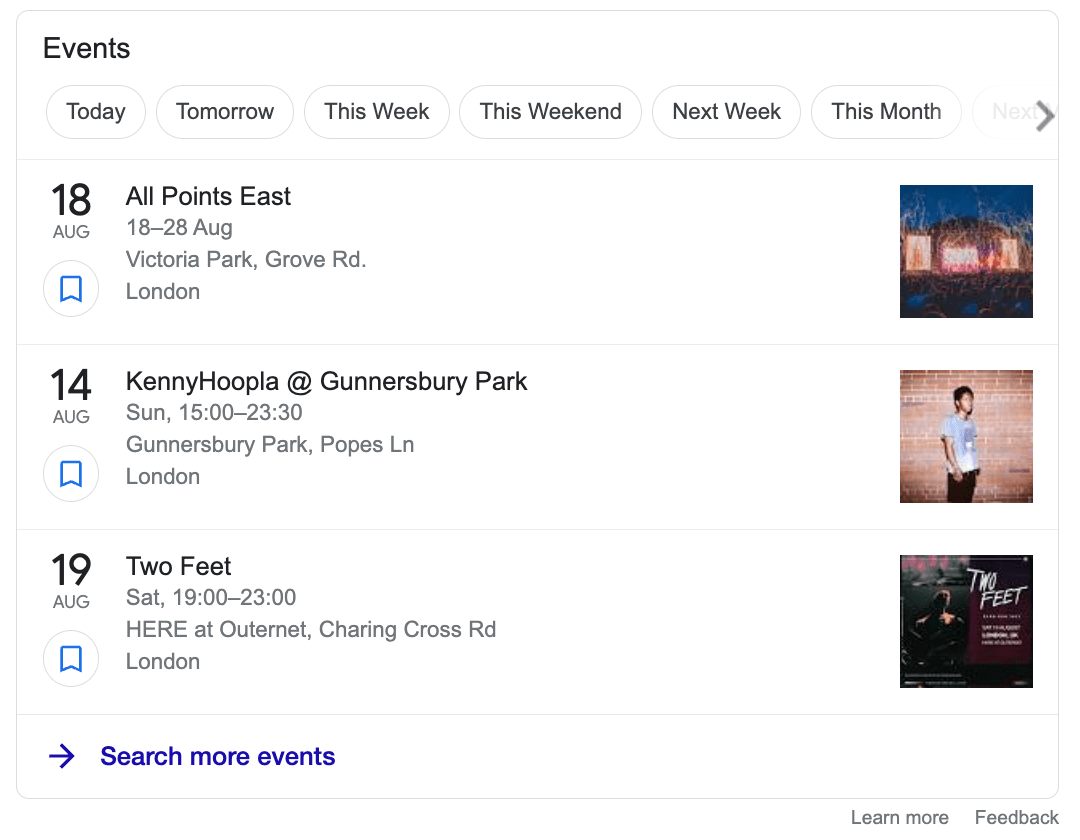
Event rich results are one of the best ways to get more attention for your upcoming events, whether online or offline. Event rich results feature prominently within Google search results.
Here’s an example of what the Event rich result can look like:
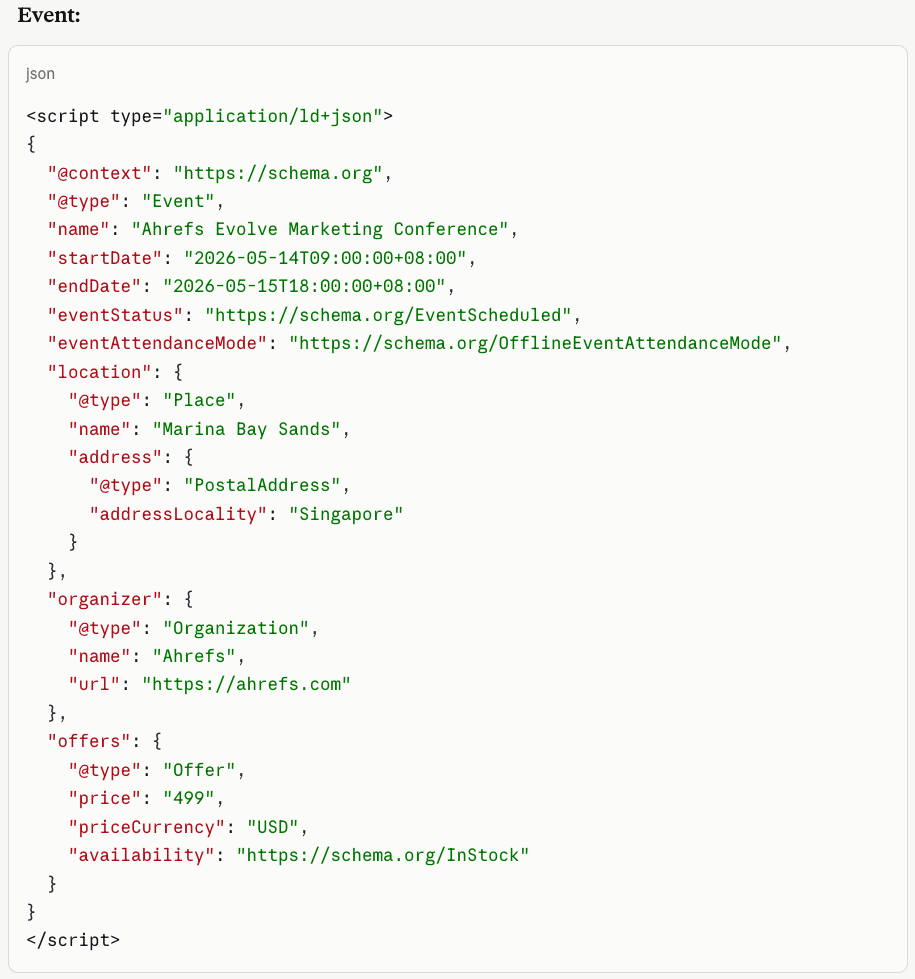
Here’s an example of what Event schema looks like:
Further reading
All websites should add basic schema, but only add the schema that’s most appropriate for your website.
Not sure what to add? Here are some basic examples:
- E-commerce websites — Add Product, Breadcrumb, Person/Organization schema.
- Blogs or news websites — Add Article, Breadcrumb, Person/Organization schema.
Or if you have a more topically focused website, you can add more specific schema types. For example:
- Food websites — Add Recipe schema.
- Recruitment websites — Add Job Posting schema.
So, how can you add schema?
The good news is that most modern content management systems (CMSes) can add basic schema right out of the box. Generally speaking, if you use a popular CMS like Wix or Webflow, it’s just a matter of tweaking the schema settings to your preferences.
If you use WordPress, you can opt for a plugin like Yoast SEO. When you sign up, part of the onboarding process involves adding Organization or Person schema.
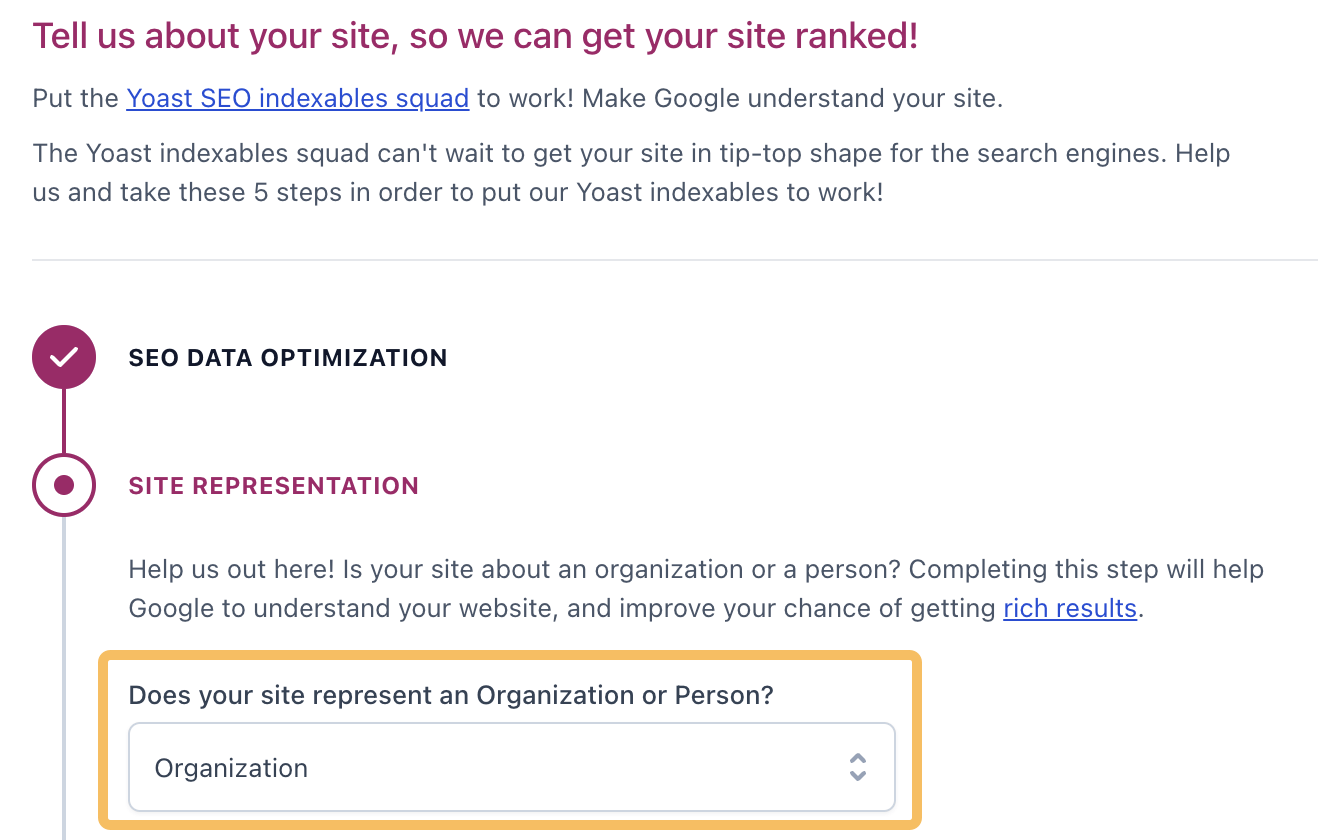
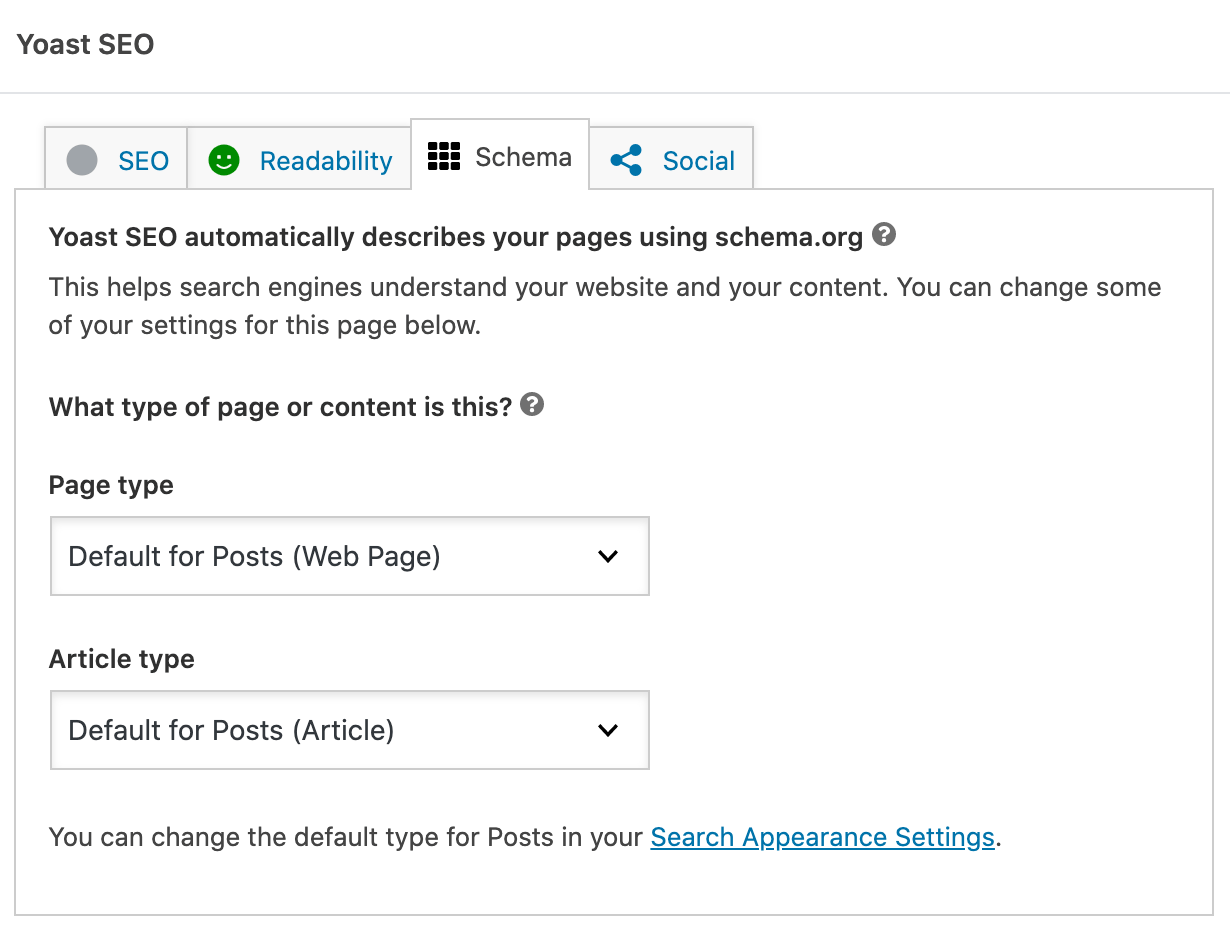
Once you’ve completed onboarding, you can click on the “Schema” tab within a post and tweak the settings further. By default, the schema page type is set to “Web Page” and the post type is set to “Article.”
Tip
For more detailed guidance, check out Yoast’s guide. If you don’t use WordPress and use a platform like Wix or Webflow, check out the schema markup guides below.
Another method is to add the code manually. Although this enables total customization of schema on your website, it’s worth seeking advice from an SEO consultant or developer before you get started, especially if you’re not confident with code.
Schema markup code can be generated in three different languages: microdata, RDFa, and JSON-LD.
Even though Google supports all three, it recommends JSON-LD (Javascript Object Notation for Linked Objects), as it’s less prone to user errors.
This has also been confirmed separately by John Mueller:
You can generate the raw JSON-LD code yourself using a tool like Dentsu’s Schema Markup Generator, Google’s Structured Data Markup Helper, or even ChatGPT.
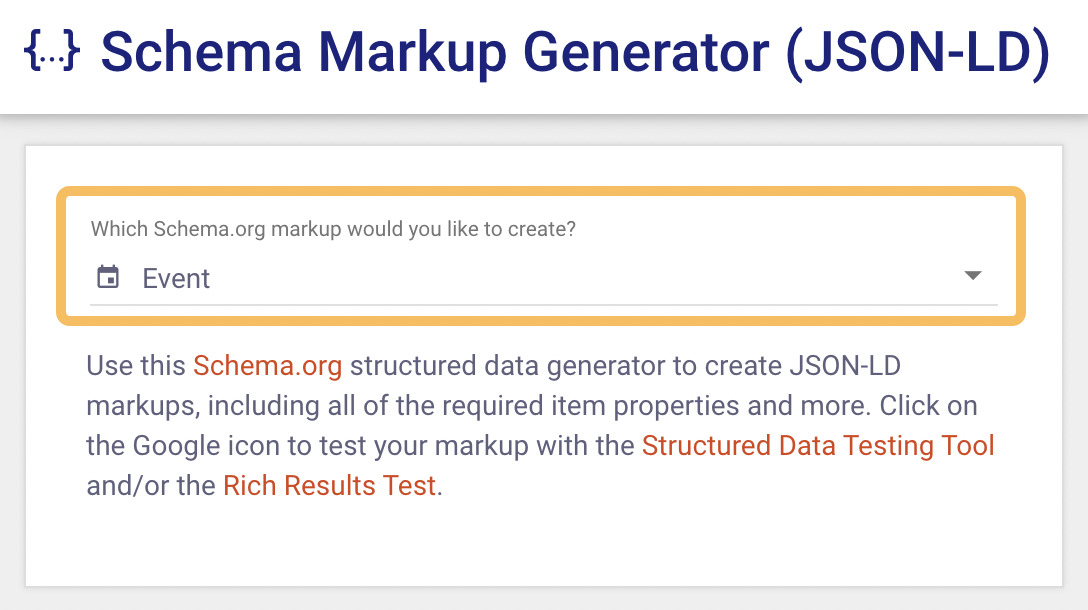
I’m going to use Dentsu’s schema generator to generate my code. To do this, head to the schema generator and select the type of schema you want to generate. I’ve chosen Event.
Then add the information into the required fields. I’ve added a fictional SEO conference as an example.
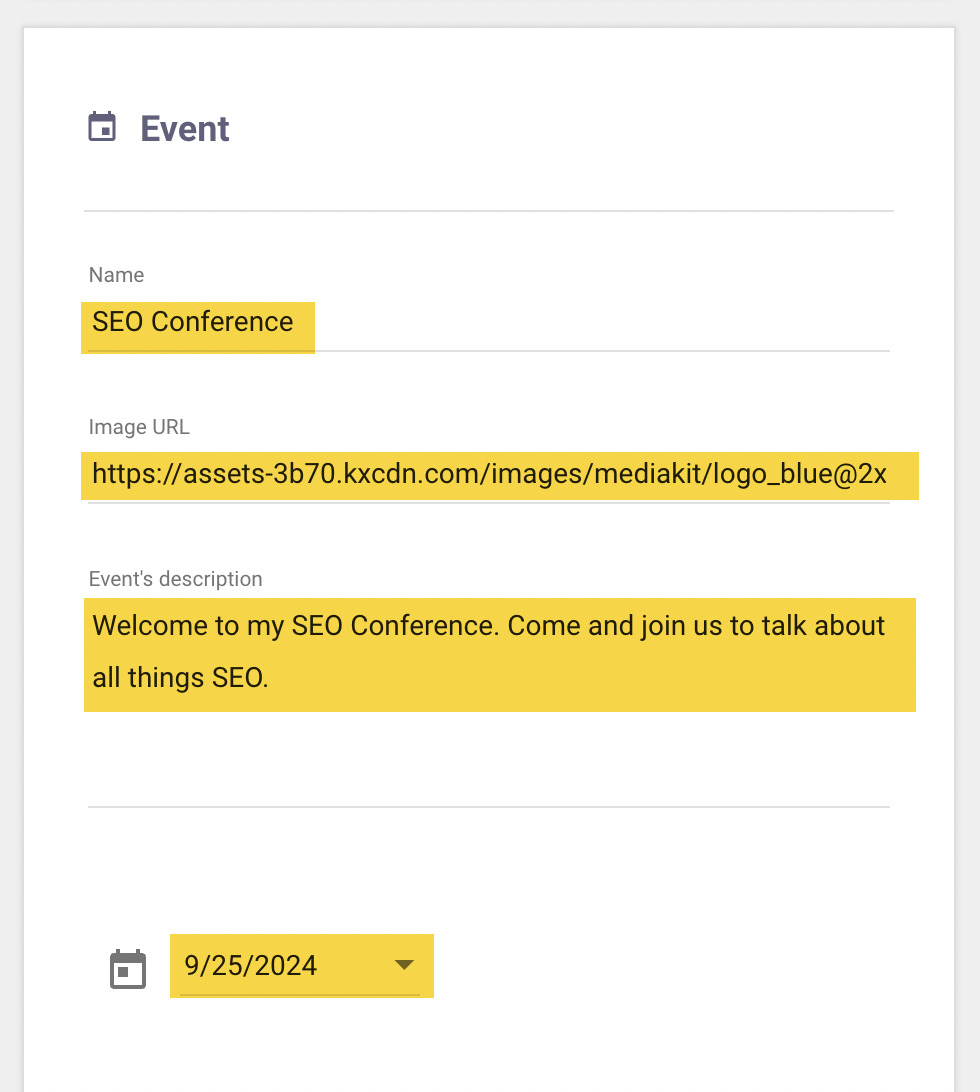
Once you’ve created the JSON-LD code, add it to either the <head> or the <body> of the page. Google has confirmed either is fine.
To check a single page’s schema markup, you can use the Schema Validator or Google’s Rich Results Test tool.
If you’ve already installed Ahrefs’ SEO Toolbar, you’ll find links to these tools in the “Structured data” tab.
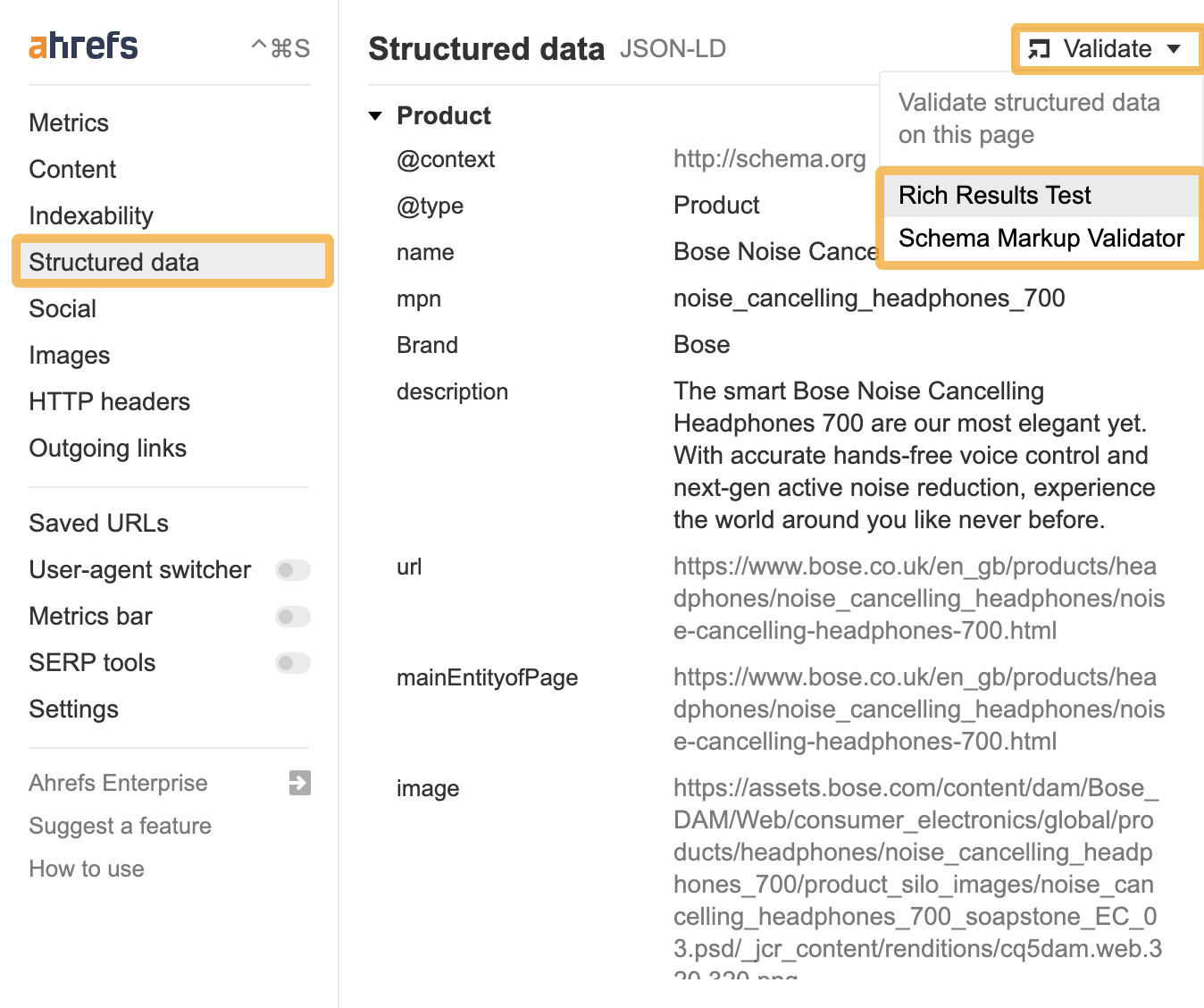
If you click through to the Rich Results Test, it’ll run a test and list any errors. You can click on the test result to get more details about the issue.
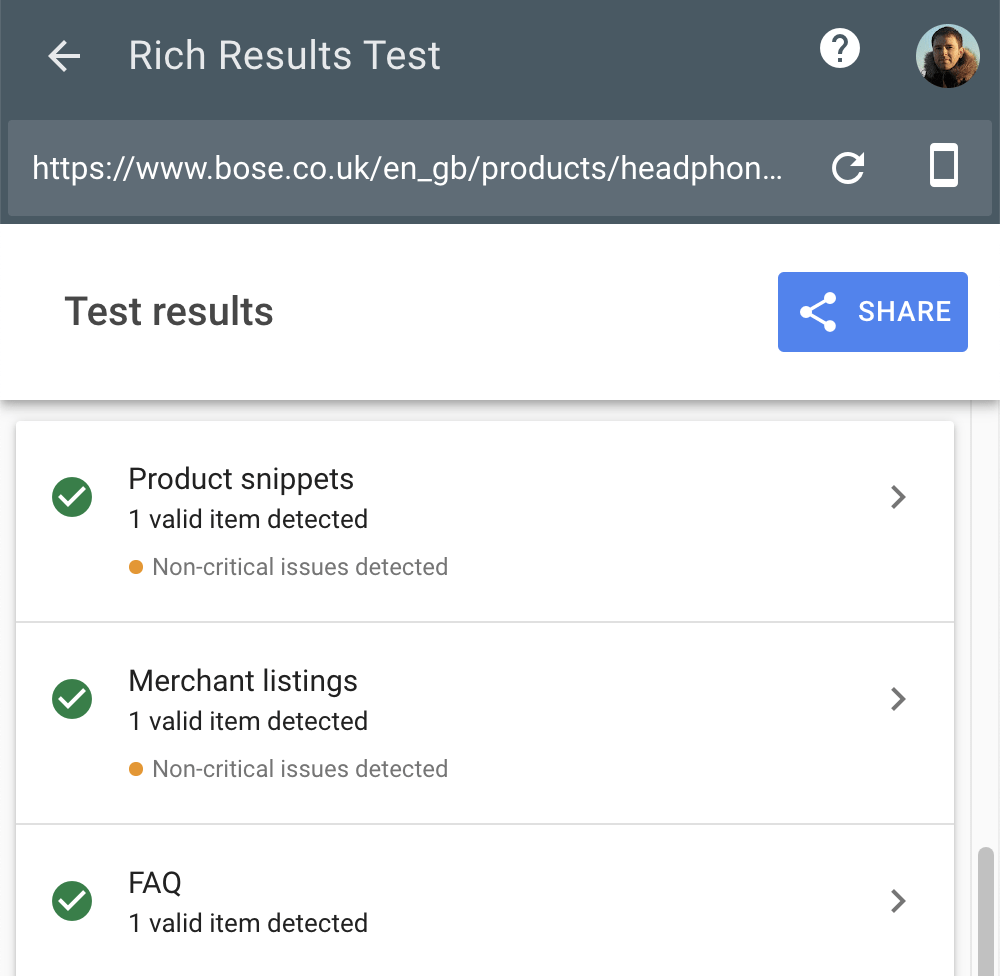
Google’s Rich Results Test tool is useful to validate schema on a page-by-page basis, where Google’s rich results can appear. But if you want to check the status of all your rich results, you’ll need to use Google Search Console.
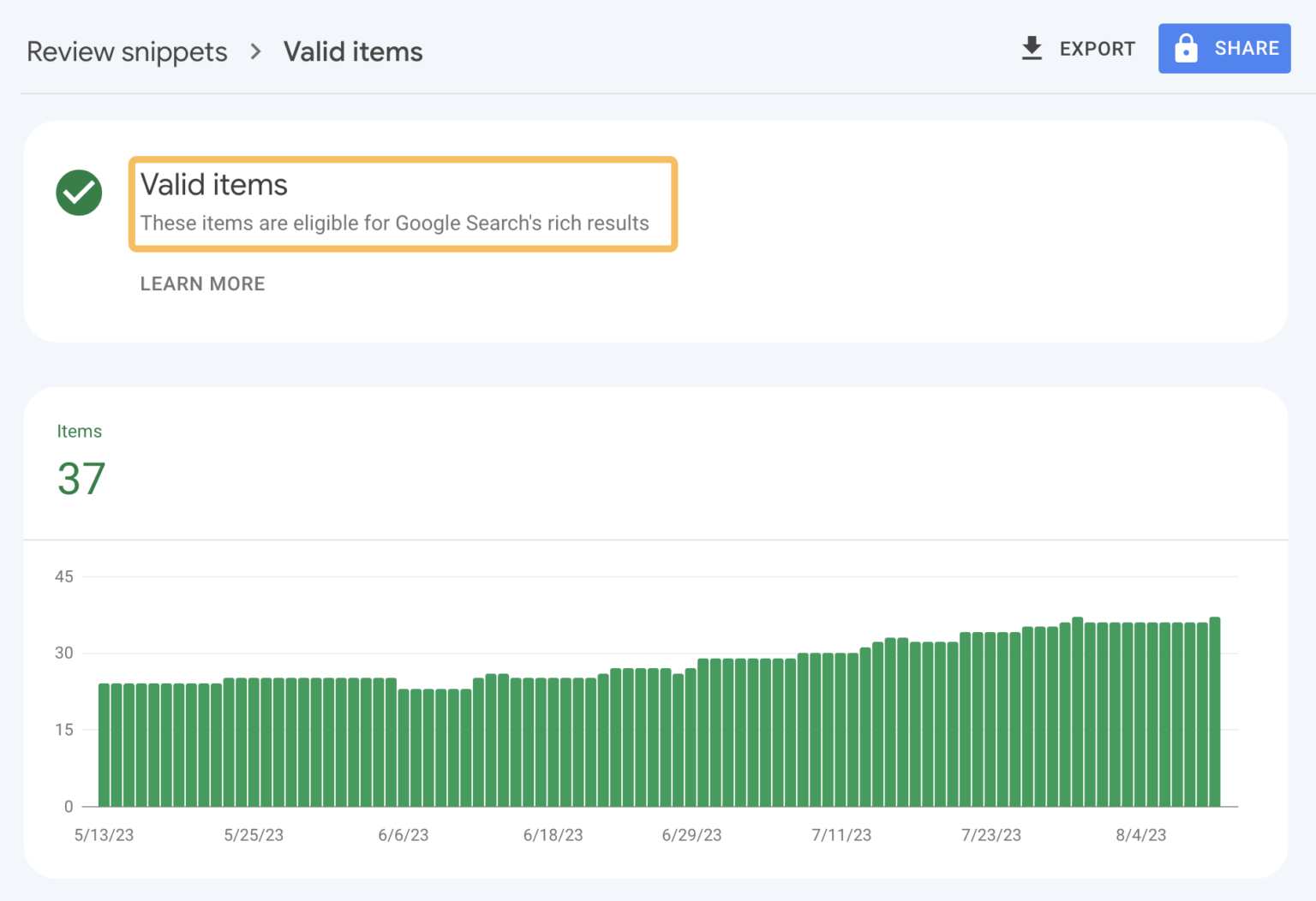
Although this is useful, the problem with both the Rich Results Test tool and Google Search Console is that they only check schema markup that powers rich results, which is not the only benefit of schema markup.
To check schema across your entire website, you can use a website crawler such as Ahrefs’ Site Audit, which you can access for free by signing up for Ahrefs Webmaster Tools (AWT).
Once you’ve run your audit, head over to the All issues report in Site Audit. If there are any structured data issues, you’ll see a message like the one below in the list of issues.

Clicking on this issue will show all instances of structured data issues on your website.
I like to prioritize fixes for pages by sorting “Organic traffic” from high to low. To do this, click on the “Organic traffic” header, then click on “View issues” in the “Structured data issues” column to get more details about the issue.
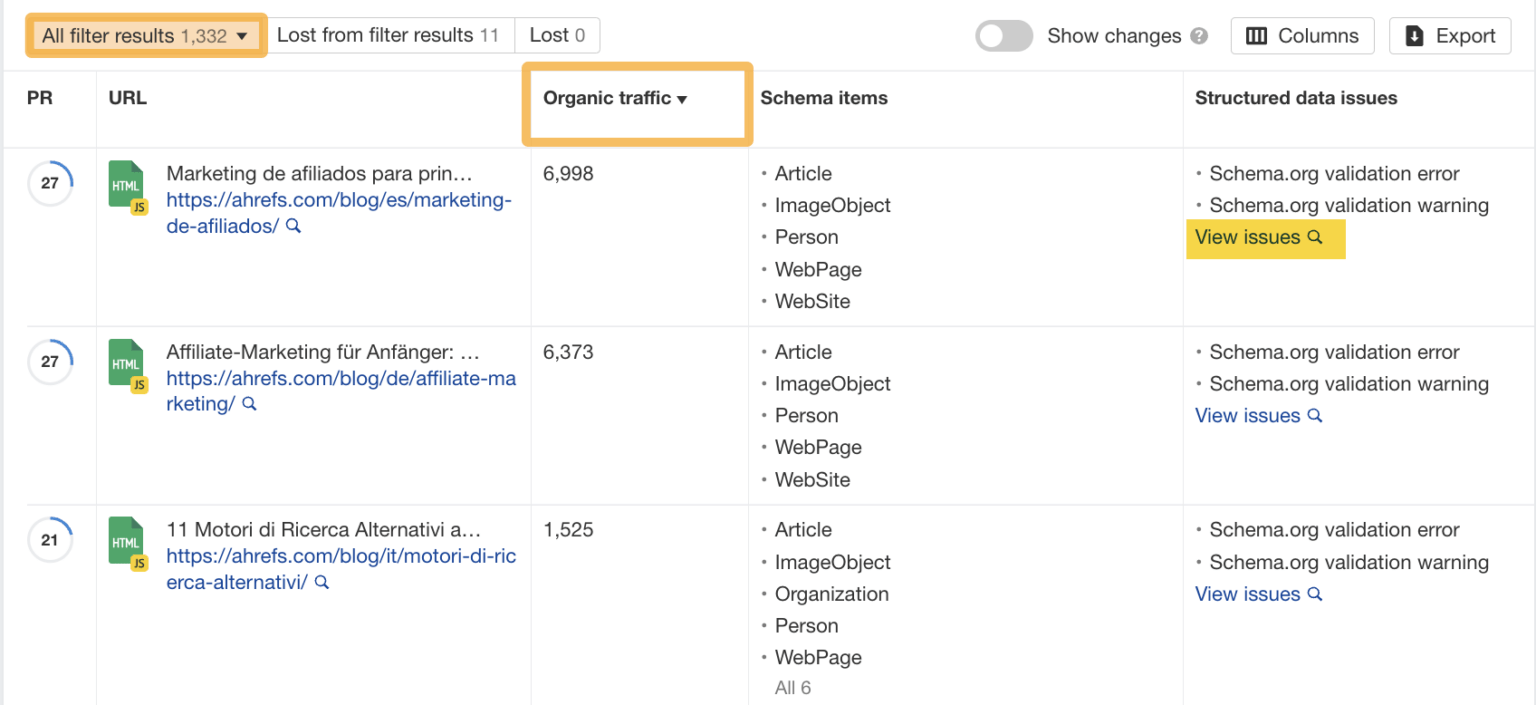
We can see in this particular example that there are three errors and one warning.
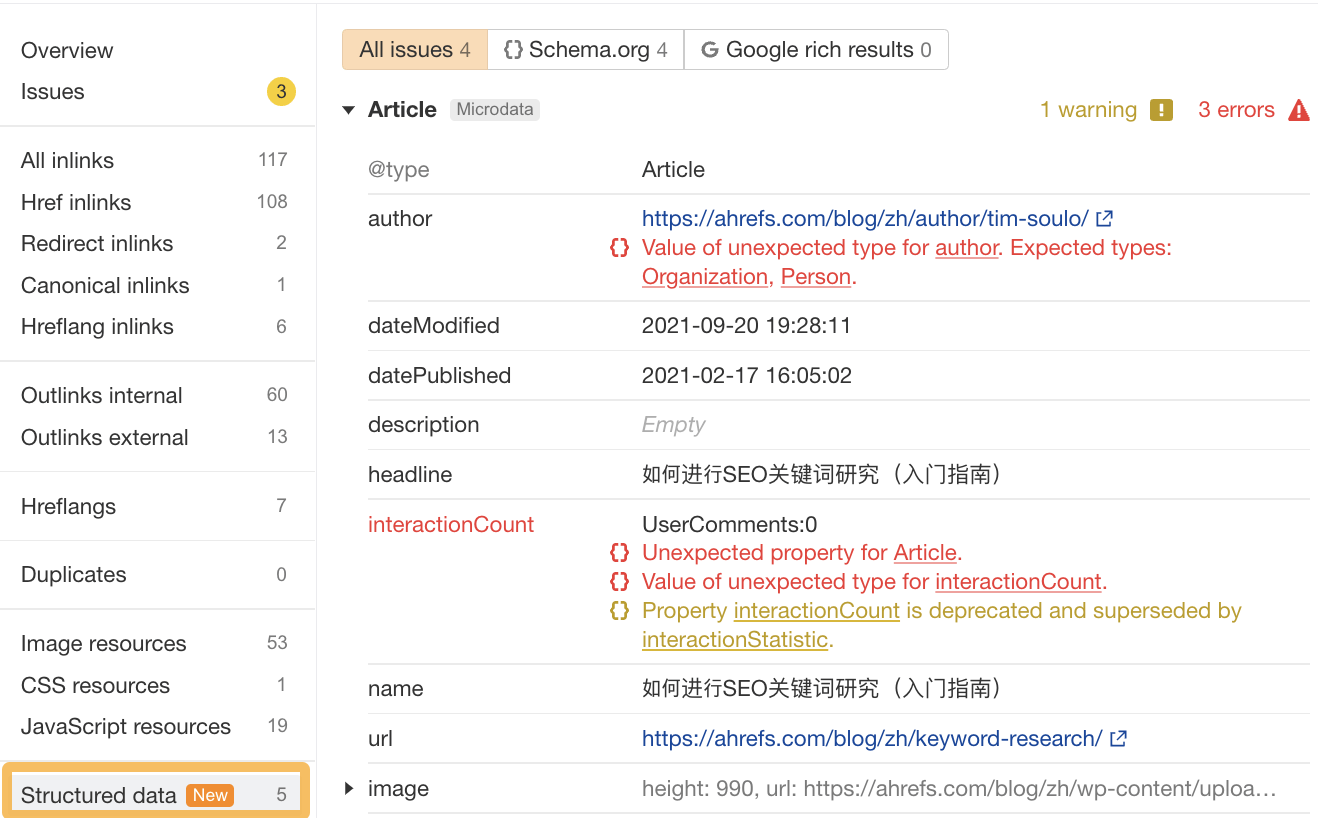
We’ll need to fix these issues first and then recheck them. Rather than running another full crawl straight away, it’s a good idea to use the SEO Toolbar to spot-check your changes.
Your rich results won’t show in search results until Google has recrawled your site, which can take a few days, and even then, there’s no guarantee they’ll appear.
Tip
If you want to speed things up for your most important pages, you can submit your URL for reindexing using Google Search Console.
If you’ve done everything above and are still having trouble, there may be a site quality issue.
Here are some of the most common reasons your structured data may not show:
- It’s misleading and doesn’t represent the main content of the page.
- Google may think a text result is best for your content.
- The page doesn’t meet Google’s structured data guidelines.
Schema markup’s role in traditional search is well established. But as AI-generated responses become a bigger part of how people find information, a natural question has emerged: does schema markup influence what these systems say?
The answer splits across two pathways.
Does schema directly influence AI-generated responses?
The short answer is: not in the way most people assume. Schema does not directly impact how AI search platforms generate specific answers.
SEO consultant Mark Williams-Cook ran a revealing experiment. He created a page for a fictional company called “DUCKYEA t-shirts” and included a fabricated address only in the schema and not on the live page.
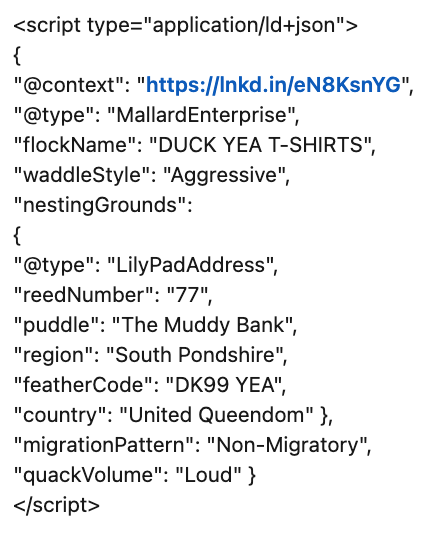
When he queried ChatGPT and Perplexity about the company’s address, both returned the fake address.
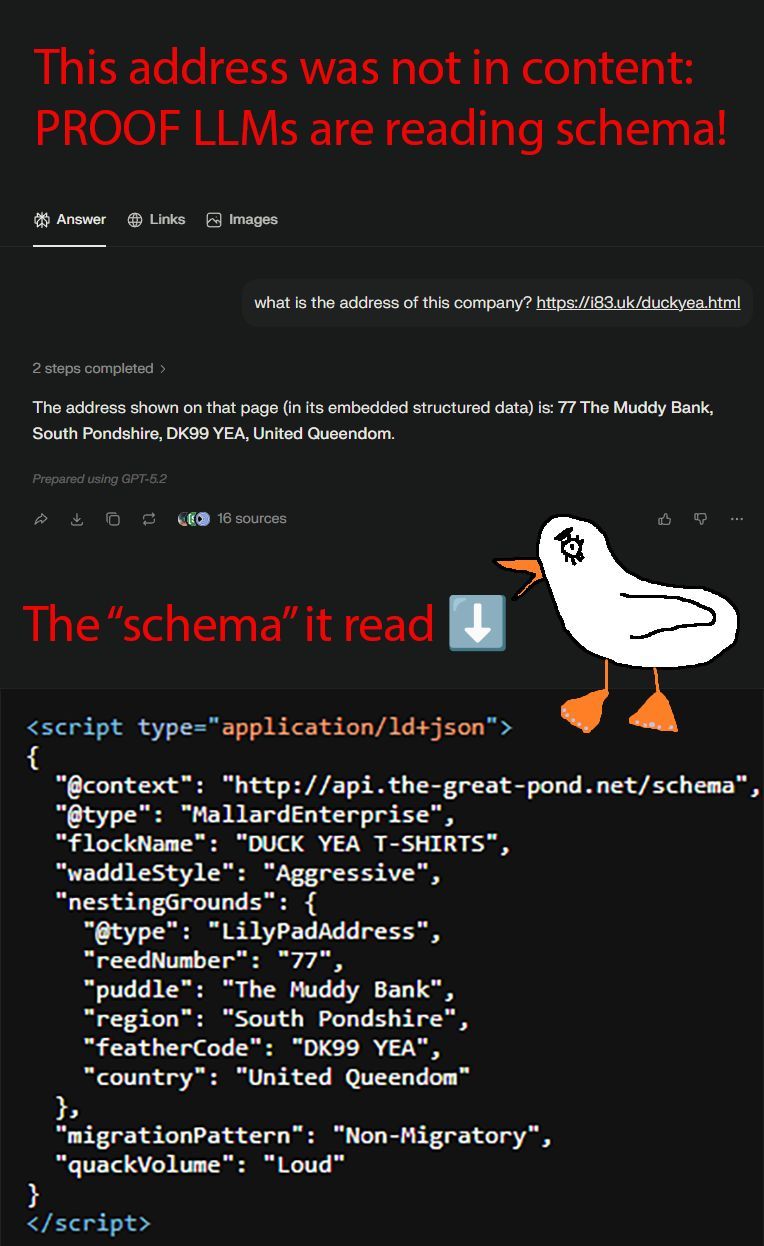
This looks like proof that schema works for AI. But Williams-Cook’s conclusion was the opposite: the models weren’t reading the schema as structured data. They were reading it as plain text, the same way they’d process any other text in the page’s HTML.
The semantic structure was irrelevant.
This is broadly consistent with how most AI systems handle schema. It’s likely stripped during pre-training for most models, and even at inference time, middleware tools that supply web content to LLMs typically strip it before the model sees it.
But there is one notable exception: Gemini.
Research by Dan Petrovic found evidence that Gemini uses structured data as part of its grounding process, the mechanism by which Gemini queries Google’s search index to verify responses.
Further reading
Because Google’s index does parse structured data, schema can indirectly influence what Gemini retrieves and surfaces.
One practical note: AI crawlers, including GPTBot, ClaudeBot, and PerplexityBot, don’t execute JavaScript. Schema added via Google Tag Manager or client-side JS will be invisible to them. If AI crawler visibility matters, add schema as a static <script type="application/ld+json"> block directly in the HTML.
The indirect pathway: schema, entities, and brand visibility
Even where schema doesn’t directly influence AI responses, it plays a meaningful role through its effect on Google’s Knowledge Graph and the semantic connections AI models make between entities (like people, places, and companies).
For instance, Organization schema feeds information about a brand into the Knowledge Graph, which determines how Google classifies your brand as an entity. When Google understands your brand clearly, it surfaces more accurately in entity cards, brand panels, and AI-generated answers that draw on Google’s entity understanding.
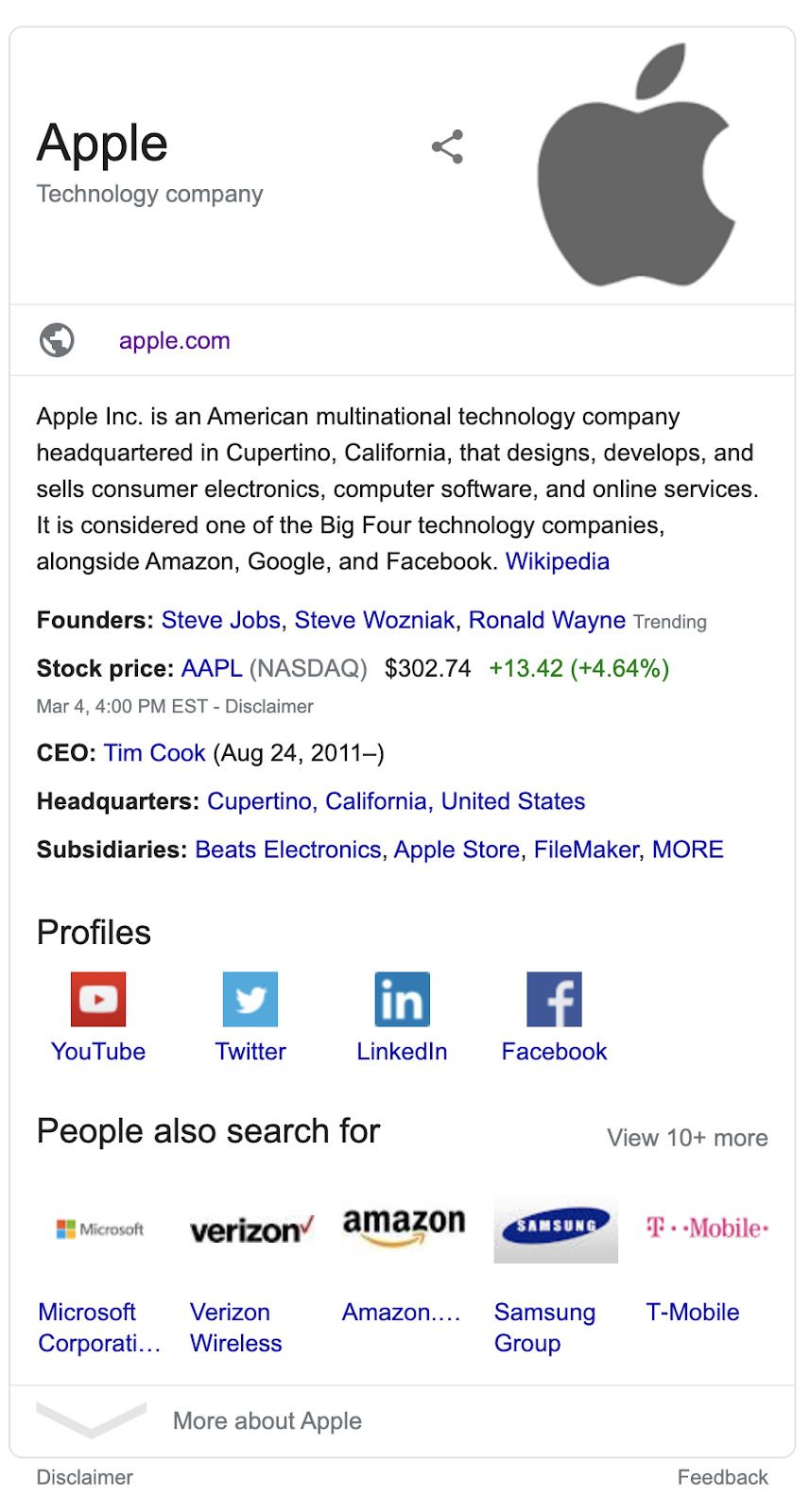
A few schema types are particularly worth prioritizing here:
- Organization schema — establishes your brand as a distinct entity. Adding a stable @id property is now considered best practice for entity disambiguation
- Author/Person schema — connects content to named individuals, strengthening authorship attribution and E-E-A-T signals
- Website schema — basic but consistently underimplemented
Sidenote.
If you’ve used kgmid values in your structured data to reference Knowledge Graph entities, it’s worth checking them. Google conducted a significant Knowledge Graph cleanup in early 2025 that removed many entries, and some previously valid kgmids may no longer resolve.
Tip
Always double-check your schema before pushing live. Schema is powerful, and it can be easy to make mistakes if you’re not careful.
For example, Ryan, Ahrefs’ Director of Content Marketing, added schema to his personal website and accidentally led Google to think he was the owner of the Ahrefs website!
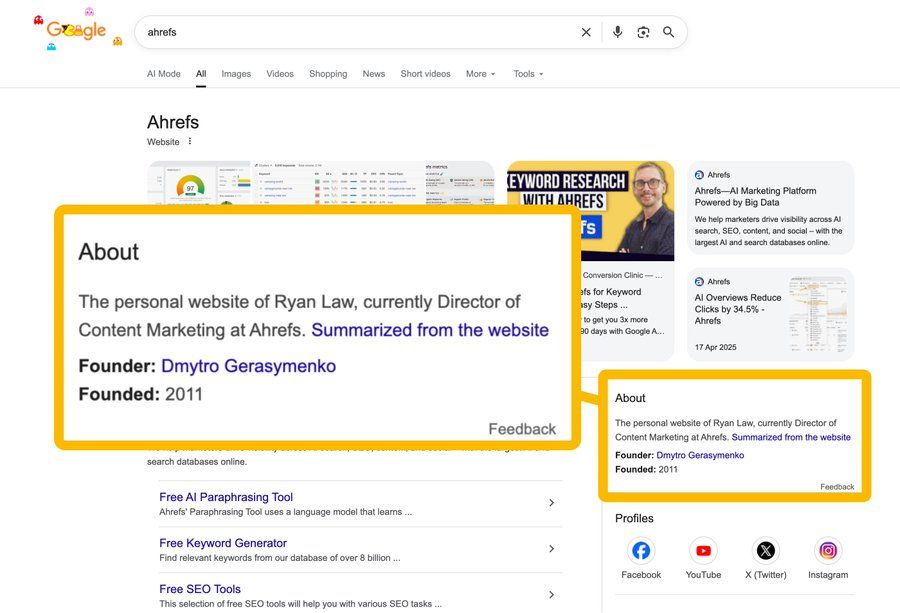
All it took was an error in the sameAs property of his schema, pointing to Ahrefs’ blog instead of his author page.
Final thoughts
Schema markup remains one of the most reliable technical SEO investments available. It helps Google understand your content more precisely, improves click-through rates through rich results, and strengthens the entity signals that underpin brand visibility in both traditional and AI search.
The picture for AI is still developing, but implementing schema correctly has never been a bad idea.
Any questions? Feel free to ping us on X.