

Connecting your WordPress.com site to an AI has been possible for a while, but full access came with a paid plan. Now it’s open to free sites too for a limited time, through November.
That means you can connect ChatGPT or Claude once, then let your AI upload a post, clear out comments, or tell you what needs attention across all your sites.
The end of the year is when sites get busiest: holiday posts, seasonal promotions, year-end updates, and a long list of things you meant to finish before January. An AI can take a real chunk of that work off your plate right when you have the least time for it.
Connecting takes a couple of clicks, and once you’re connected, you can manage your site through a conversation.
The problem: your site needs you everywhere
Running a site means a lot of small jobs. Log in, find the draft, fix the typo, approve the comments, check how last week’s post did. If you manage more than one site, you do all of that again somewhere else.
Most of this work isn’t hard. It just means opening a dashboard, hunting for the right screen, and clicking through it.
You already have an AI open for everything else, and now it can work on your sites.
How to connect
- Pick your AI (the easiest setup is with ChatGPT or Claude, but you can connect any agent).
- Approve the connection when prompted.
- Ask it something about your site.
That’s it. As soon as you connect, you can build and manage your site through a conversation with the AI you’re already using.
What it looks like in practice
Connect once, then ask in plain language. Each example below has a link that opens ChatGPT or Claude with the request already typed.
Start small: Not sure where to begin? Ask your AI to look at your site and tell you three things worth fixing this week. You can then review the list and work with your AI to address them together. Try in ChatGPT or try in Claude
Find your next post idea: Ask your AI to read your recent posts and suggest a few new ones that would resonate with your readers. You pick one and write it yourself. When it’s ready, ask your AI to save it to your site as a draft, so you can give it a final look and publish. Try in ChatGPT or try in Claude
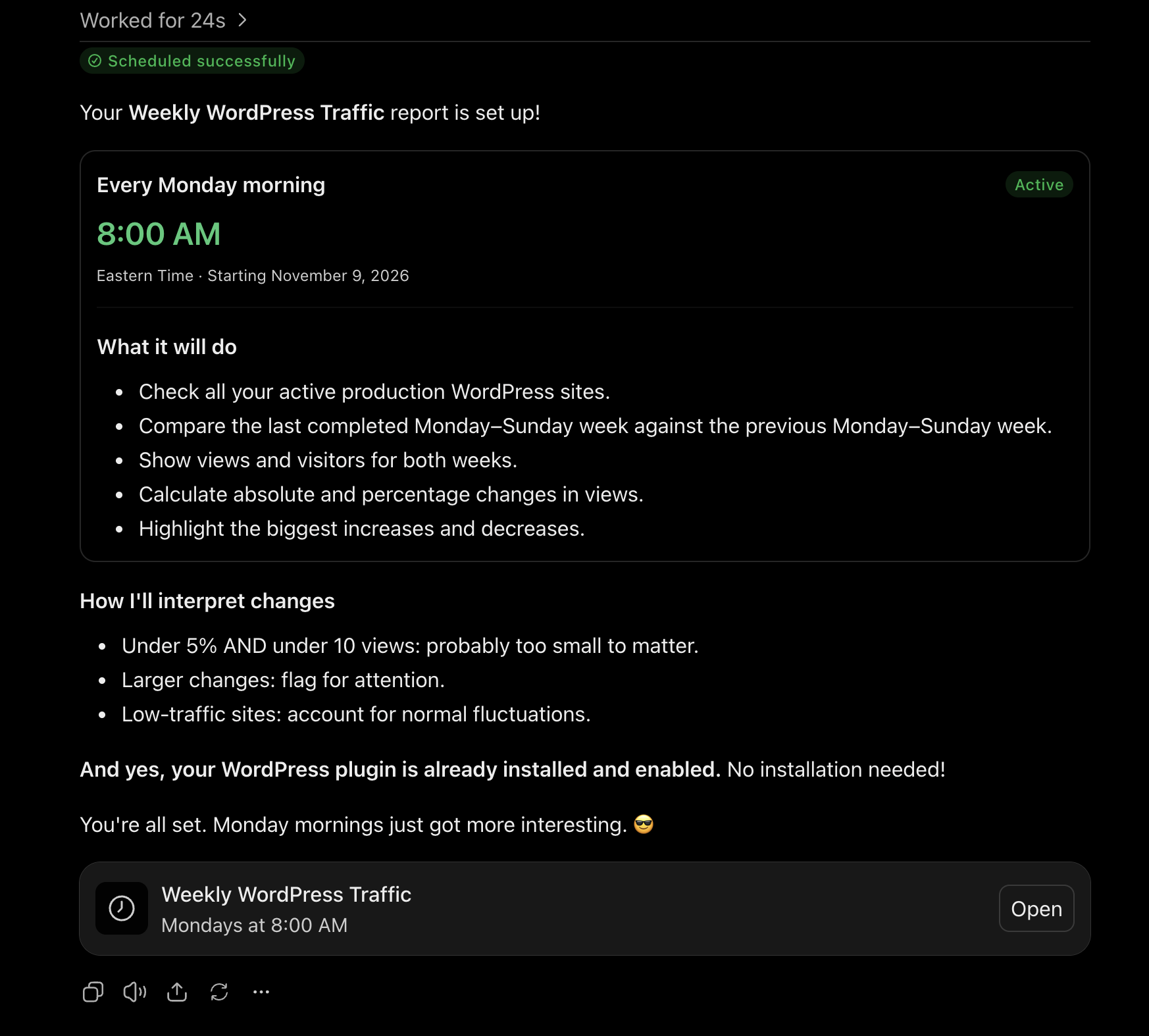
Put your AI on a schedule: Set up a scheduled task, and your AI does the weekly chore you never get around to. For example, ask it to compare last week’s traffic to the week before, every Monday. You’ll get a report each week, so all you need to do is read it. Try in ChatGPT or try in Claude
Know what needs doing: Drafts to finish, comments waiting, pages to update. These are the jobs that never feel urgent, so they quietly pile up. Ask your AI for a to-do list and see it all in one place. Try in ChatGPT or try in Claude
Manage every site from one chat: Have more than one site? You don’t need a separate login for each. Ask once and work across all of them. Try in ChatGPT or try in Claude
You stay in control
Handing a task to an AI should never feel risky. Here you stay in control by choosing what it can do on each site and whether it asks before every change or goes ahead on its own.
Free through November
Through November, AI access is free for everyone, and it’s available on paid plans year-round. If you’ve been curious about running your site with AI, this is a great time to try as we enter the highest traffic weeks of the year.
Try it for a few weeks and see which jobs you stop doing by hand.