
This post was originally published on this site.
You know your brand. AI usually needs reminding.
Every time you use AI to build or write on your site, you can end up repeating the same context: your voice, your goals, how your images should look, what colors you use — the little rules that make your site recognizably yours.
And after all that re-explaining, you often still end up with something generic.
Guidelines on WordPress.com change that. Specify your personal brand—how you write, what your images look like, and what your goals are—and it becomes a persistent memory the WordPress Agent works from.
It’s a memory that lives on your site, guiding everything you make with the WordPress Agent in the editor, via Telegram, or via email.
How Guidelines works
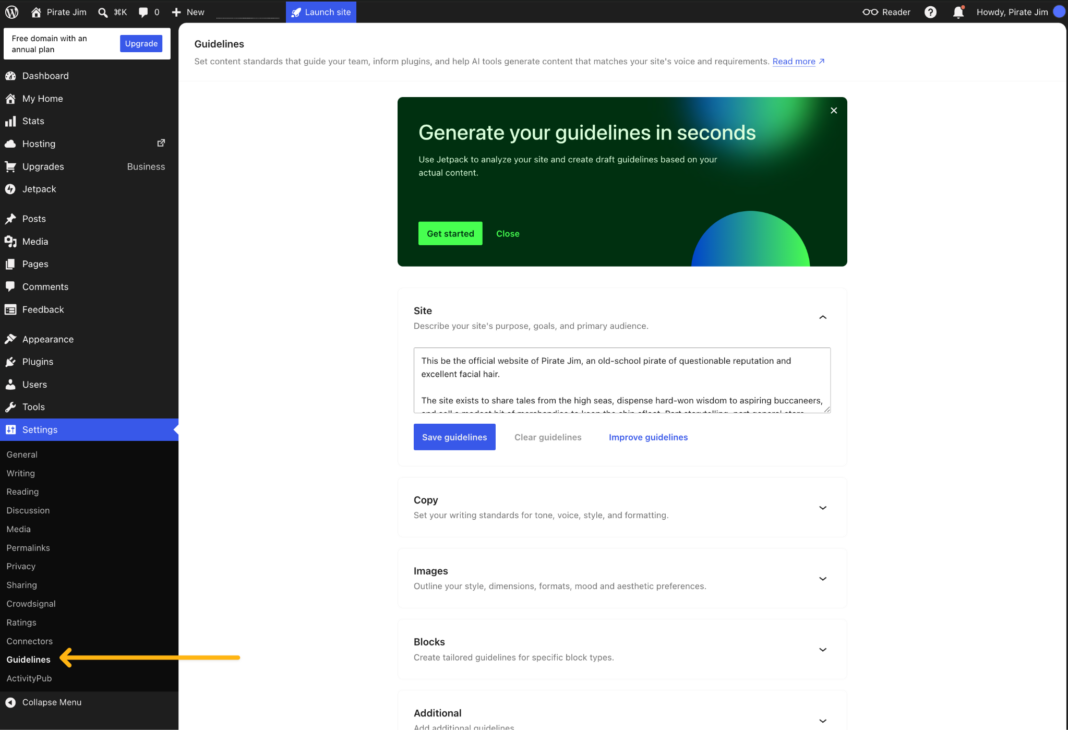
Guidelines lives in your site’s dashboard under Settings → Guidelines and it’s where you define your site in a few different sections.
You don’t have to start from scratch. Click Suggest guidelines, and the WordPress Agent will read your existing posts and pages and draft every section for you. You can then go through each suggestion and accept, edit, or dismiss it.
Already started a section and want to sharpen it? Improve with AI refines what you’ve written.
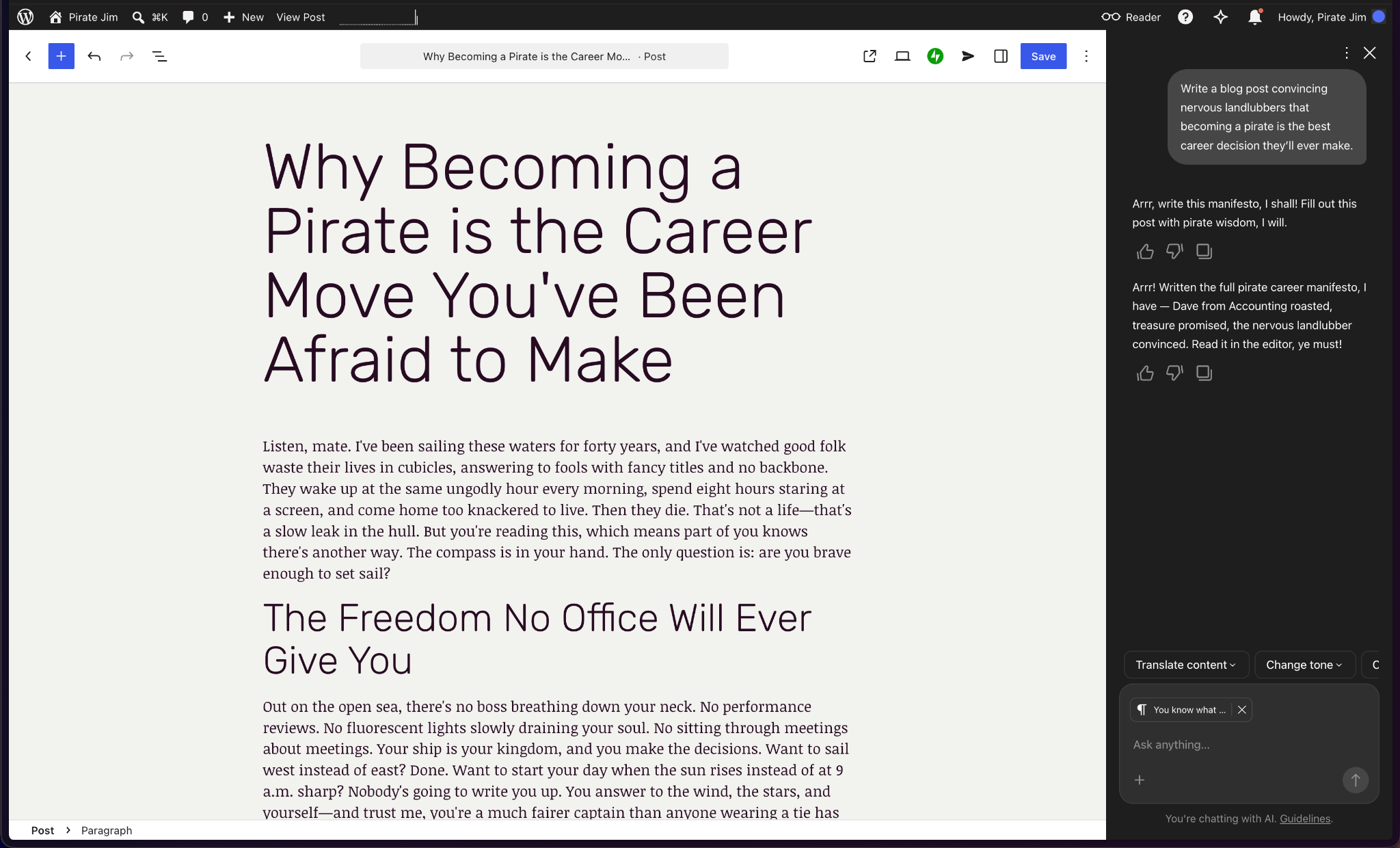
Guidelines are the memory, and the WordPress Agent reads from it. Set your brand voice once, and the Agent draws on it automatically without needing to be re-prompted or constantly reminded of who you are and what your business does.
One memory for every kind of site
Guidelines work for every kind of site. The value just shifts depending on who’s setting it up.
If you run a small business or work solo, you already know your brand inside out – you don’t have time to re-explain your brand on every task. Set your tone once (“warm and plain-spoken, no corporate jargon”), name the things that matter (“always call them ‘sessions,’ never ‘appointments’”), and every collaboration session with your WordPress Agent starts on-brand.
If you’re a creator or publisher, you want help that sounds like you, not a content mill. Tell Guidelines to keep your first-person, conversational voice, and let the Agent handle the polish and reviews while your words and voice stay intact.
If you sell products, consistency is everything. Set your product photography style once (“white background, soft shadow, no props”) and your copy rules (“benefit first, spec second; never ‘cheap,’ always ‘affordable’”), and every generated image and refined description will match.
If you build sites for clients, repeating brand context for every project is a tax on your time. Give each client site its own memory, so you can hand off something that stays on-brand without having to stay in the loop.
If you’re a developer, you want AI that stays within known constraints instead of going rogue. Guidelines gives the WordPress Agent a durable, reviewable spec to work from.
Give your team a shared memory
Guidelines becomes more useful as more people work with your site.
For a team, it becomes a shared memory — a single source of truth that every contributor and the WordPress Agent works from. Your voice and visual direction stay consistent even when the person behind the keyboard changes. The rules live with the site, not in one person’s head.
Create your Guidelines
Guidelines takes a few minutes to set up, and you can start with what your site already knows.
First, enable the WordPress Agent on any paid plan. If you use Telegram and/or email, hook those up too.
Then go to Settings → Guidelines on your WordPress.com site and click “Suggest guidelines.” See what your site already knows about itself, accept what fits, and change what doesn’t.
Finally, talk with your WordPress Agent in the editor, via Telegram, or via email. Your site’s memory is pulled when it’s needed to help guide the result.
You know your brand. Now your WordPress Agent does, too.