
October 16 – October 29, 2026
Welcome back to the WordPress.com changelog! We shipped a lot of updates over these past two weeks. Here’s what’s new for you and your site:
Manage your site from your AI agent, free through November
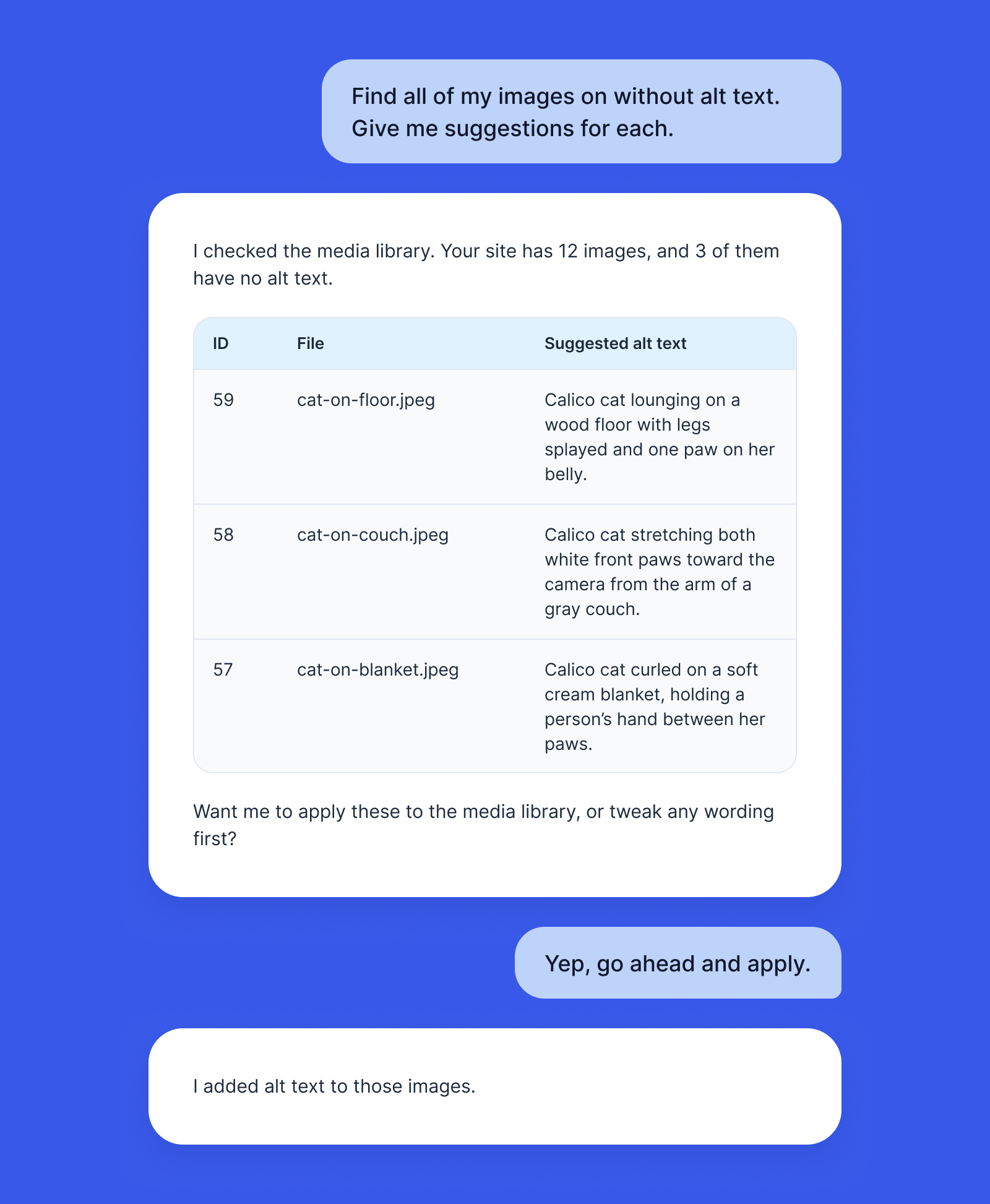
On all paid plans, you’ve been able to connect an AI agent like ChatGPT or Claude to your WordPress.com account and manage your sites through conversation. Sites on our free plan can now also use this feature through November.
The easiest way to get started is to use our ChatGPT plugin or Claude connector and then ask it for help with building a site, making changes, or taking care of website chores.
Learn more in our support doc, Enable MCP tool access for AI agents.
Build stores with the WordPress Agent
Tell the WordPress Agent you want to sell something, and it’ll set up the store for you. It installs the WooCommerce plugin, designs a store layout, and adds example products to start from. Store building with AI works on all paid plans (and the Commerce plan includes valuable store add-ons like gift cards, product bundles, and shipment tracking).
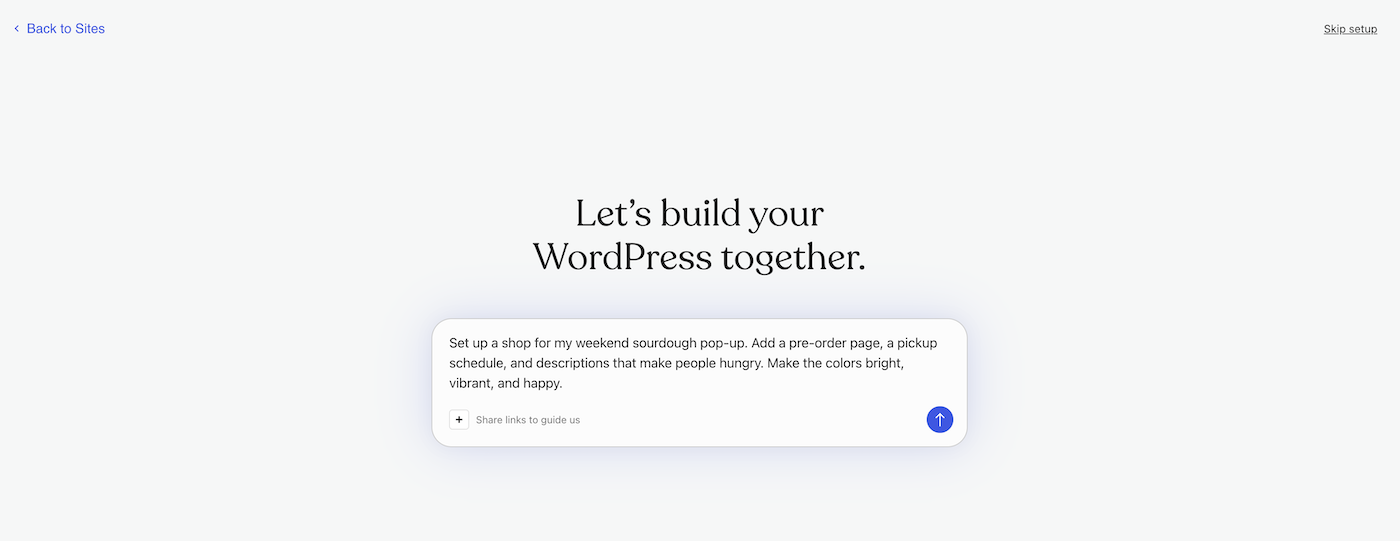
Build with the WordPress Agent via our AI website builder.
Staging syncs tell you what’s happening
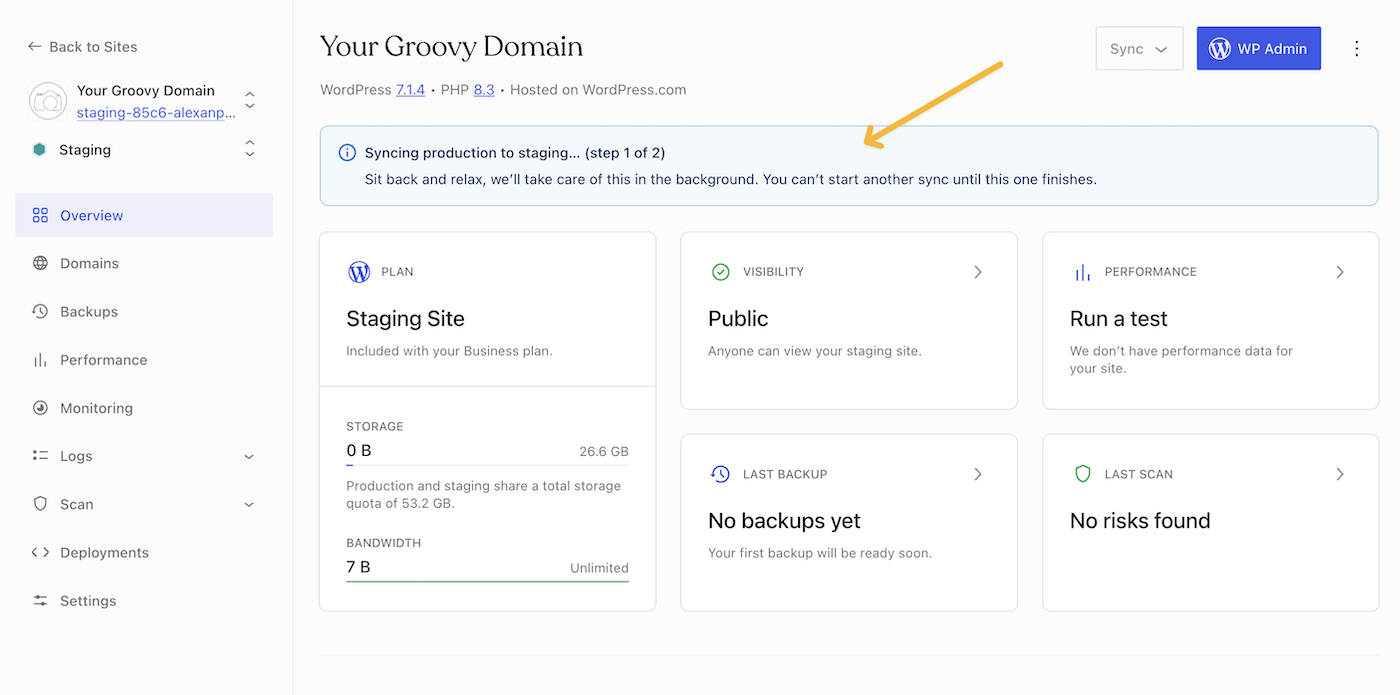
If you’ve started a staging sync and wondered whether it was working, this update is for you. While a sync runs, the site overview on your hosting dashboard shows a banner with its status. It says so when a sync is taking longer than usual, and when one looks stuck, it re-enables the Sync button so you can try again. If a sync fails, you get an email and a banner the next time you open your site, so you aren’t left waiting on a sync that won’t finish.
Staging sites also now tell search engines to stay away, so your test copy doesn’t show up in Google next to your real site. Staging is available on Business and Commerce plans.
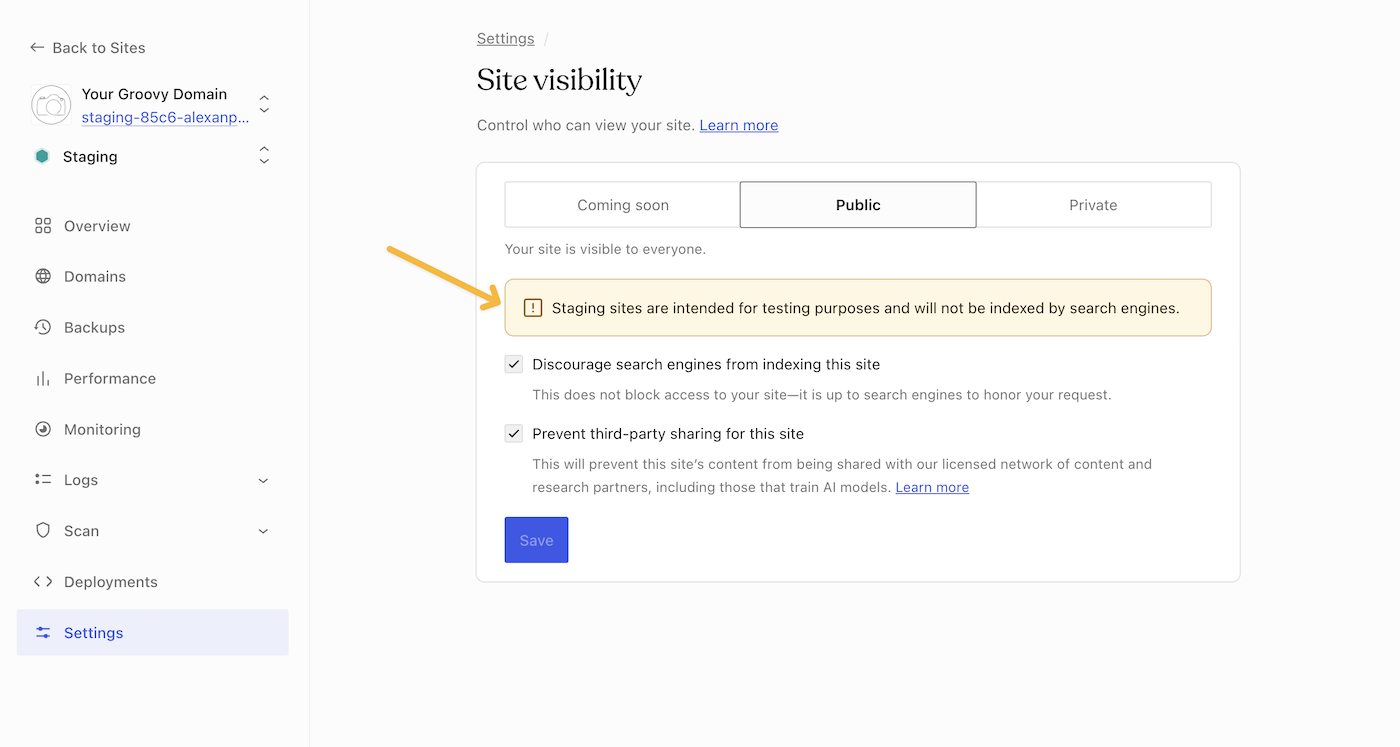
Learn more in our support doc, Create a staging site.
More design control in the editor
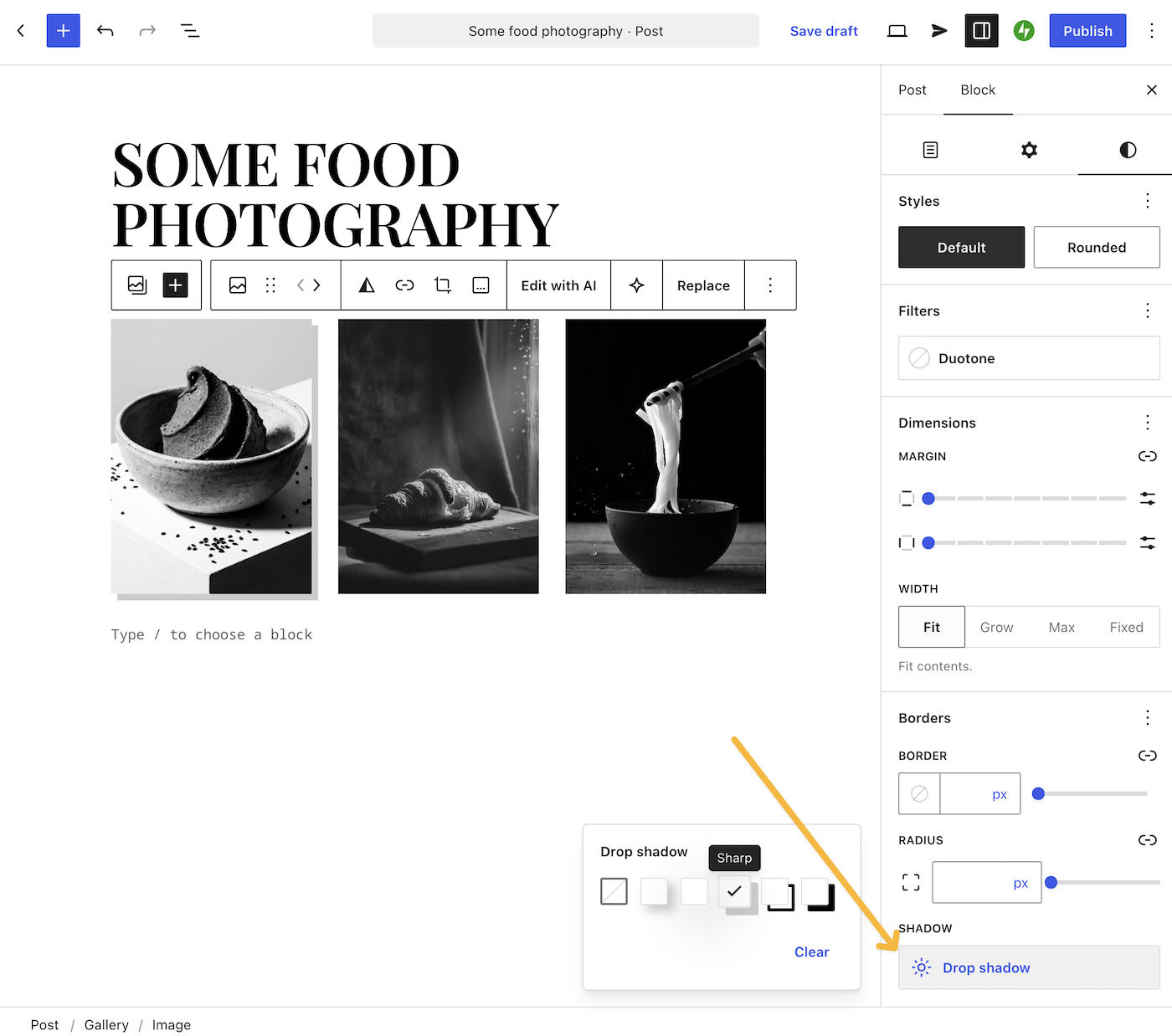
You now have more ways to customize your pages, no custom code needed. For example, you can now set a minimum width or height in Button, Column, Gallery, and Heading blocks and add shadows to Button, Gallery, Media & Text, and Paragraph blocks.
Learn more about the updates to the editor in What’s new in Gutenberg 24.2.
WordPress 7.1.4 security release
WordPress 7.1.4 shipped October 28 with 13 security updates, tightening security for all WordPress users. Your WordPress.com site is already updated, so there’s nothing more you need to do to use the latest version.
Professional Email now comes with more powerful plans
A custom email address like hello@mygreatnewblog.com gives customers a name they recognize and trust. Now there are three Professional Email plans on WordPress.com, so your inbox can grow with you:
- Essential: 30 GB per mailbox with calendar, contacts, and spam protection. If you already had Professional Email, this is your plan with a new name.
- Plus: 50 GB per mailbox, plus scheduled sending and follow-up reminders.
- Ultra: 100 GB per mailbox, plus an AI email writer, appointment booking, email campaigns, and invoices.
You can find all the new email features here.
Fixes and improvements
We also shipped additional reliability and polish updates across WordPress.com, including:
- Making sure your first newsletter goes out when you add subscribers just before you publish.
- Showing the auto-renew switch only to the person who owns the purchase, so other admins no longer see a switch they can’t use.
- Fixing an issue where some posts failed to share to Threads.
- Fixing photos from phones and cameras that appeared rotated after upload.
- Fixing domain setup when you buy a domain first and a plan later. Your domain now becomes your site’s primary address automatically.
- Adding the option to use the www version of your domain, such as
www.yourgroovydomain.com, as your site’s primary address, with a one-click switch back. (GitHub PR) - Replacing the faded look of posts you’ve read in Reader with a small blue dot on unread posts, and adding a “Show read status” switch to your Reader settings. (GitHub PR)
- Fixing the new comment form: comments from signed-in readers no longer land in spam, undo no longer wipes what you’ve written, and the comment box stays readable on themes with dark color palettes. (GitHub PR)
- Explaining that only administrators can buy on the checkout “no access” page. (GitHub PR)
- Making checkout clearer: the card form now specifies which field is missing, and Apple Pay and Google Pay now show a more detailed price breakdown. (GitHub PR)