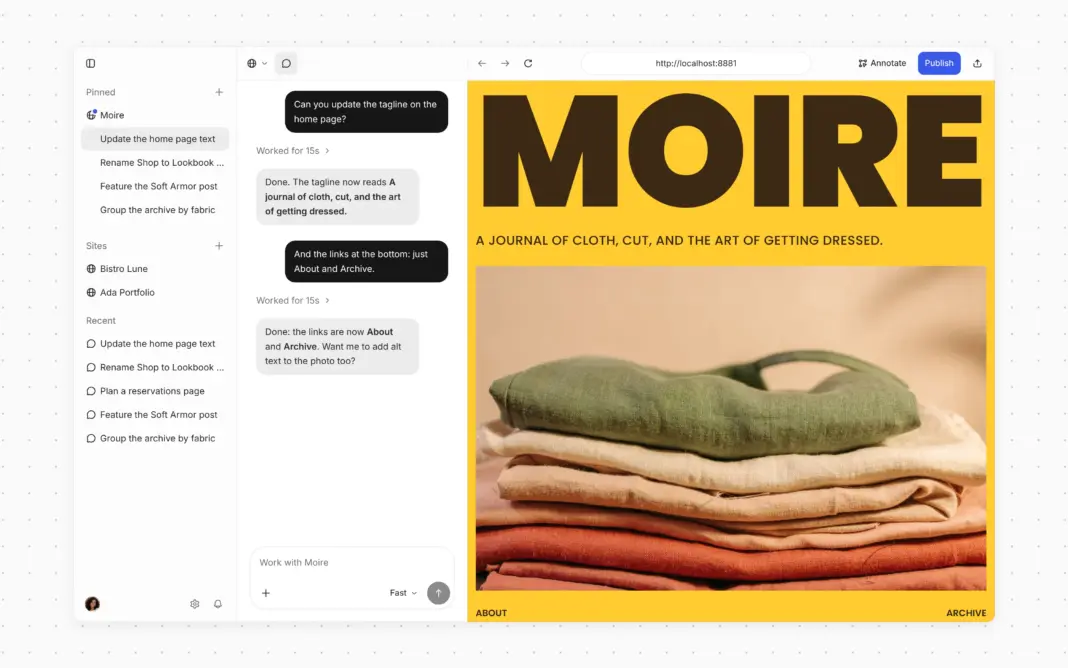

In WordPress Studio, a website starts as a conversation. You describe what you want, and an AI agent builds a first version for you. To change something, just tell the agent what you’d like instead.
If you’ve used an agentic coding tool recently, the latest version of WordPress Studio will feel familiar. You’ll find a chat next to a live preview of your site, a choice of models for each task, and the option to use your own API key or let WordPress.com handle it for you.
That’s WordPress Studio today: a free desktop app designed for modern workflows with support for macOS, Windows, and Linux.
How we got here
Back in August, the AI agent was added to WordPress Studio as a beta feature. It’s now at the center of the app, and what you told us during the beta period shaped how we rebuilt the workspace around it. Mostly, that meant making WordPress Studio simpler to navigate. Your sites and their chats live in one sidebar, site and app settings share a single Settings window, and the commands you used to hunt for are a keystroke away. WordPress Studio now feels less like a collection of features and more like one place to build your WordPress sites.
Prefer the terminal? The same agent is there too. Install the Studio CLI and run studio code to chat with it, or studio ui to open the full workspace in your browser.
The basics haven’t changed. You still build sites on your computer, share a preview link when you want feedback, and decide where your site lives when you’re ready.
Start with a direction
Finding the right look for a new site usually takes some back and forth, and the new design flow is built for exactly that. Ask the agent for a site, like “Build a site for my slow-fashion journal called Moire,” and it shows you four looks to choose from. Pick one, and it shows you four layouts in that style. Pick again, and it starts building.
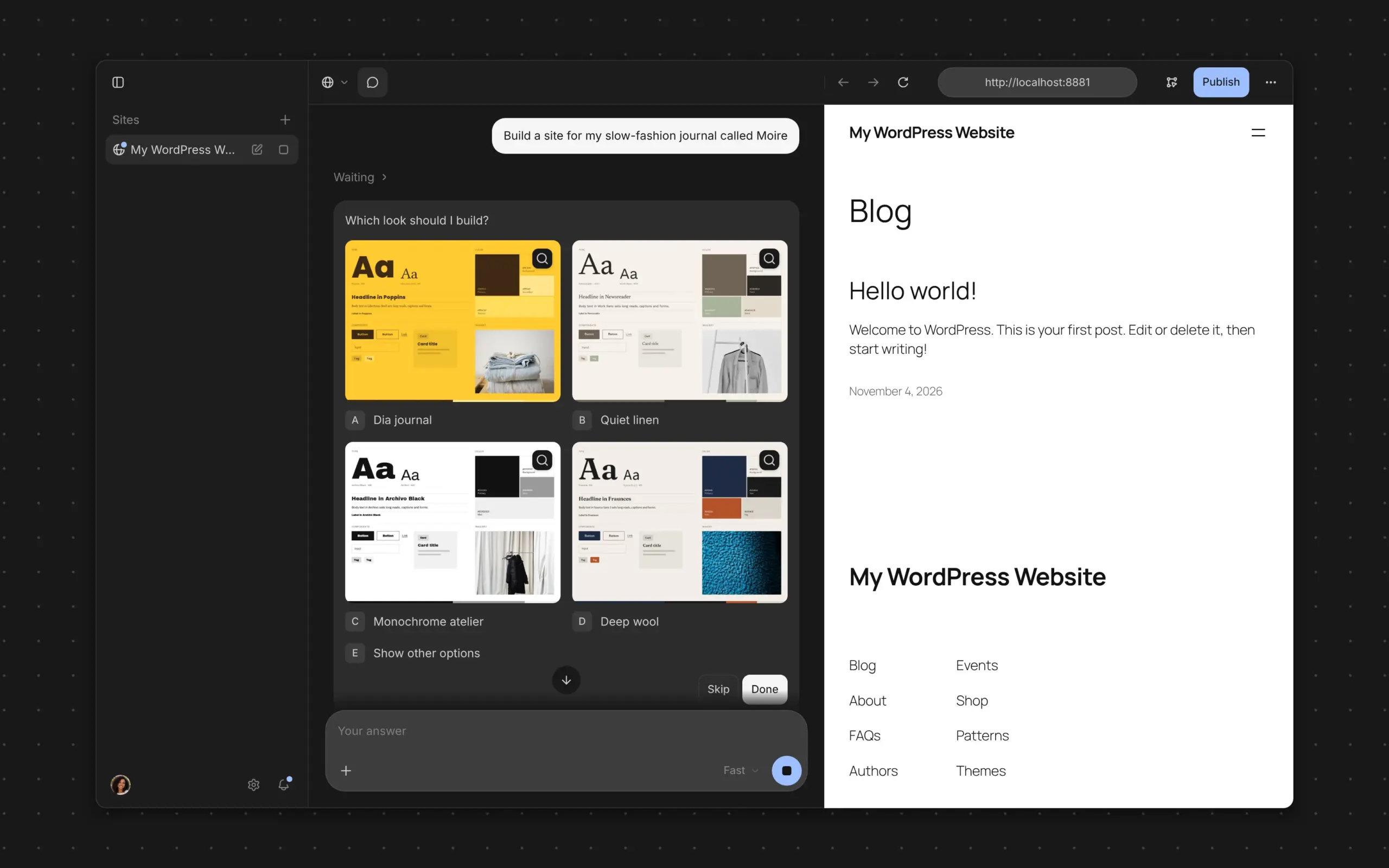
If you already know what you want, describe the design in your request and the agent skips the questions. Either way, the agent saves the result as a design system: a DESIGN.md file in your site’s folder. Later chats follow it, so your site keeps a consistent look as it grows.
A smarter WordPress Studio agent
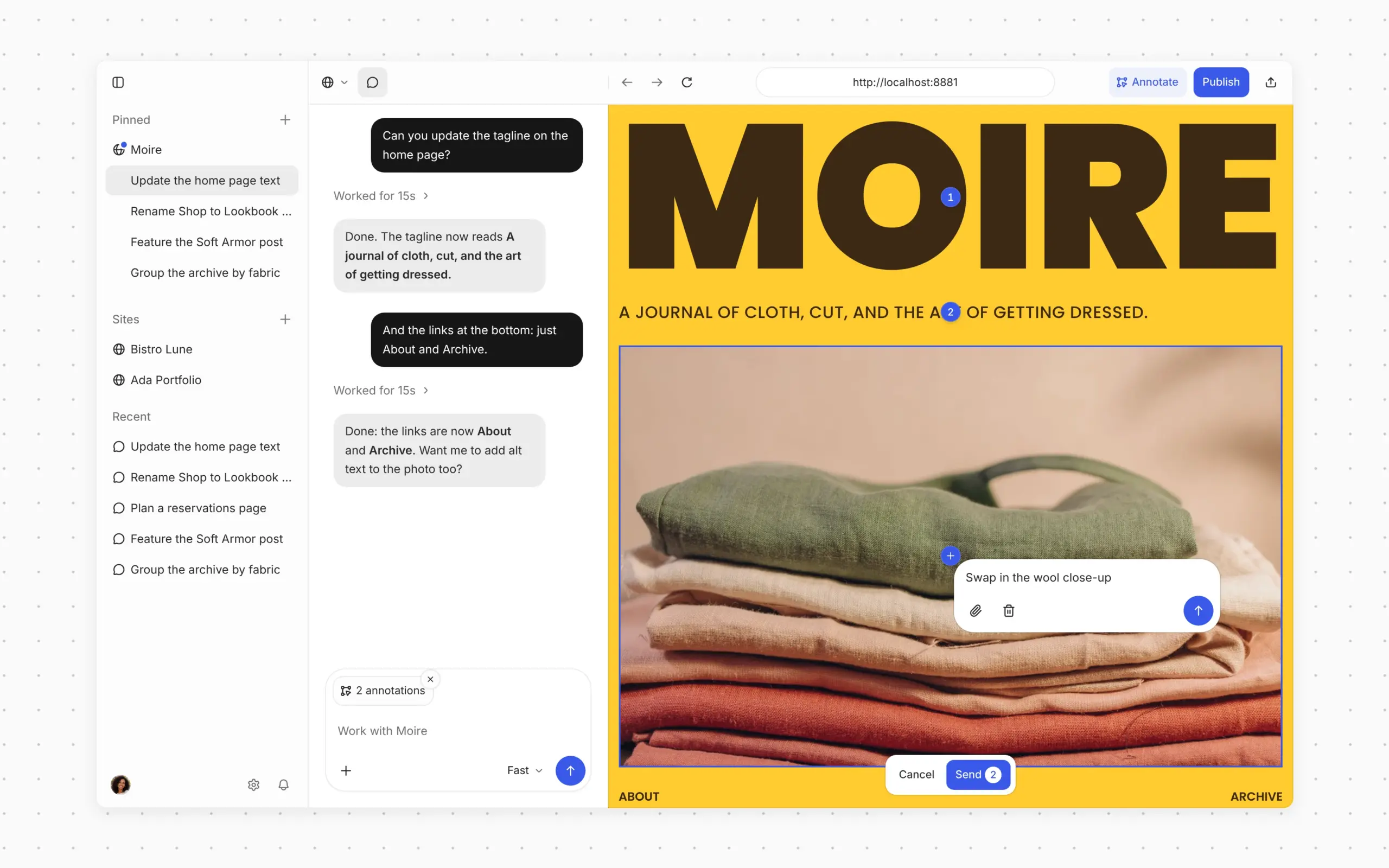
WordPress Studio Code is the WordPress harness behind the conversation, the tools and context the agent works with. It’s why the agent checks its blocks against the block editor before adding them to your site, and reviews its own work by taking screenshots. When you want to point at something specific, turn on Annotate, pin notes to elements in the preview, and send them to the agent all at once.
You also decide how much power each chat gets. With WordPress.com AI credits, pick Fast for everyday edits, Balanced for work that needs more careful reasoning, or Strong for complex, multi-step builds. Balanced and Strong now run on newer models. If you connect your own Anthropic API key, you choose the model directly, and support for other providers is on the way.
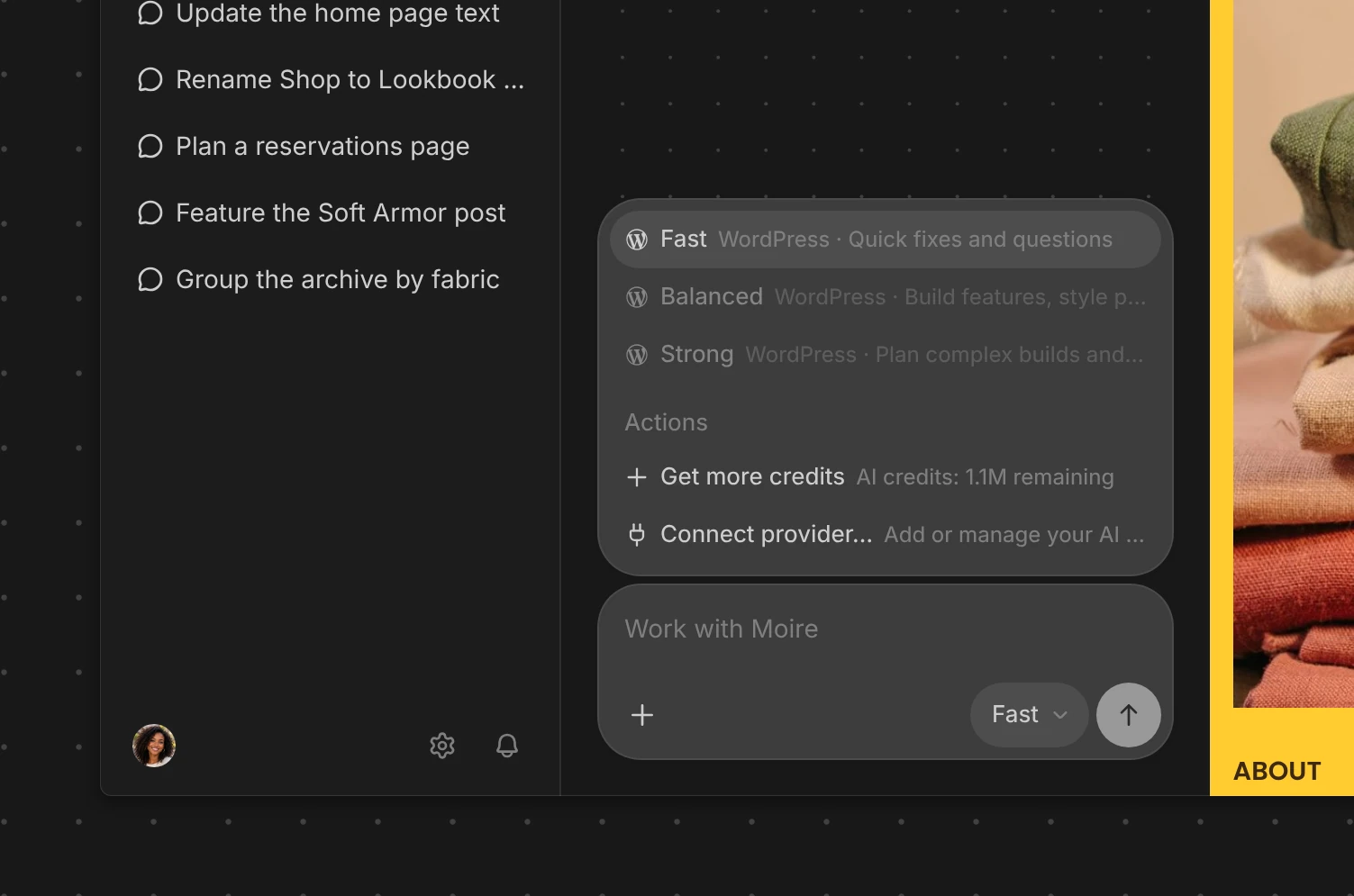
Whichever model you use, you can add custom instructions once in Settings → Instructions, such as “My sites are for restaurants,” and the agent follows them in every new chat.
Publish your site
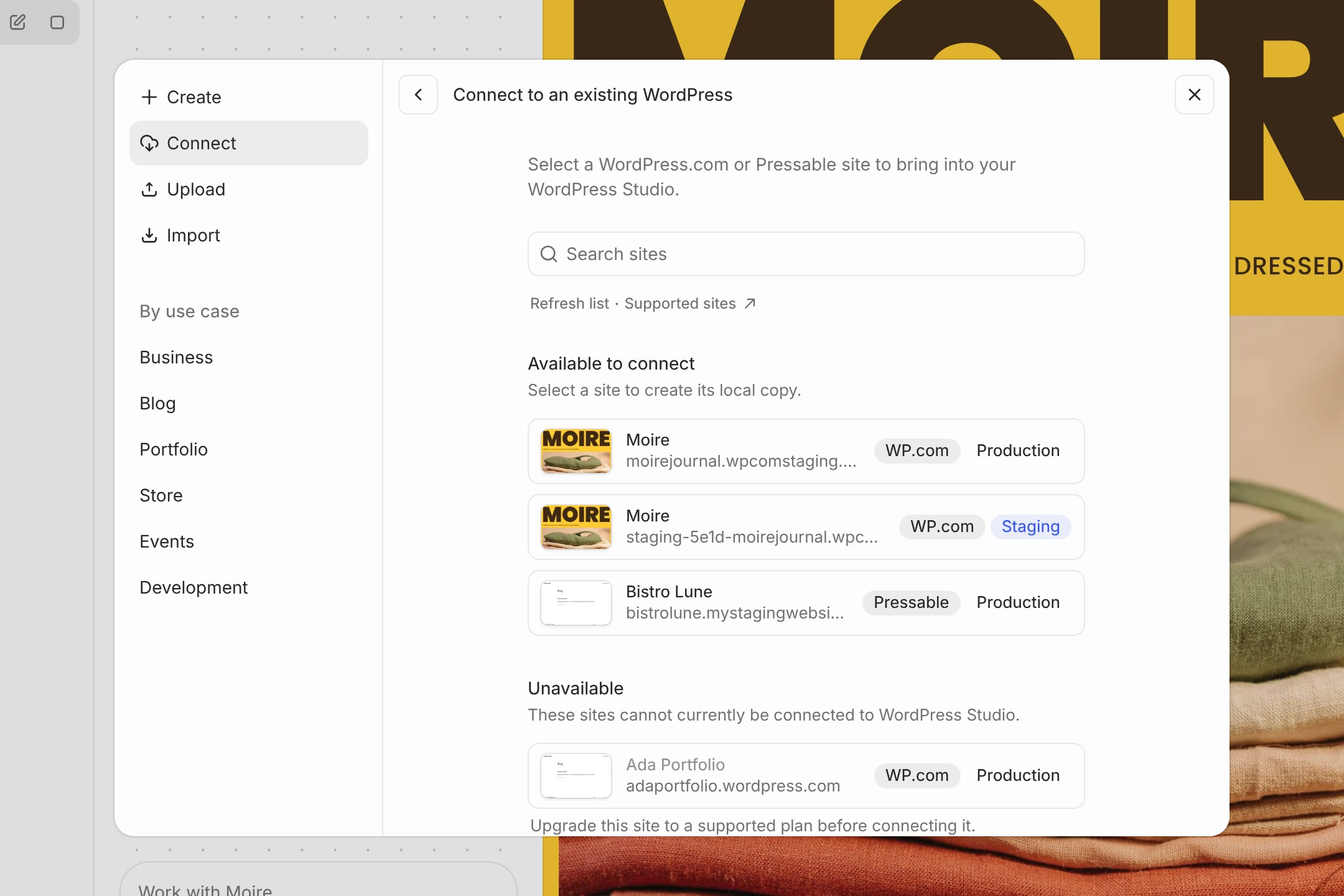
WordPress Studio already lets you pull a connected WordPress.com or Pressable site down to your computer and push your changes back up. Now the agent works either way: build locally and push when you’re ready, or point it at your live site and let it make changes there directly.
Bring your own agent
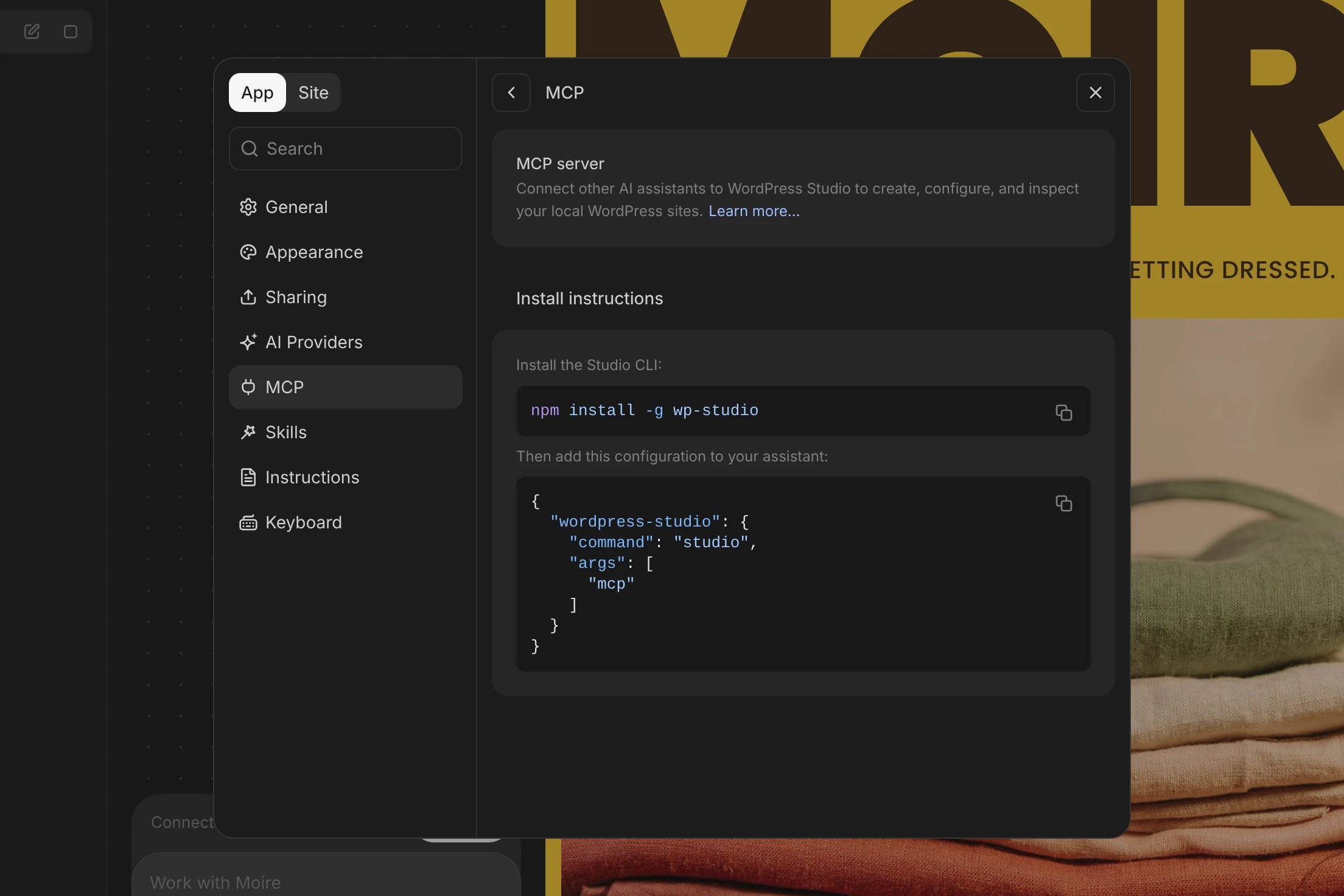
Already building with another agent, like Claude Code, Codex, or Cursor? Connect it to WordPress Studio through the Model Context Protocol (MCP). Instructions are available in Settings → MCP. It works through the same WordPress harness as the built-in agent: the tools, the custom instructions, and the WordPress skills that know how to build, edit, and publish a site.
Everything within reach
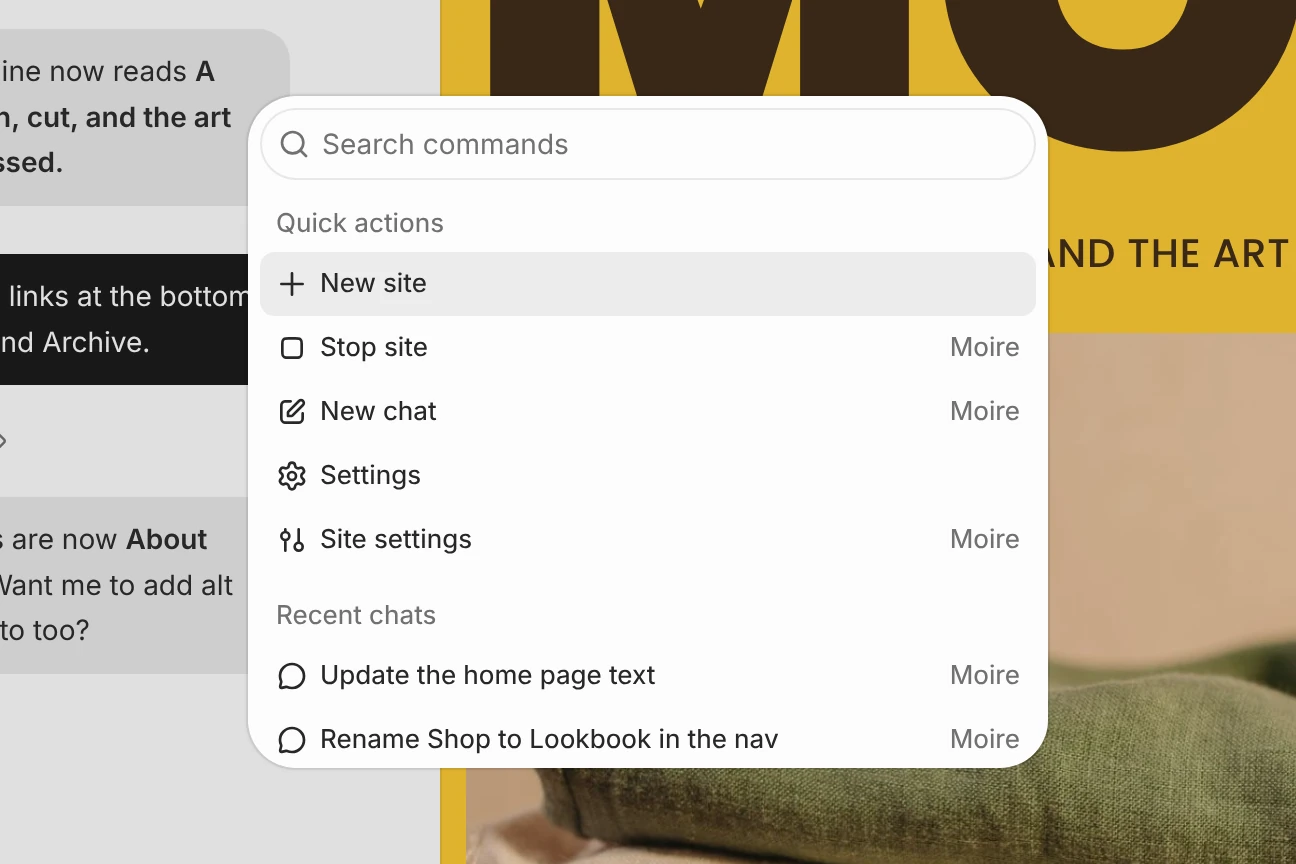
The new navigation is built around the sites you work on most. Pin the ones you use often, pick up a recent chat right where you left off, and press ⌘K (Ctrl+K on Windows and Linux) to open the command palette and jump to any site, chat, or action.
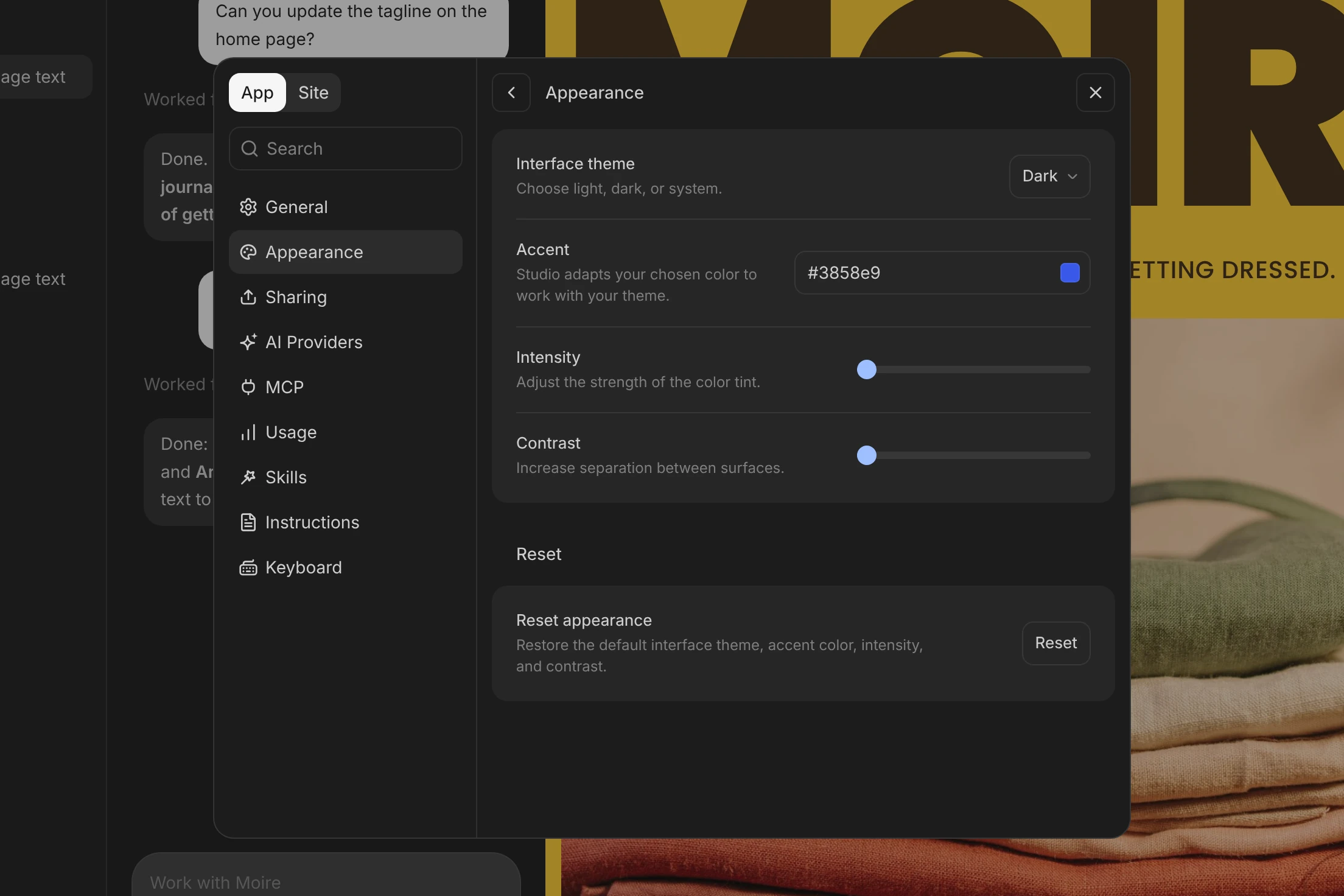
You can also make the workspace your own. In Settings → Appearance, choose a light or dark theme, pick an accent color, and adjust how strongly it tints the interface and how much contrast there is between surfaces.
How we build now
More and more, building for the web means working alongside an AI agent: you describe what you want and watch your site take shape as you talk. WordPress Studio brings that way of working to WordPress, and we’re shipping updates faster than we ever have. It’s everything WordPress does well, with an agent that knows it inside and out, in one app you can download today.
Start your next project in the new workspace, and let us know what you think.